



Article translated by Owen Huchon — Original version published on the Inbox Collective website on May 4, 2023.
There's a question I get asked almost daily: "How do I grow my newsletter subscribers?" Practically everyone I talk to – from someone launching their first newsletter to teams managing some of the world's biggest brands – wants to grow their list.
I led the newsletter teams at BuzzFeed and The New Yorker and worked with hundreds of news organizations, nonprofits, and brands through my agency, Inbox Collective. Over the past ten years, I've learned a lot about what works and what doesn't when it comes to growth.
The tactics presented here have helped many newsletters acquire millions of subscribers. I can't guarantee you such a return on investment, but implement some of these tactics and I promise you'll see your list grow.
I have some reflections and best practices that are important to keep in mind before you dive into the list.
Seven things to know before you start
Before we dive into the tactics, I'd like to share some general thoughts:
1. When it comes to growing your subscriber lists, nothing beats quality content. A solid report, exclusive content, original storytelling, remarkable writing: these elements are crucial for growing your audience. If your content isn't excellent, the quality of your strategy won't matter much. Mediocre newsletters don't grow.
2. What works for one specific newsletter may not work for you. You may have read a case study where a newsletter creator was enthusiastic about a particular growth tactic. Remember that their audience is not yours. Test the different methods in this guide and see what works for your newsletter. Don't force tactics that don't suit you.
3. Experiment aggressively. Some of these tactics require significant time investment, while others take less than a minute to implement. If you want to grow your list long-term, I'd try several of these tactics – perhaps even a few dozen – to give yourself the best chance of growth. The best newsletters use dozens of different methods to grow their audience.
4. Implementing these tactics takes time. Be patient. You won't be able to implement all of these ideas immediately. Choose a few to test each month or quarter. Over time, you'll see results. One more note: the larger your audience, the faster your test results will be. In most cases, I encourage you to run a test for at least a month before deciding if it works for you.
5. Be honest with yourself about the potential size of your audience. Not every newsletter will reach a million readers (or even 10,000 readers), and that's okay. You don't need to reach a massive size to succeed in monetizing – you just need a loyal and engaged audience.
6. Monitor as much data as possible. Some email marketing platforms are more effective than others at helping you track different segments of your audience. If you can, track engagement rates by signup source. This will help you understand where your loyal readers come from and which channels to invest in.
7. Growth isn't just a matter of tactics. It's often tied to launching new newsletters. There may be an audience that doesn't want a daily newsletter but wants something about a topic they love or something from an author they love. When you launch a new newsletter to meet the needs of these readers, you can see your list grow. But growth also comes through engaging your audience. Consider creating a welcome email series or setting up a re-engagement series to encourage inactive users to open your newsletter again. These tactics will help you maintain a large and active list.
One more thought: Before you start building your list, understand your value proposition.
Often, when I start working with a new client, they tell me: "We've tried several techniques to convert readers into newsletter subscribers, but nothing has worked!" When I review their website, I typically notice two things. First, they're only promoting their newsletter in a few places, which leads to slower growth than expected. Second, the newsletter presentation is often poor.
In many cases, the pitch boils down to five words: "Sign up for our newsletter."
I always tell my clients that it's not enough to inform readers of the existence of your newsletter. You need to tell them why they should sign up. Tell them how it matters. Tell them why it will have an impact on them. Tell them why they should take the next step and subscribe.
Your pitch can be built around one of these four pillars:
- Your newsletter creates value for them. It saves them time, money, or helps them work better.
- Your newsletter has a positive impact on their lives. It educates them, helps them make decisions, solves a problem they encounter, connects them with a larger community, or gives them resources to make their lives easier.
- Your newsletter strikes a chord. It makes your audience happier.
- Your newsletter is a way for readers to engage with you and your work. Your readers appreciate you and choose to subscribe because they want to hear from you directly.
If you're unsure how to tell your newsletter's story correctly, survey your current audience and ask them why they appreciate it or ask them for a testimonial. If many readers provide similar information about why they appreciate your newsletters, you've just identified the element you need to emphasize in your newsletter's call to action.
52 ways to grow your list
That being said, let's dive into the list of growth opportunities, along with the tools you can use to implement them.
I've divided this list into two parts:
- Organic opportunities: anything that lets you grow your list from your own channels (your website, your social media platforms) or without spending money.
- Paid channels: use advertising or spend money to acquire email addresses.
I know that 52 ideas is a lot to consider. That's why, at the end of this guide, I've put together a few recommendations on which tactics to prioritize based on the type of newsletter you manage. Are you a media outlet? A nonprofit organization? The author of an independent newsletter? Someone working in e-commerce?
Organic streams
1. Create a main newsletter signup page
Here’s a tip for growing your subscriber base that applies to all newsletters, regardless of the size of your list or the topic you cover: Create a sign-up page.
This is where you need to clearly explain the value of your newsletter. Don’t just settle for a catchy headline. Why will this email be useful to your audience? What makes it the ideal newsletter for them?
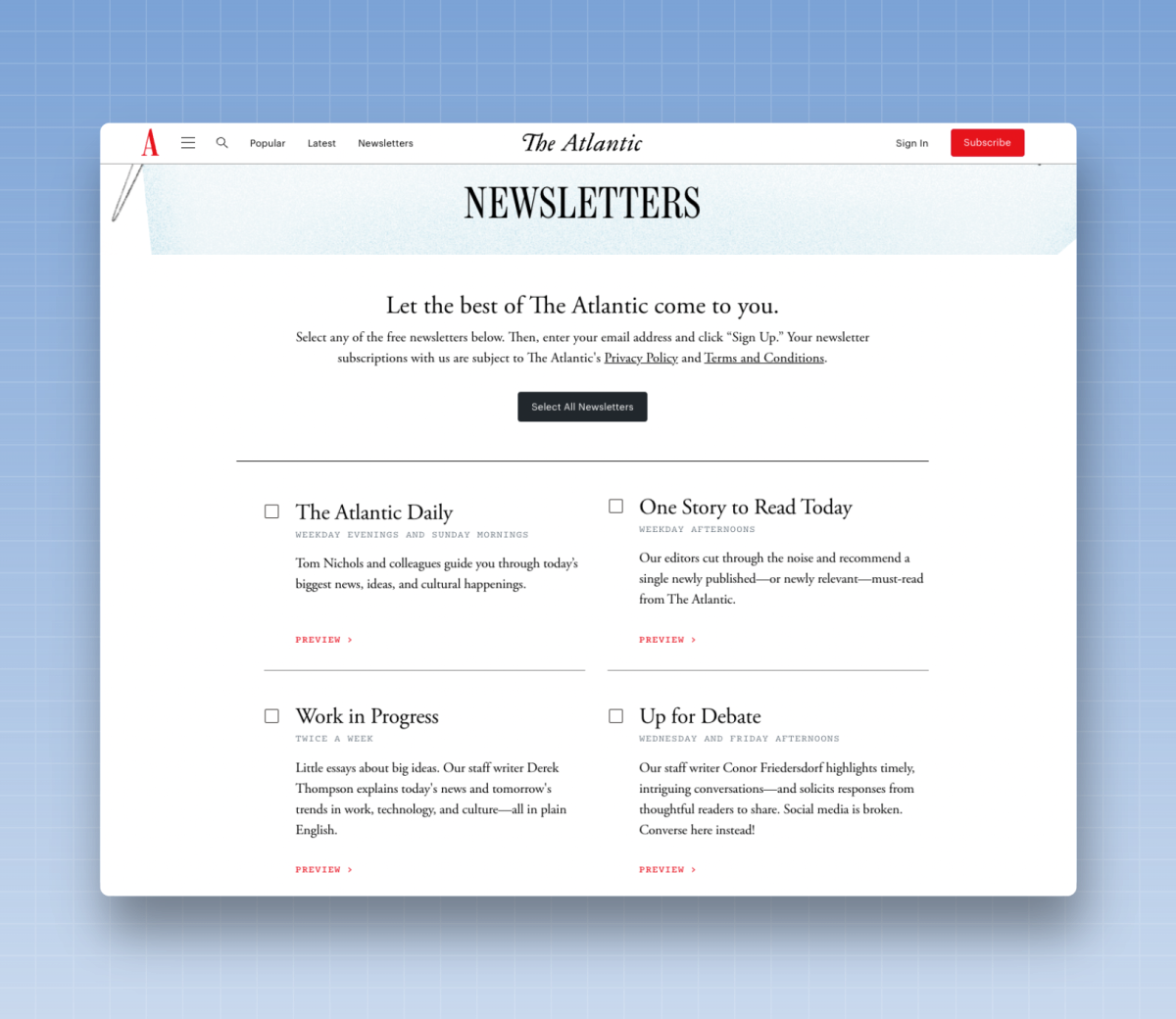
A few other best practices:
- Be sure to let readers know when (on Friday, at 7 a.m., in the afternoon, etc.) and how often they will receive the newsletter.
Provide a preview of your newsletter. Create a sample image that you can display on the page. I recommend using this method rather than a link to a published newsletter, because readers might click the link but not sign up if they leave the page. Ideally, readers should see only two options on this page: sign up or leave the page.
- Give this page a URL that's easy to remember (such as yoursite.com/newsletters).
- Make sure readers don’t have to enter their email address multiple times to subscribe to several newsletters. This is a frustrating experience for users—especially on mobile devices—and will cost you subscribers in the long run.
- Consider allowing users to sign up using a third-party account, such as Google or Facebook, to improve the mobile user experience.
- Make sure your form includes an autocomplete feature to make it easy for readers to enter their email addresses.
- Don't ask for too much information right away. It's fine to ask for a first name or last name, but the more information you ask for—such as your reader's address or job title—the less likely they are to complete the registration process.
- Integrate reCAPTCHA or an email verification tool such as Kickbox into your sign-up form. Bots tend to target sign-up pages like these, so it’s important to secure these pages to maintain good deliverability.
- Include evidence that readers enjoy your newsletter. This could include reader testimonials that show why readers love the product, or statistics on the size of your subscriber list or engagement rates that prove your newsletter is worth reading.
Two other things newsletter authors often overlook when creating these pages: think about how they’ll appear in search engines and on social media.
Let's say I write a local newsletter for my neighborhood. (If someone searches for “Midtown East Newsletter,” I want my newsletter to appear in the results. By adding search-friendly titles and text to this page, I give myself the best chance of reaching that potential reader.)
Two types of headlines generally work well on these pages:
- Put the call to action (CTA) front and center – “Sign up to receive the best daily newsletter about Midtown East.”
- Ask a question, then answer it—“What’s happening in Midtown East? Sign up for our daily newsletter to find out.”
Also, consider using text and images that are tailored for social media. Include a call to action (CTA) in the title, and make sure the image you share provides context for your newsletter and explains why readers should sign up.
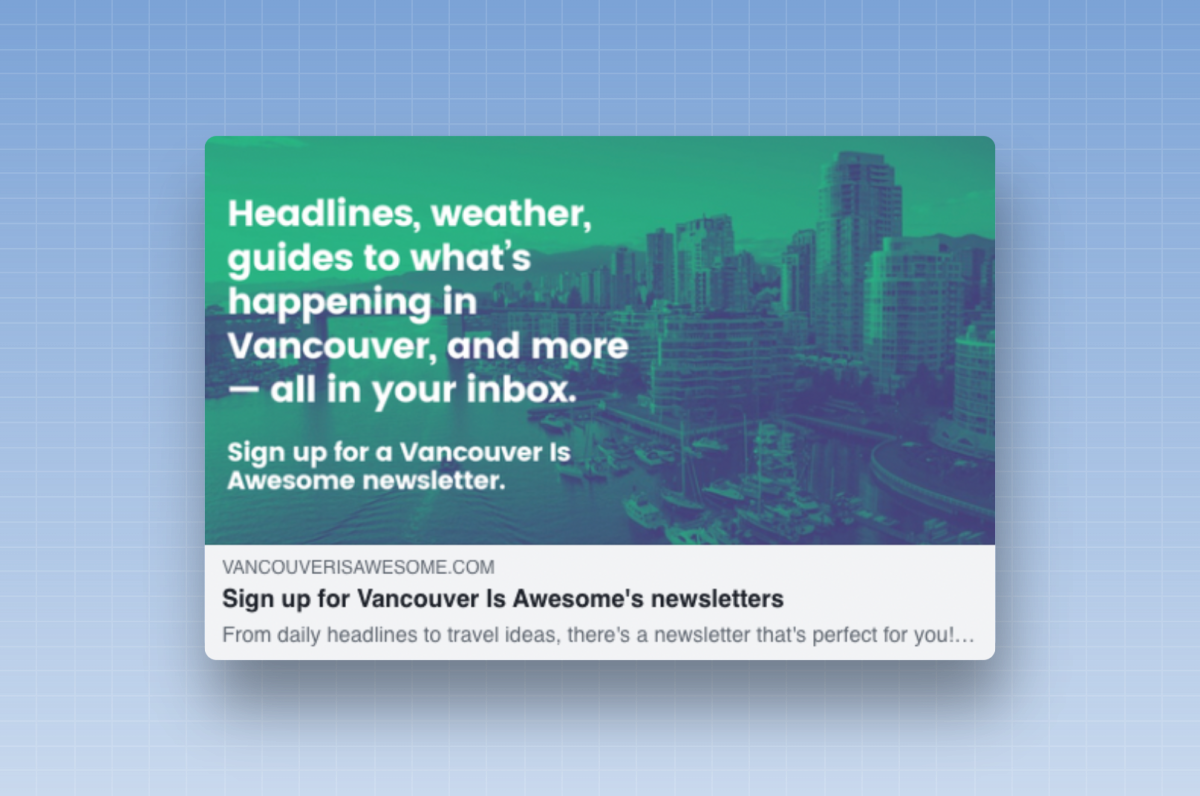
Most social media platforms offer tools that let you preview how your page will look when it's shared. Use this tool to test on Facebook, this one for Twitter, and this one for LinkedIn.
Many email marketing platforms allow you to create custom landing pages for your newsletter—you may want to create the first draft of this page using these tools. If you’re creating a sign-up page on a platform like WordPress, use WPForms to create the sign-up form to embed on the page. And if you need to build your own page, try a tool like Carrd, which lets you publish a landing page on a custom domain and requires no coding skills.
2. Create individual sign-up pages for your newsletter
If you have multiple newsletters, don't settle for just one sign-up page. Create unique pages for each of your newsletters that will allow you to truly highlight the value of each one.
The rules are pretty much the same as for the sign-up pages for the main newsletters:
- Set readers' expectations; explain what they will get and what they will take away from it.
- Include a clear call to action to encourage readers to sign up.
- Show the product—don't just talk about it.
- Place the call to action and the sign-up box at the top of the page; don't make readers scroll down to sign up.
- Create a URL that’s easy to remember. For example, if you have a newsletter about food, you can create a URL like yoursite.com/foodnewsletter, which will be easy to share on social media, at an event, or during an interview.
This page doesn't have to be overly complicated to be effective. A simple message with well-written text and a sign-up box is more than enough to get started.
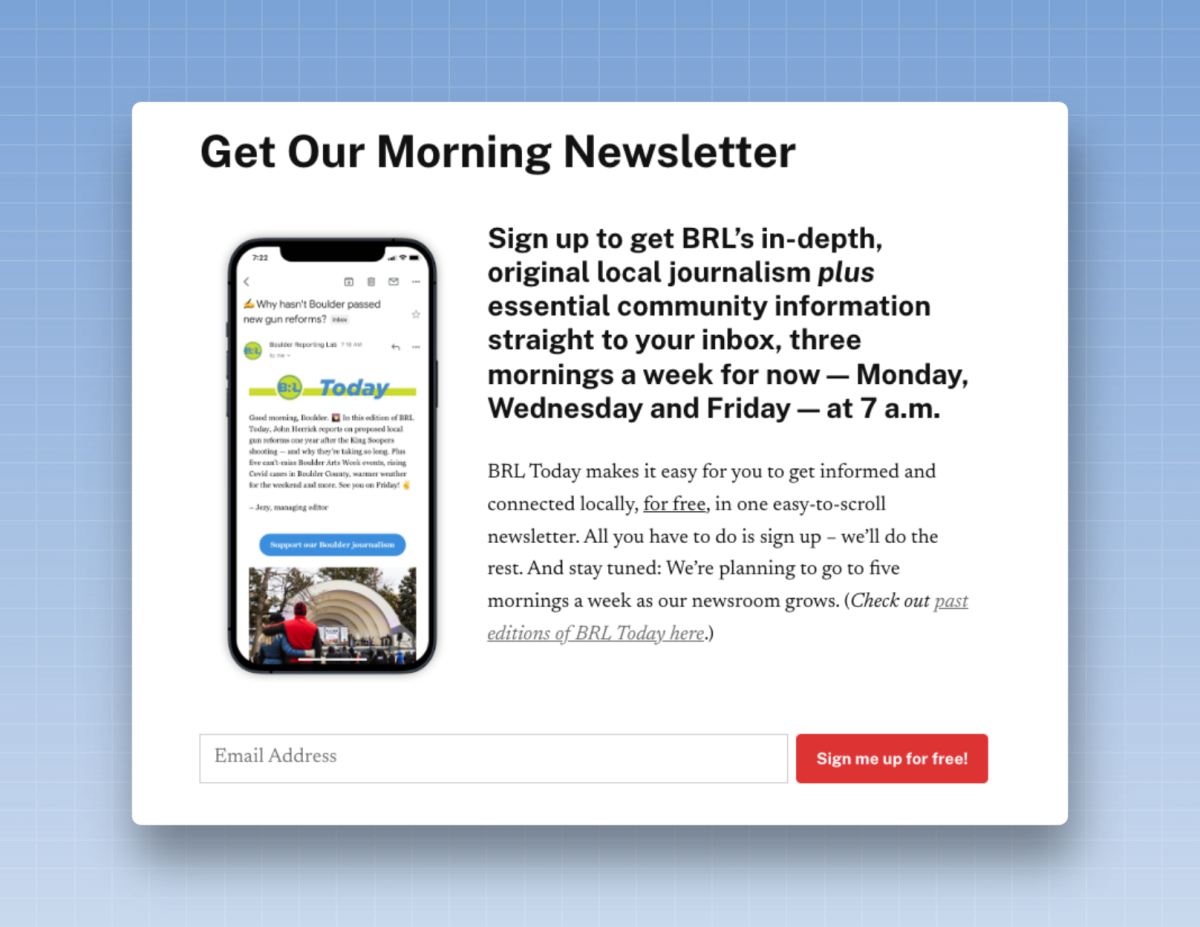
But if you have the time and resources, you can go the extra mile to explain why people should subscribe to your newsletter. You can share reader testimonials or give them a behind-the-scenes look at the team that creates the newsletter.
Here's one of my favorite examples of one of these pages: it's from Boktugg, a Swedish website that covers the book industry.
If you're like me, you don't speak a word of Swedish. But take a look at this registration page. Even if you don't speak the language, you'll easily spot a few interesting things:
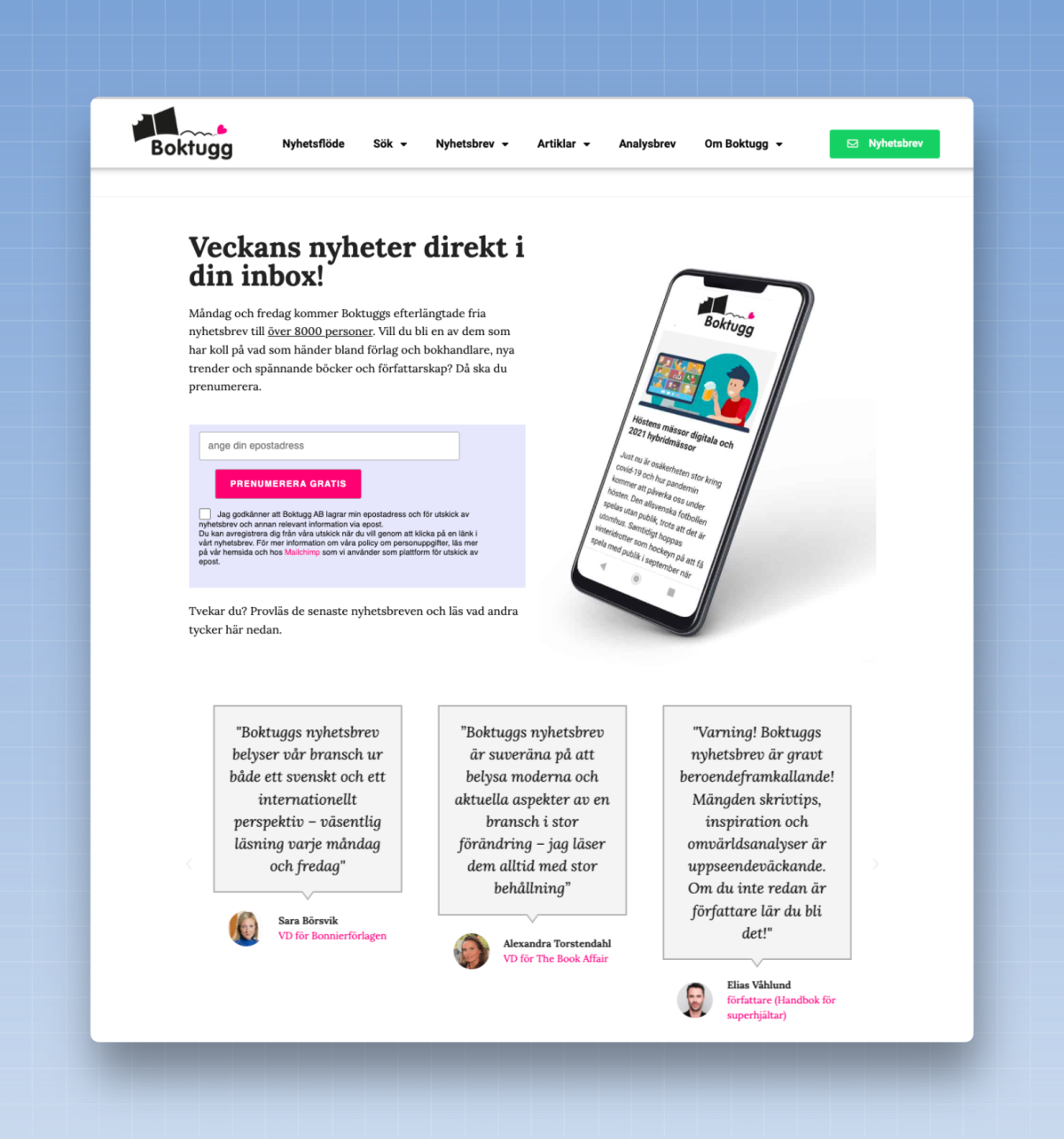
✅ They show you what the newsletter looks like.
✅ They provide social proof by showing you how many readers are on their list.
✅ They include testimonials from influencers explaining why the newsletter is great.
✅ They have a big, colorful button that encourages you to sign up and lists the cost of the newsletter. (It turns out I know one Swedish word—“gratis” means “free” in almost every language!)
✅ They include a GDPR-compliant checkbox that allows you to consent to receiving newsletters. As a Sweden-based newsletter, they are subject to the European General Data Protection Regulation, which requires consent before subscription.
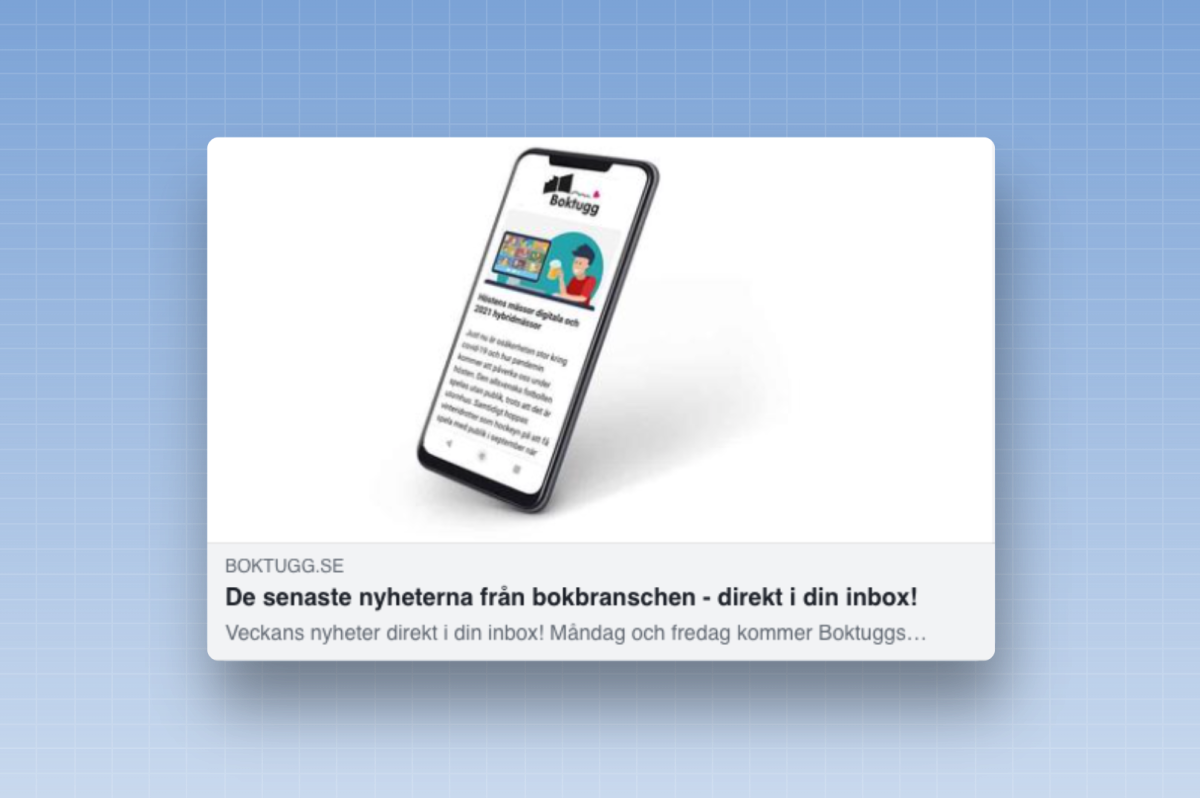
And what happens if you share the newsletter? Readers coming from social media will see an image of the product, a CTA in the headline, and a description of the newsletter below it:
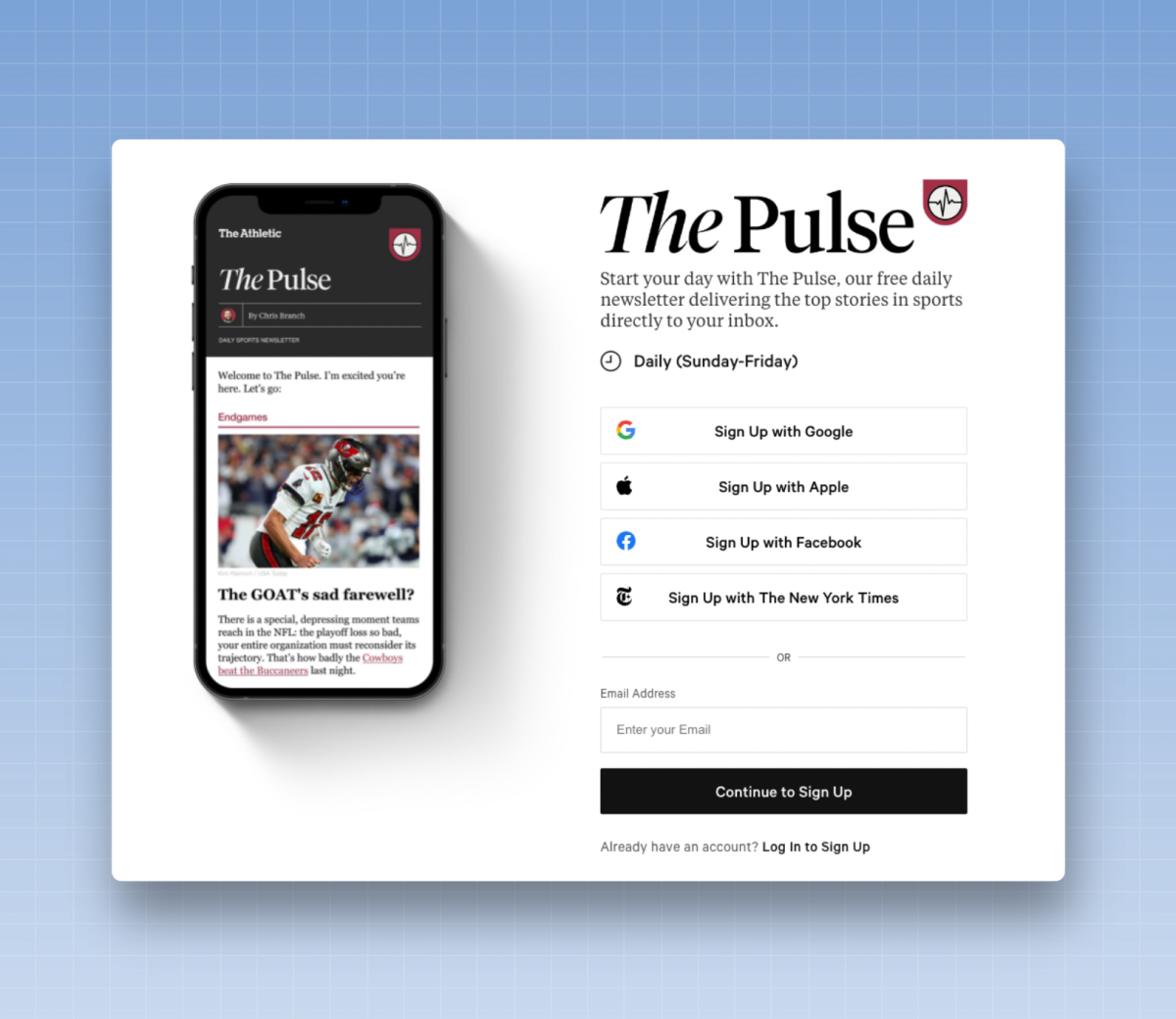
You can also offer a social sign-up option on these pages. A reader—especially if they’re using a mobile device—may not want to enter their full email address. More advanced newsletters use a protocol known as OAuth to allow readers to sign in via Apple, Google, Facebook, LinkedIn, or another sign-in option. When a reader clicks one of these options, they can subscribe without entering their email address, and you, the newsletter operator, will receive their email address. If you wish, you can also collect additional information, such as a reader’s first or last name.
3. Add text to your header or navigation
bar
Once you’ve created your sign-up pages, it’s time to think about where you can promote your newsletter on your website. Top priority: Place the sign-up CTAs in spots where readers are sure to see them, no matter what they’re reading on your website.
So start with your website’s header or navigation bar. You have several options. The simplest is to add a CTA for sign-up, then link to the main newsletter sign-up page.
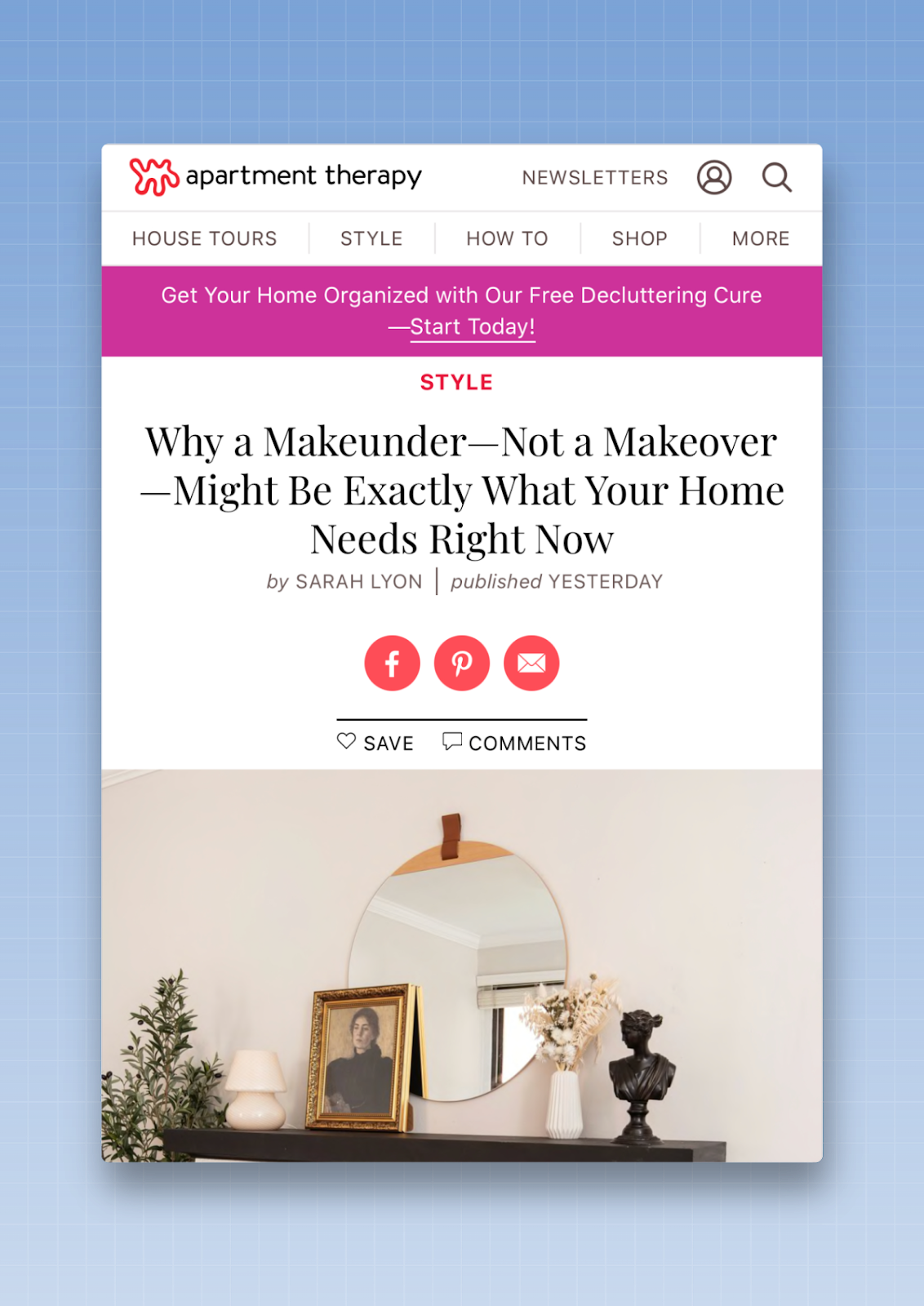
You can also choose to promote just one newsletter and include a sign-up box directly in your header. Here’s a fun example from ChefSteps, which uses an unconventional approach to encourage readers to enter their name and email address.
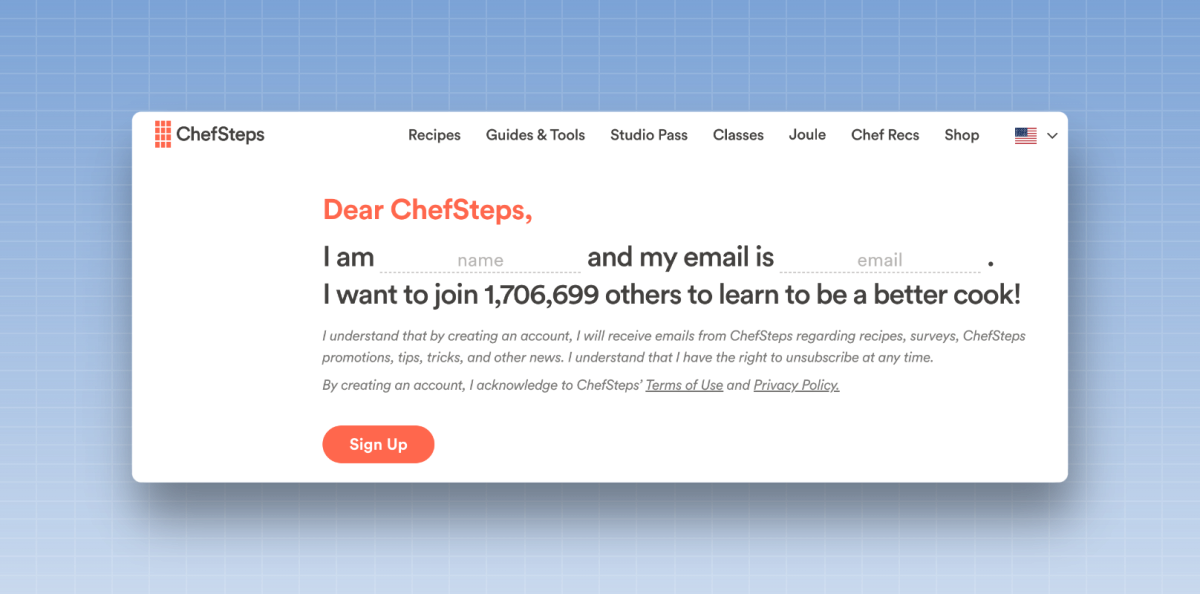
If you'd like to implement this strategy on your site, try WPForms (for WordPress-powered sites) or OptinMonster (which works with both WordPress and non-WordPress sites).
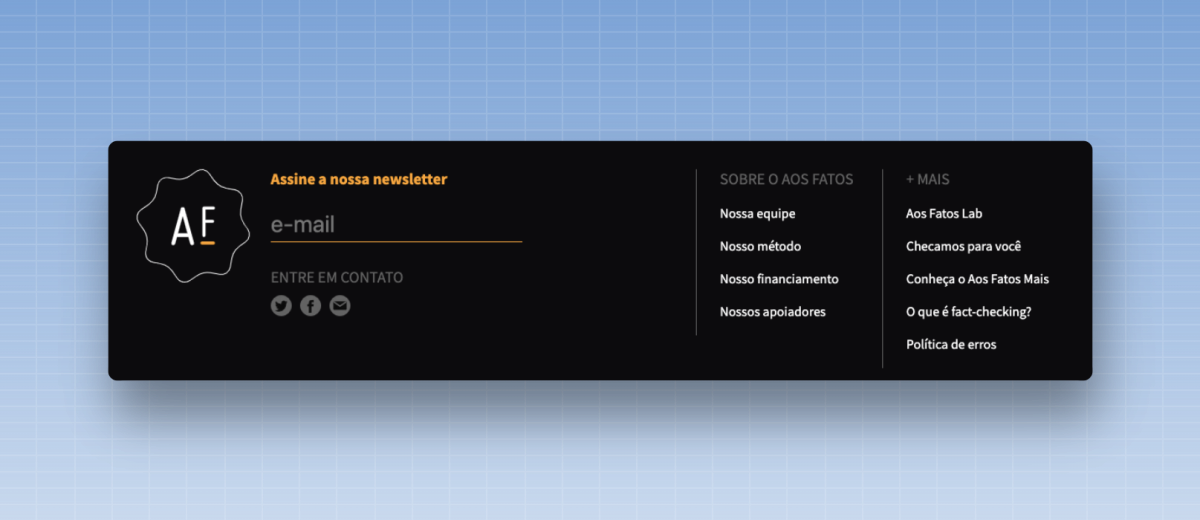
4. Add a sign-up box to your footer
Adding a newsletter sign-up box to your footer is another way to ensure that you have a sign-up form on every page of your site. Just as with the header or navigation bar, you can choose to promote a single newsletter or link to your main newsletter sign-up page.
When I review footer data with my clients, I notice a common trend: The footer isn’t as visible as the header or the navigation bar, but the conversion rate there is incredibly high. Readers who reach the footer are usually looking for something, and it’s often a newsletter. Add a footer block to make it easy for readers to sign up.
Just as with the header or navigation, I recommend WPForms or OptinMonster for implementing these footer blocks.
5. Include a newsletter icon in your list of social
media icons
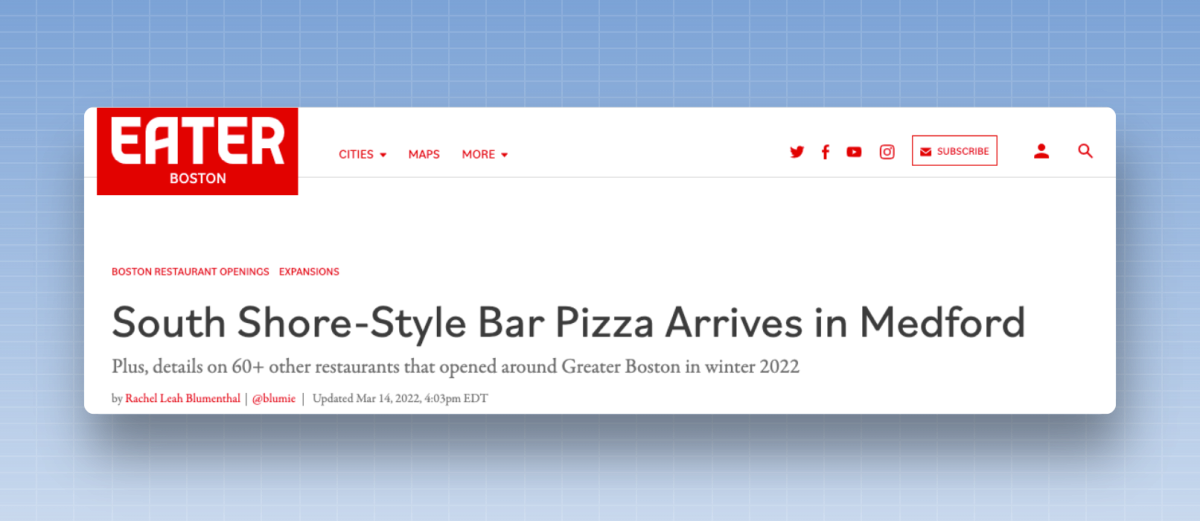
You probably have a list of your social media profiles—Facebook, Twitter, Instagram, YouTube—listed in several places on your website. Why isn't your newsletter listed alongside them?
Add an envelope icon to this list, then link back to your main sign-up page. It’s a simple step you can take to boost visibility. Is this a massive source of growth? Probably not. But to implement a successful growth strategy, you need many different ways to encourage readers to sign up. A link in your list of social media icons is an easy win.
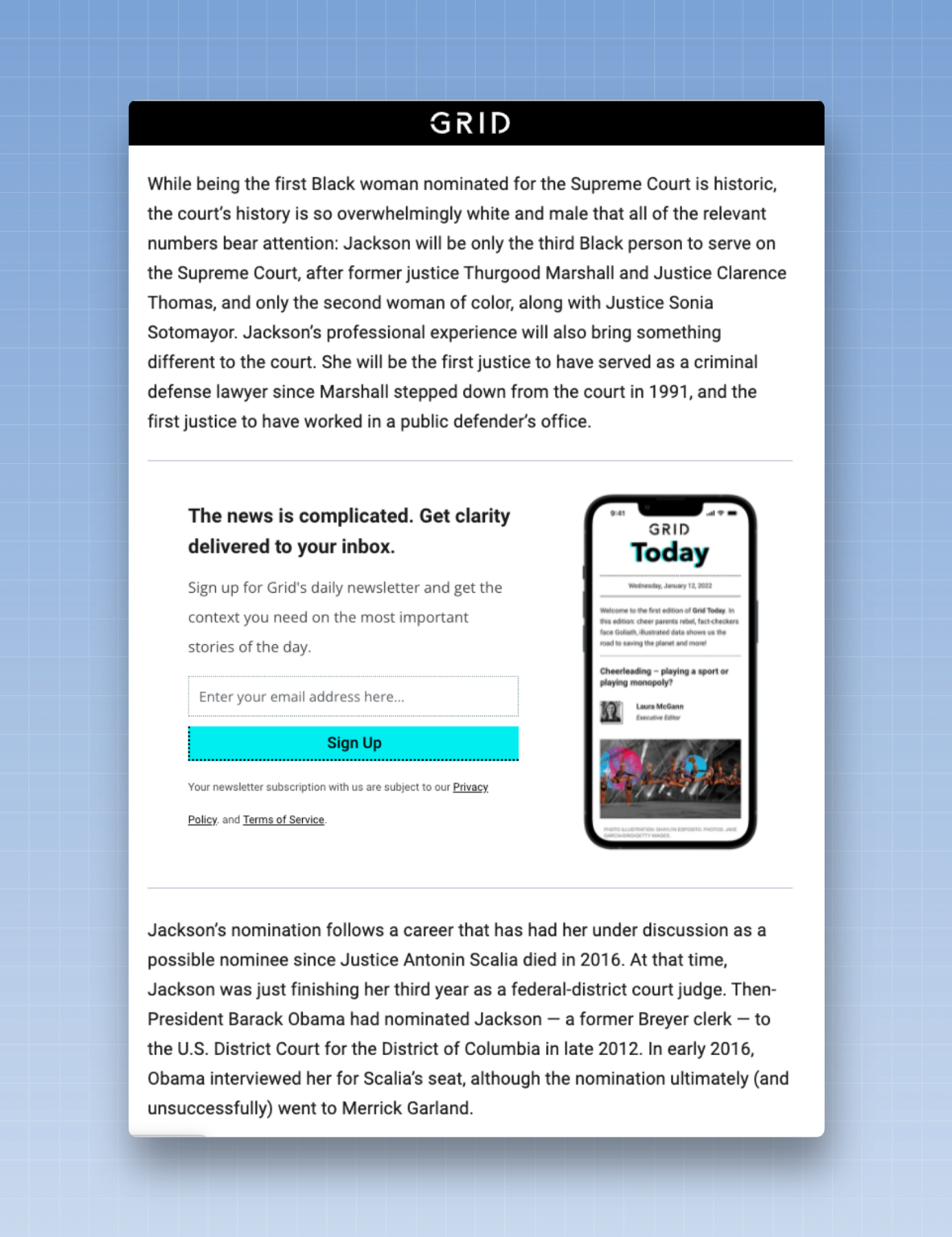
6. Display subscription units in the body of articles
I’ve seen a lot of tips and growth strategies, but none are as effective as publishing high-quality content on your website and converting readers of those articles into subscribers to your newsletter. If someone likes what they’re reading and you offer them the chance to receive more articles like that directly in their inbox, why wouldn’t they say yes?
These article pages offer many possibilities. First, at the top of the article, you can insert a line of text with a link to your registration page. This is a benefit: It’s as simple as copying and pasting—no additional technical skills are required.
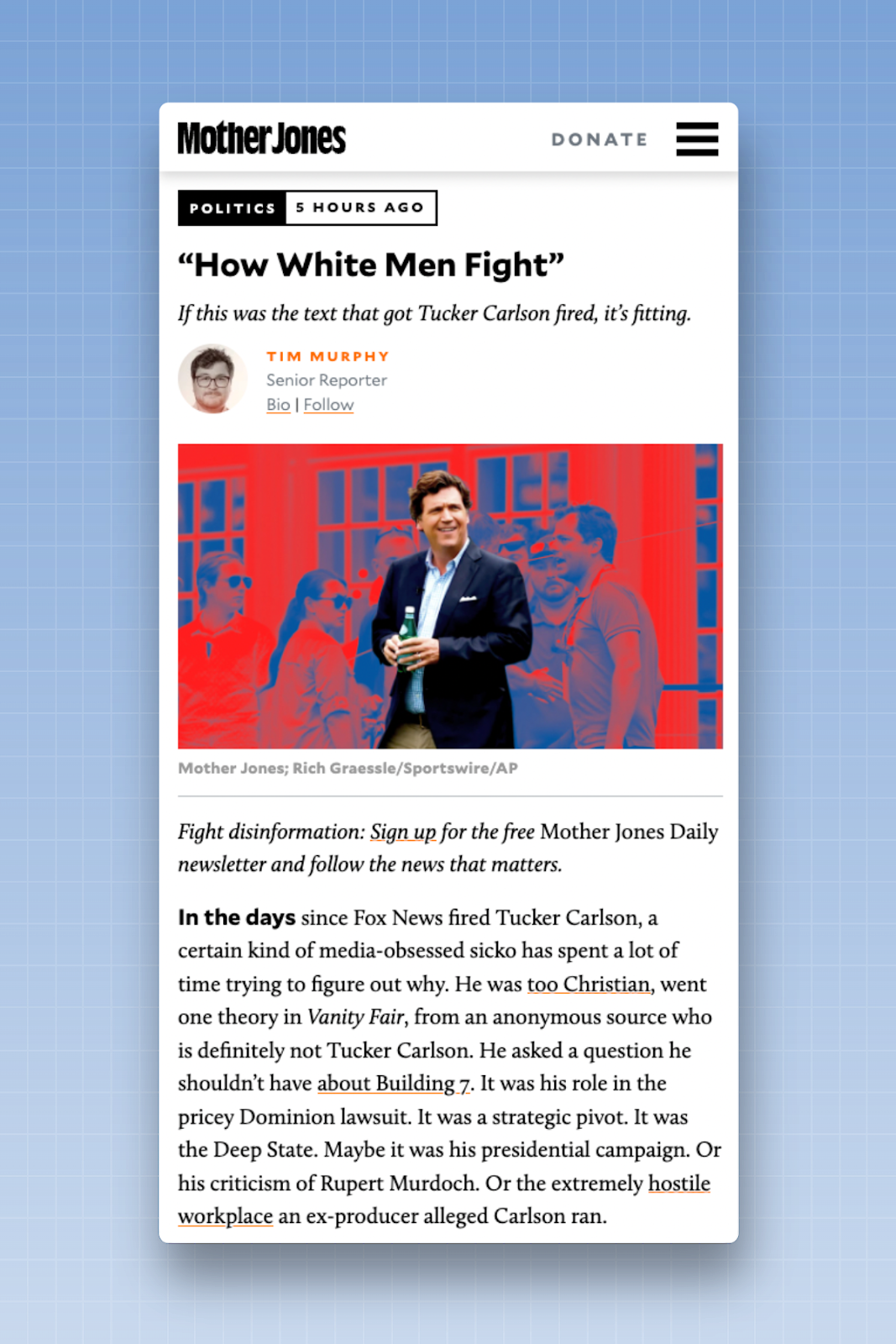
You can also try adding a sign-up box in the middle of the article. With online editions, you have a little more space to include some text about the newsletter or provide an example.
Advanced organizations—where the reader is already registered or logged in—often design forms that require just a single click to complete registration. Since an email address has already been collected, there is no need to ask for it again.
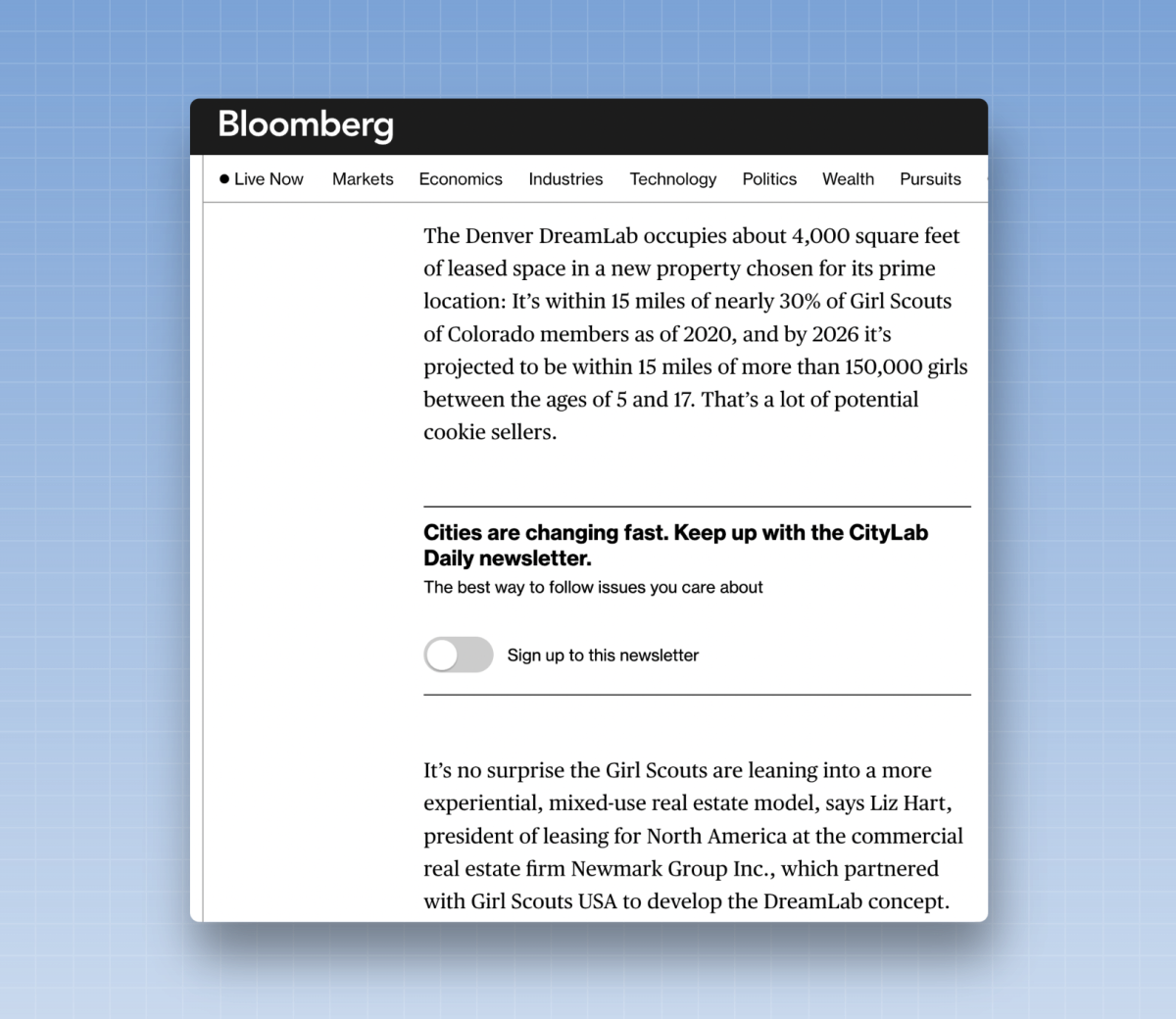
Here are three more best practices:
1. Make sure the registration booth is clearly visible so that readers don't just walk right past it.
2. Consider the “scroll depth”—that is, the percentage of text read at which you want the module to appear. These inline modules tend to work best on long articles, which I’d define as articles with more than a thousand words. In this case, you can display the inline module at the one-third or halfway point of the page. If you wait any longer, you may find that readers stop reading the article before they even reach the sign-up box.
3. If you have multiple newsletters, display specific sign-up forms for certain types of articles. If a reader is reading a sports article, show them a CTA for your sports newsletter. If they’re reading a political article, tell them about your political newsletter. And if you don’t have a newsletter for that type of article, show them a sign-up box for your flagship newsletter—probably a daily newsletter.
These ad units are also excellent places to run A/B tests. Test to see which scroll depth results in the most sign-ups. Test to see which scroll depth results in the best conversion rate, or test the effectiveness of text-based ad units compared to image-heavy ones.
When it comes to tools for implementing these units, I recommend OptinMonster or WPForms, both of which offer embeddable forms that you can customize with the text or images of your choice. Your email platform may also have its own basic sign-up box that you can embed on your post pages. (Advantage: They’re free to use, unlike OptinMonster or WPForms.)
7. Display a sign-up box at the bottom of articles
A reader who finishes an article is an engaged reader, so give them the opportunity to stay engaged through your newsletters.
These types of units are particularly useful for shorter articles or for readers using mobile devices. Readers in both of these groups often skip over interruptions that occur in the middle of a text.
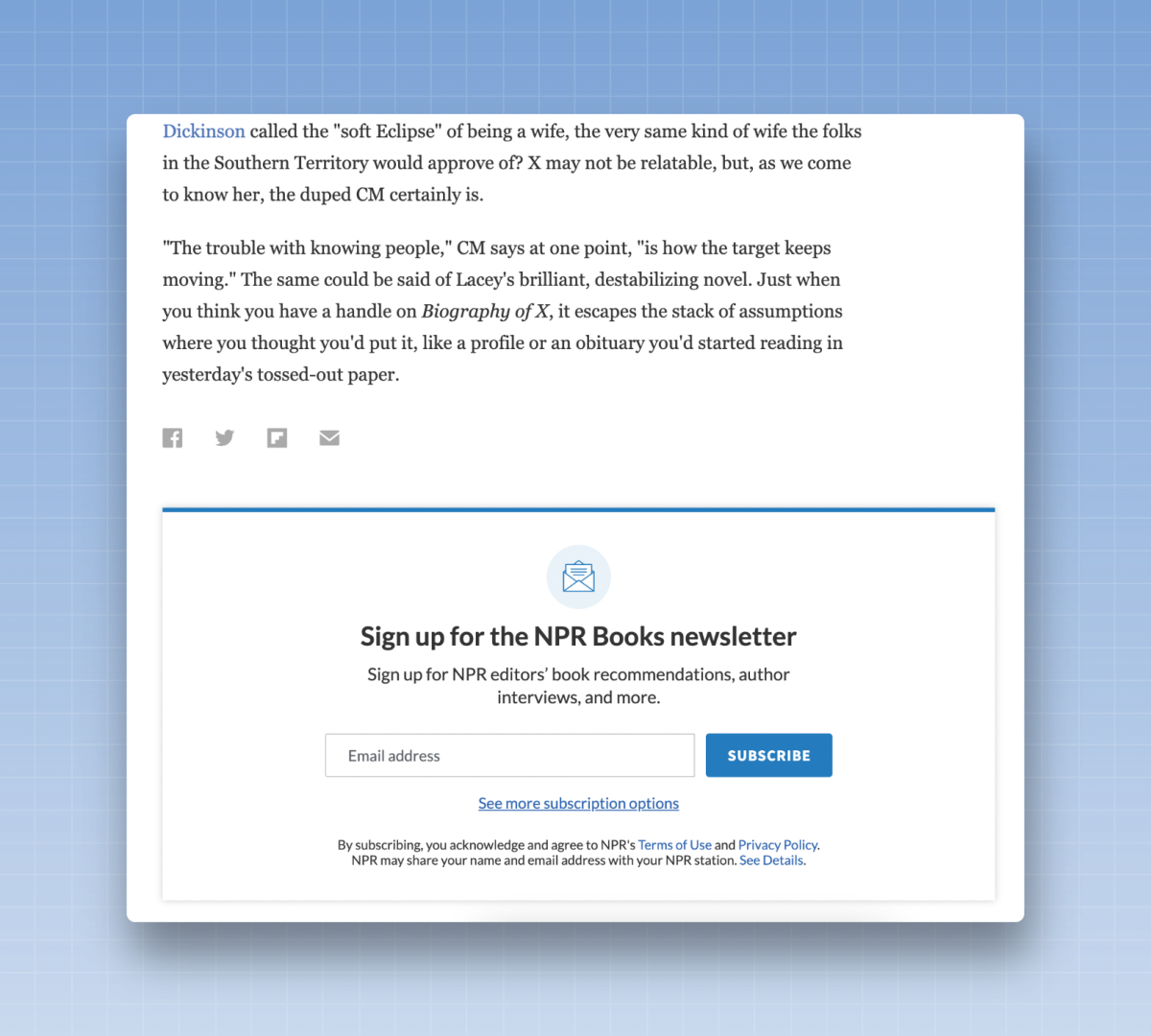
This is a place where I recommend embedding the sign-up form directly—don’t redirect readers to a separate page. (Every time a reader has to take an extra step, it adds friction to the sign-up process. The more friction there is, the lower the percentage of readers who sign up.)
Once again, be very specific about the boxes you display on these pages. Readers should see a call to action to sign up for something directly related to the story they’ve just read.
OptinMonster or WPForms can be used here to implement these units.
8. Display a sign-up box on the left or right
sidebar
When readers scroll down the page—especially for longer articles—try a sign-up form that scrolls alongside them on the side of the page. I love the example below, from The 19th. It’s clean, simple, and unobtrusive while reading. Since it’s part of the page design and isn’t something readers can simply close, these types of units convert well. A reader might not be ready to sign up the moment they see it, but if they keep reading and the unit follows them down the page, they might eventually sign up.
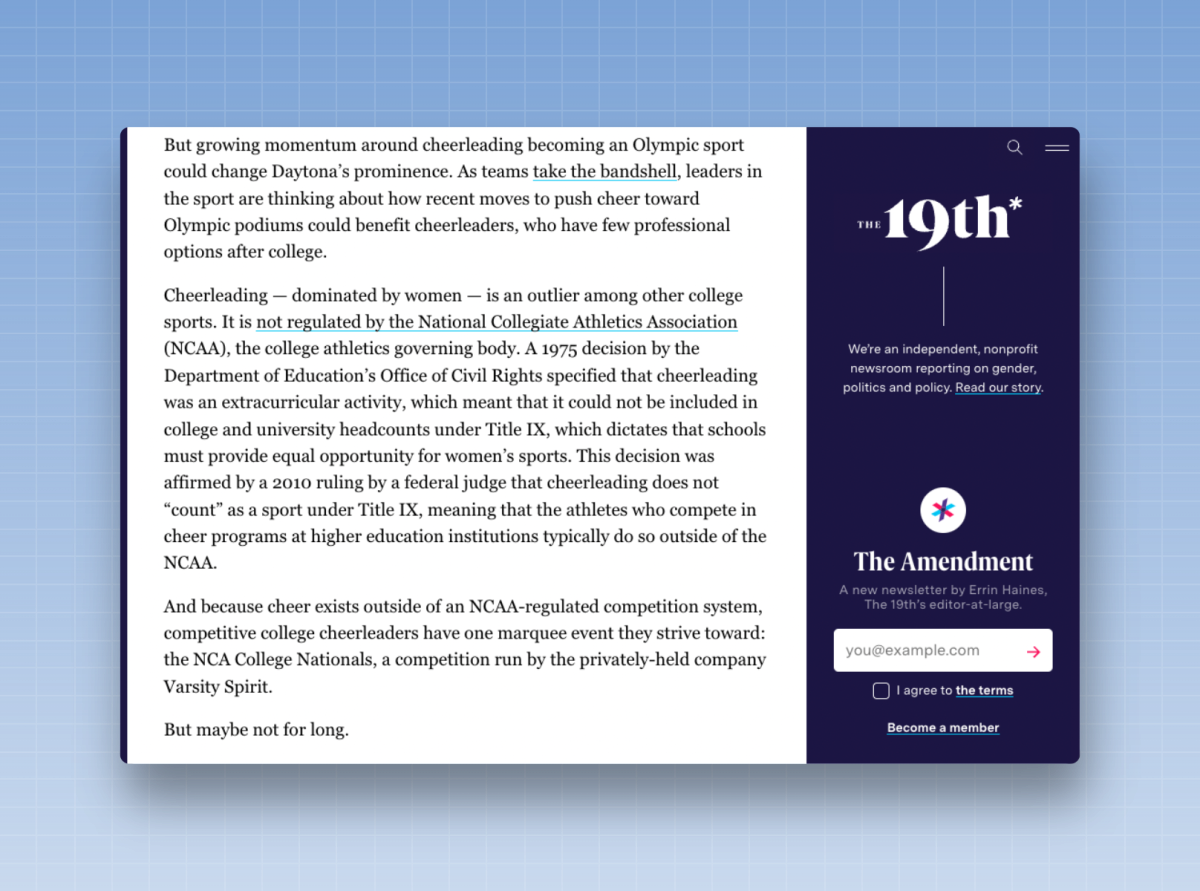
Your CMS may offer a certain level of customization with the left or right sidebar, and you can then integrate the form there using OptinMonster or WPForms.
9. Use full-screen pop-ups for your newsletter
Pop-up windows can be one of the most effective ways to capture an email address. When someone is reading an article on your website, briefly interrupt their reading and ask if they’d like to sign up for your newsletter.
These full-screen pop-ups work particularly well on desktop computers and allow you to test different combinations of text, images, and CTA buttons. They tend to yield high conversion rates because it’s harder for readers to ignore them.
With a pop-up window, don’t redirect readers to the main page of your newsletter; instead, include a sign-up field directly on the form where they can enter their email address to subscribe. If a reader has to click through to another page, it adds friction to the process and will reduce the percentage of readers who actually sign up.
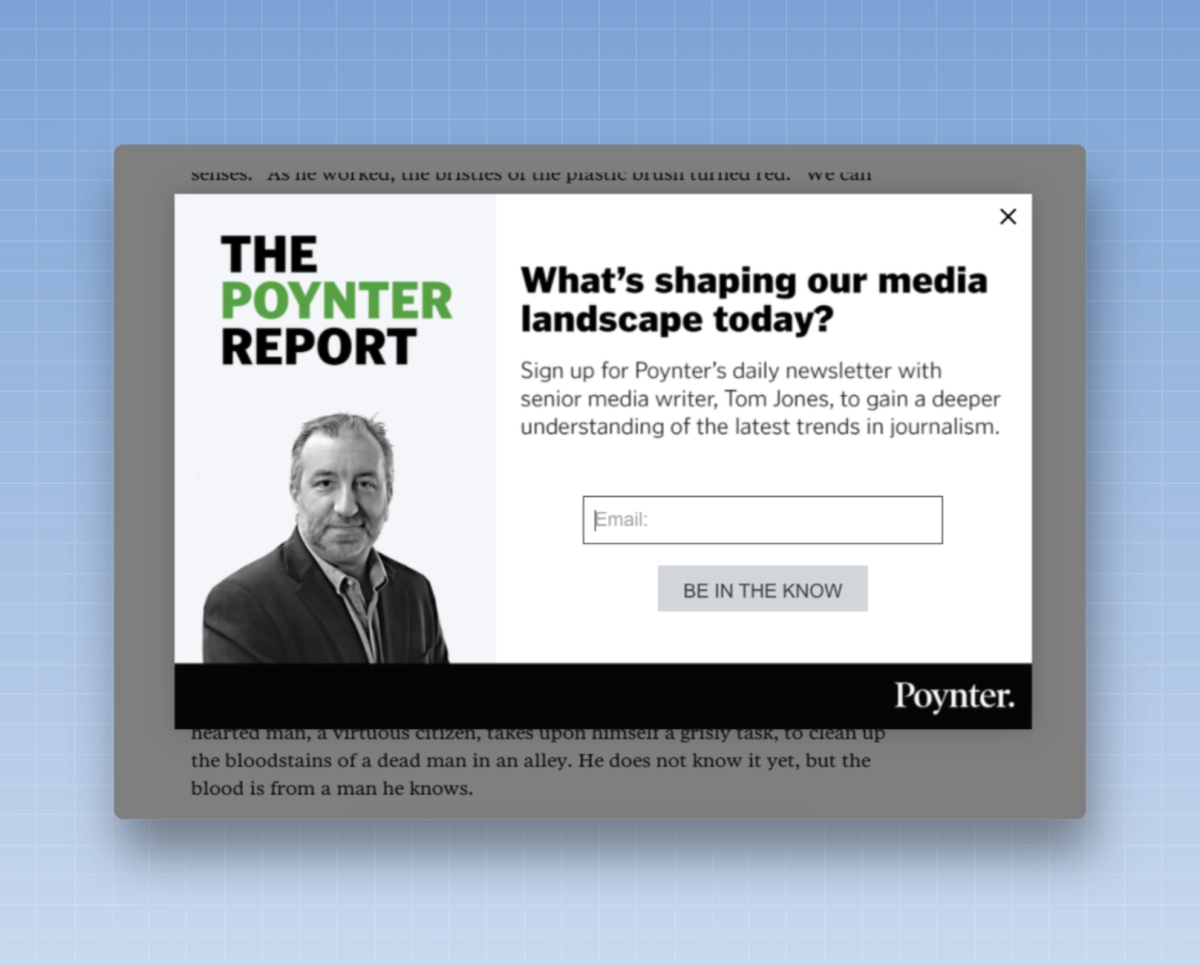
The advantage of pop-ups is that they can be very effective at converting readers. But here’s the downside: When used too aggressively, readers may find them annoying.
When using pop-up windows, don’t display them too quickly; otherwise, readers will simply close the window to return to the article. Also, be sure not to display multiple pop-up windows on the same page. There’s nothing worse for a reader than closing a newsletter sign-up form only to see a second pop-up window appear immediately afterward offering a special deal. Prioritize the reading experience first, then focus on conversions.
Four more best practices to consider before deploying a pop-up window:
- Do not show it to readers who clicked through to the site from your newsletter or who are already subscribed to your newsletter.
- Think about when you want to target a reader with these pop-ups. Is it based on the number of articles they’ve read that day? The amount of time they’ve spent on the site? Or when they’ve read a certain percentage of an article?
- Think about what you want to display on mobile phones and desktop computers. A pop-up window might work on mobile, but you may need to remove certain elements—such as an image—to make it fit on a smaller screen.
- Don't make it difficult for readers to close the pop-up window if they don't want to sign up. Provide a “No, thanks” button or an “X” that they can click to close the pop-up window if they’re not interested.
OptinMonster is an excellent tool for deploying this type of pop-up, and it offers the ability to set up conditional rules to display them to users based on their device, time spent on the site, or entry point. You can also check out RightMessage, which lets you create multi-step pop-ups. For example, a reader might first be presented with a multiple-choice question, followed by a pop-up based on their answer.
10. Deploy units designated for withdrawal
There is a specific type of pop-up window to consider: the exit intent unit.
These are pop-up windows that appear only when a reader begins to move their mouse toward the top of the page—which usually indicates that they are about to leave your website. In this case, there’s little risk in displaying a pop-up: the reader is already about to leave the site, so you might as well show them your newsletter before they go.
A pop-up window gives you the best chance to grab their attention before they leave the site. Ask them to sign up for your newsletter so they don’t miss articles like the one they just read.
Once again, I recommend OptinMonster, which offers an exit-intent feature that’s easy to set up.
11. Display a “toaster-unit”
A toaster unit is a smaller ad unit that appears at the bottom of the screen as a banner, like a slice of toast in a toaster. They tend to be a bit smaller and less intrusive than a full-screen pop-up, making them an excellent starting point for a website that’s just beginning to experiment with this type of unit. Readers are less likely to be bothered by something that takes up a fraction of the screen rather than the entire screen.
Toast buttons come in various forms. Some are small bars that appear at the bottom of the screen. Sometimes they’re a little wider, which allows for a CTA or additional text to be displayed.
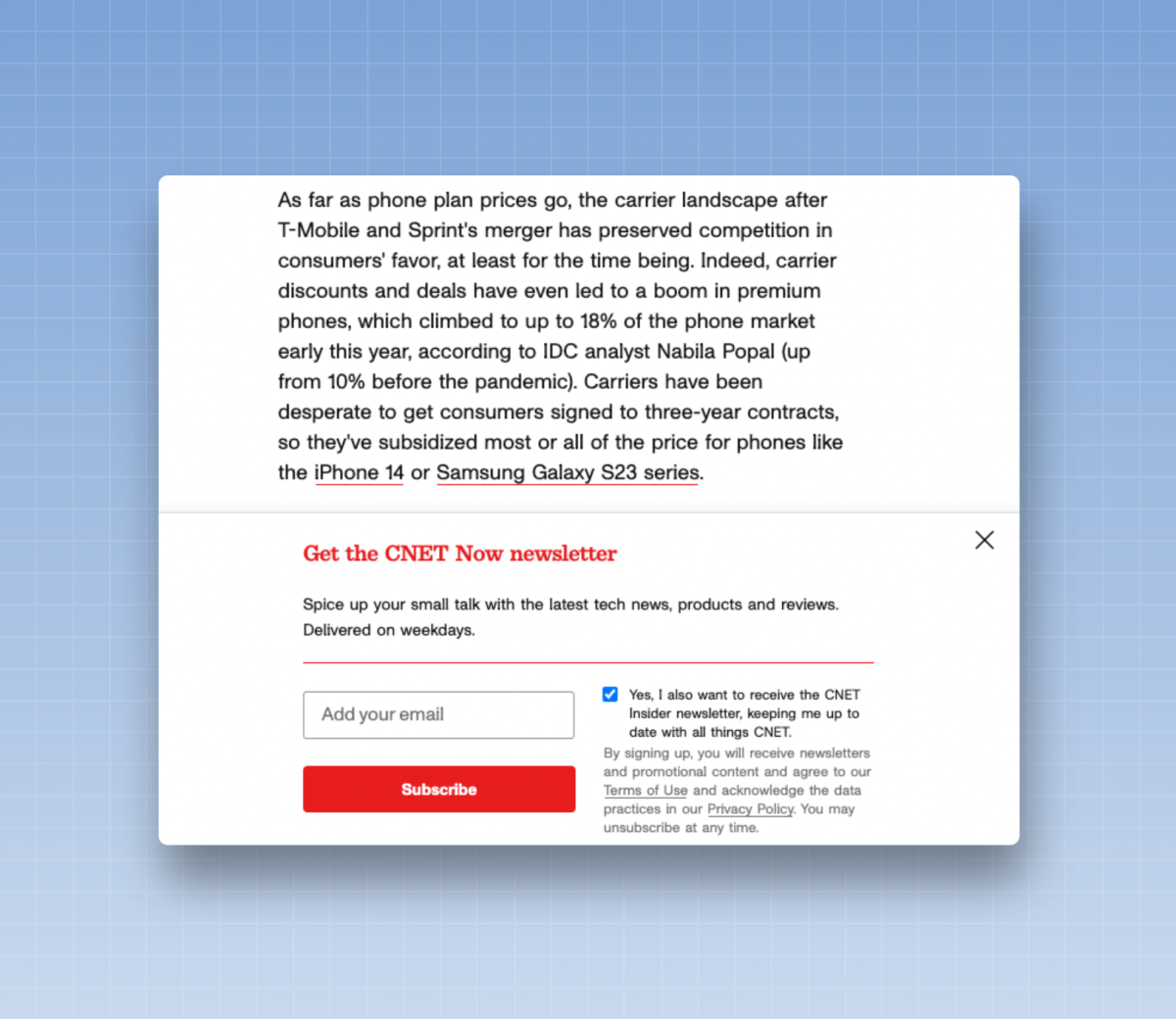
Some toasters are vertically oriented boxes that appear as the reader scrolls down the page. Each of these options is worth testing to determine which one yields the desired conversions while providing a good reading experience on the site.
The Tyee's feed appears on the right side of the page on the desktop, which does not interfere with the reading experience.
OptinMonster offers a variety of ready-to-use options for implementing pop-ups on your website. Hello Bar also offers basic pop-up options, and RightMessage can implement them as well.
12. Capture a reader’s attention with a fly-in
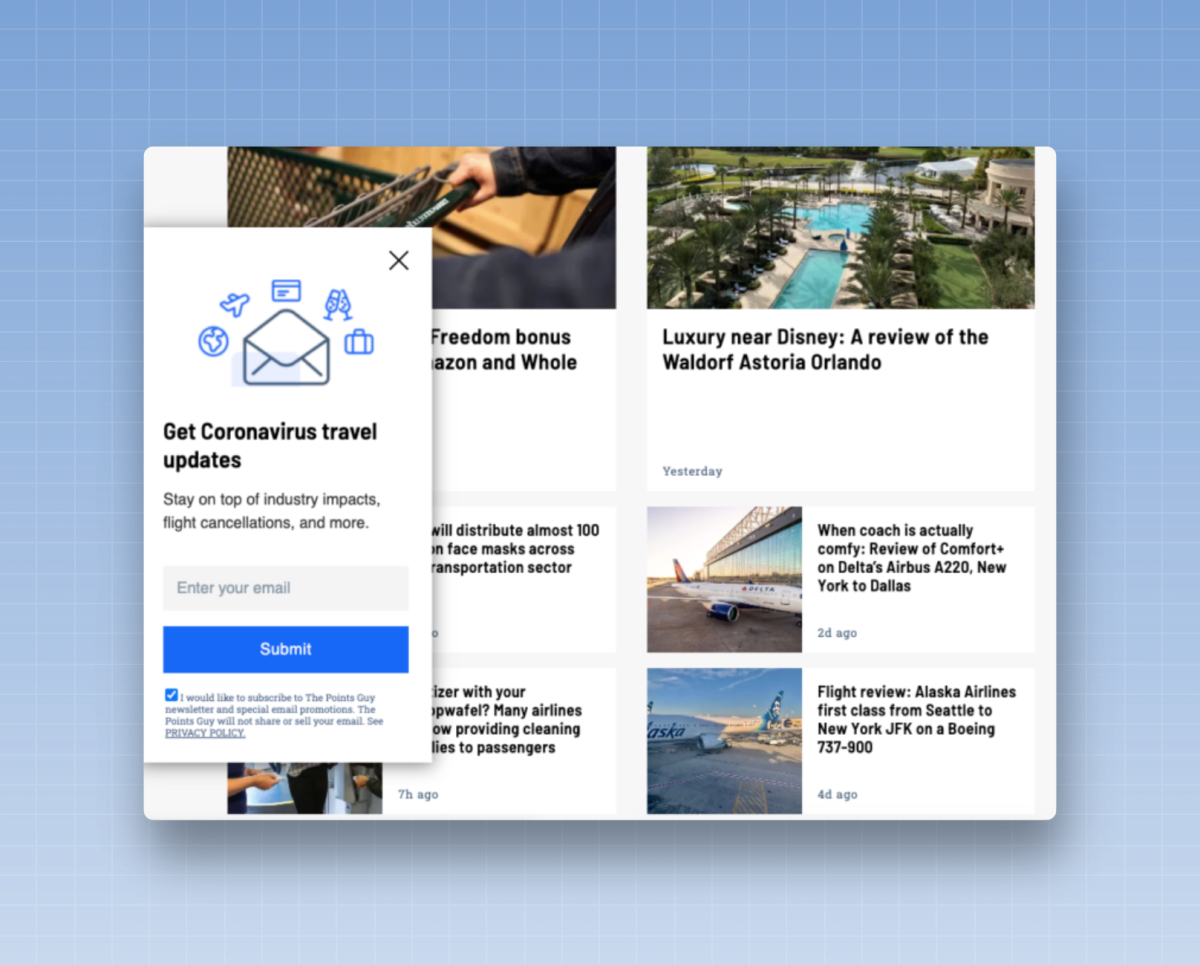
A fly-in is an animated sign-up module that appears to “fly in” from the side of the screen. The animation grabs your readers’ attention, and they can then sign up using the form.
If you're organizing a fly-in, there are three things to keep in mind:
a: Don't use fly-ins and pop-ups on the same page—readers will get confused.
b: Decide whether you want the unit to appear on the left or right side of the page. I often suggest using the right side on desktop computers, since most websites align their articles to the left side of the page, and having the fly-in on the right means the sign-up module doesn’t interrupt the reading experience.
c: Fly-ins don't work as well on mobile—there's less space for the fly-in effect to be truly effective. I'd use a toaster or a pop-up instead on mobile.
Use a tool like OptinMonster to launch fly-ins like this on your website.
13. Add a banner at the top of the page
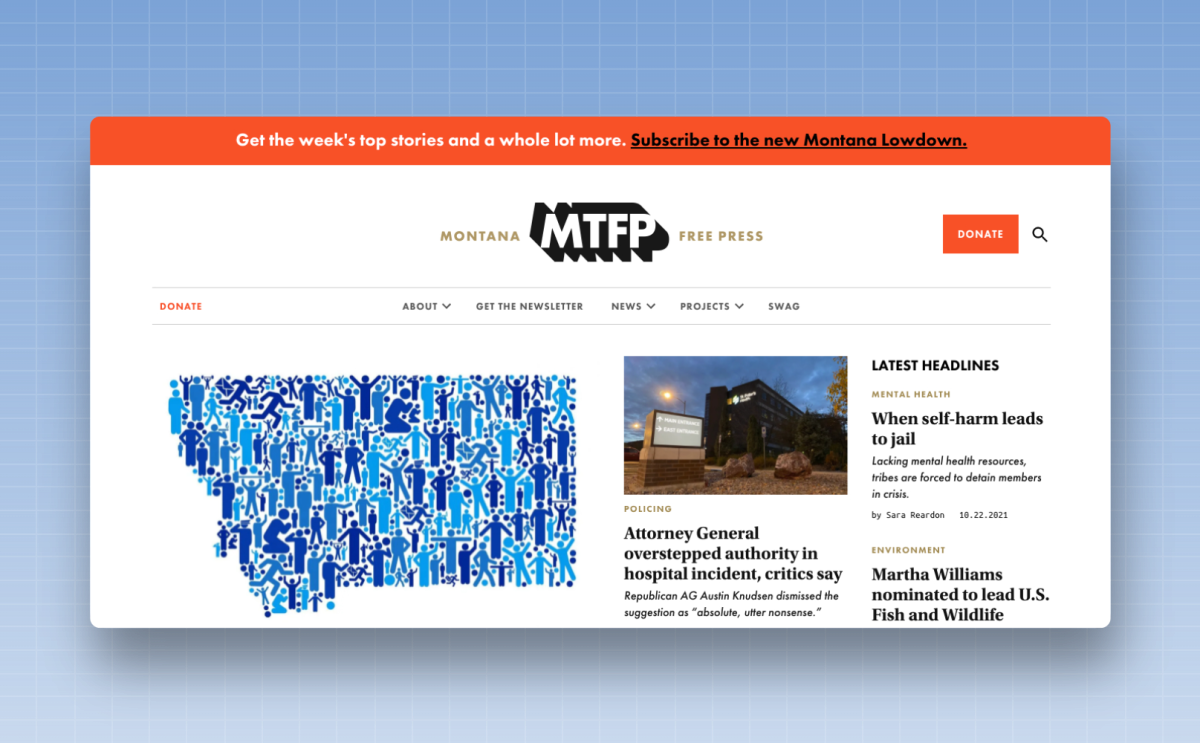
How can you let as many readers as possible know about your newsletter at the same time? You can start with a banner at the top of the screen.
These banners often resemble the “Breaking News” banners that news sites display for major stories—but instead of promoting a news story, they promote your newsletter. They’re particularly effective for launching a new newsletter. Although they appear in a similar section of your site, they’re a bit different from a header or navigation banner. These banners are temporary and can be displayed for a few hours or a few days, whereas a header or navigation unit is always present.
The advantage of a banner is that it isn't too intrusive and displays well on both mobile devices and desktop computers. The downside? They’re usually not large enough to include a built-in sign-up box, so you’ll need to direct readers to your main newsletter page to sign up. (More advanced tactic: You can also link this banner to a pop-up window, so that clicking the link in the banner automatically opens a pop-up window on the current page to complete the sign-up process.)
Try not to overuse these elements—if they appear every day on every page of your site, readers will eventually learn to ignore them.
Hello Bar, OptinMonster, and RightMessage can all display banners on your site. Many CMS tools also offer a built-in banner option.
14. Try a doormat
It's kind of like a toaster, but upside down. These units start at the top of the page, but as you scroll down, they grow along with the page. Readers see the initial CTA, then the more detailed message as they scroll. This gives readers the option to sign up before diving into the content; you can always pair this unit with another CTA, such as a sign-up box at the bottom of the page, on the same article.
OptinMonster can be used to display a welcome banner on your website.
15. Promote the newsletter on your homepage
Adding a sign-up form can be a good way to promote your newsletter for websites that receive a lot of direct traffic to their homepage.
I recommend choosing one flagship newsletter to promote and including a CTA specifically for that newsletter. You can also create a promotional unit that directs readers to the newsletter’s main page so they can sign up.
Use the sign-up form from your email platform on these pages, or embed one using OptinMonster or WPForms.
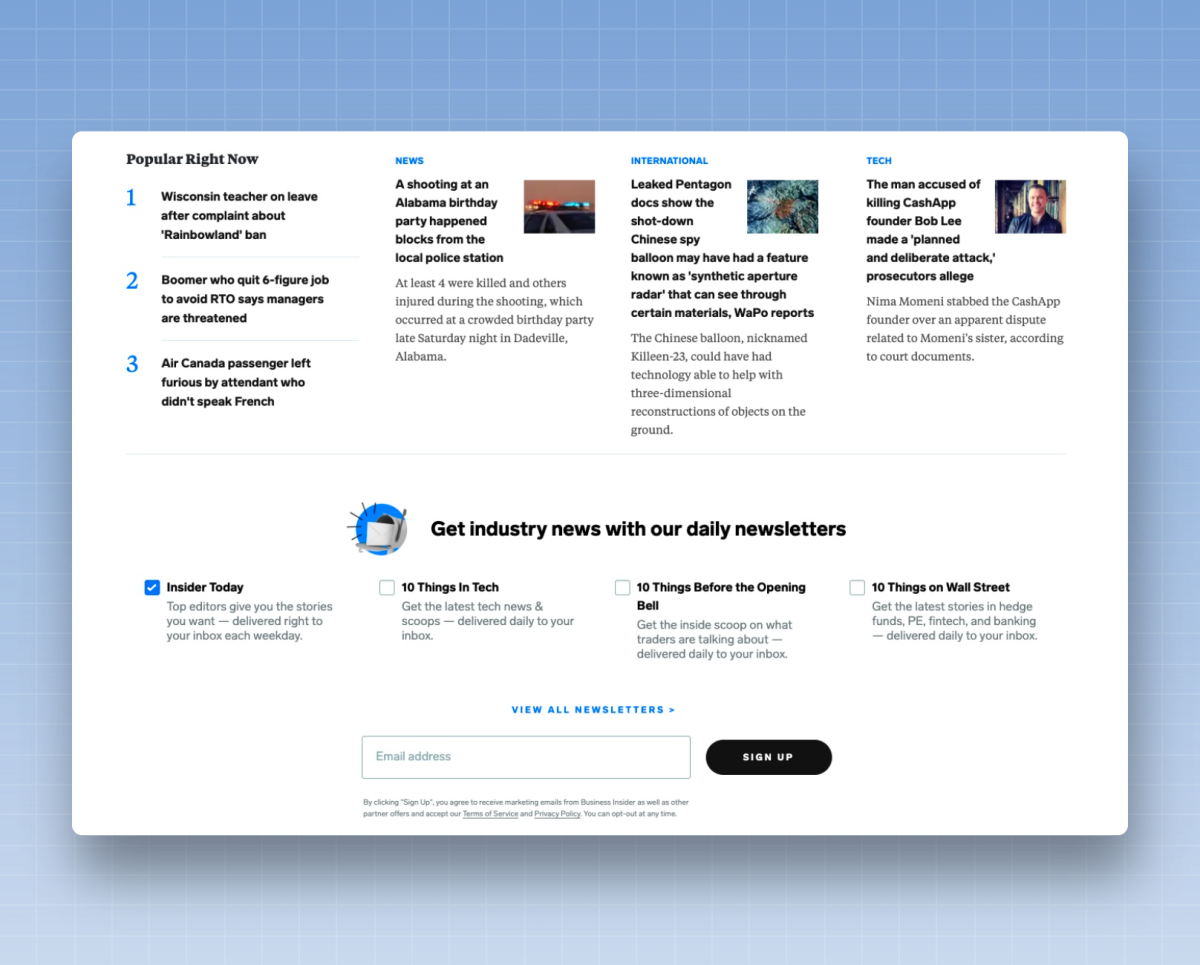
16. Use a sign-up wall to get readers to subscribe to your newsletter
Websites that use paywalls offer readers a simple choice: Do you want to continue reading this article? You can—as long as you sign up first to create an account with us.
This is a trade-off that readers are often willing to make, which results in conversion rates that are significantly higher than those of any other type of on-site unit.
Signing up doesn't necessarily require a password—you may only need to ask for an email address. But since you're asking for their email address, you might as well ask them to sign up for your newsletter.
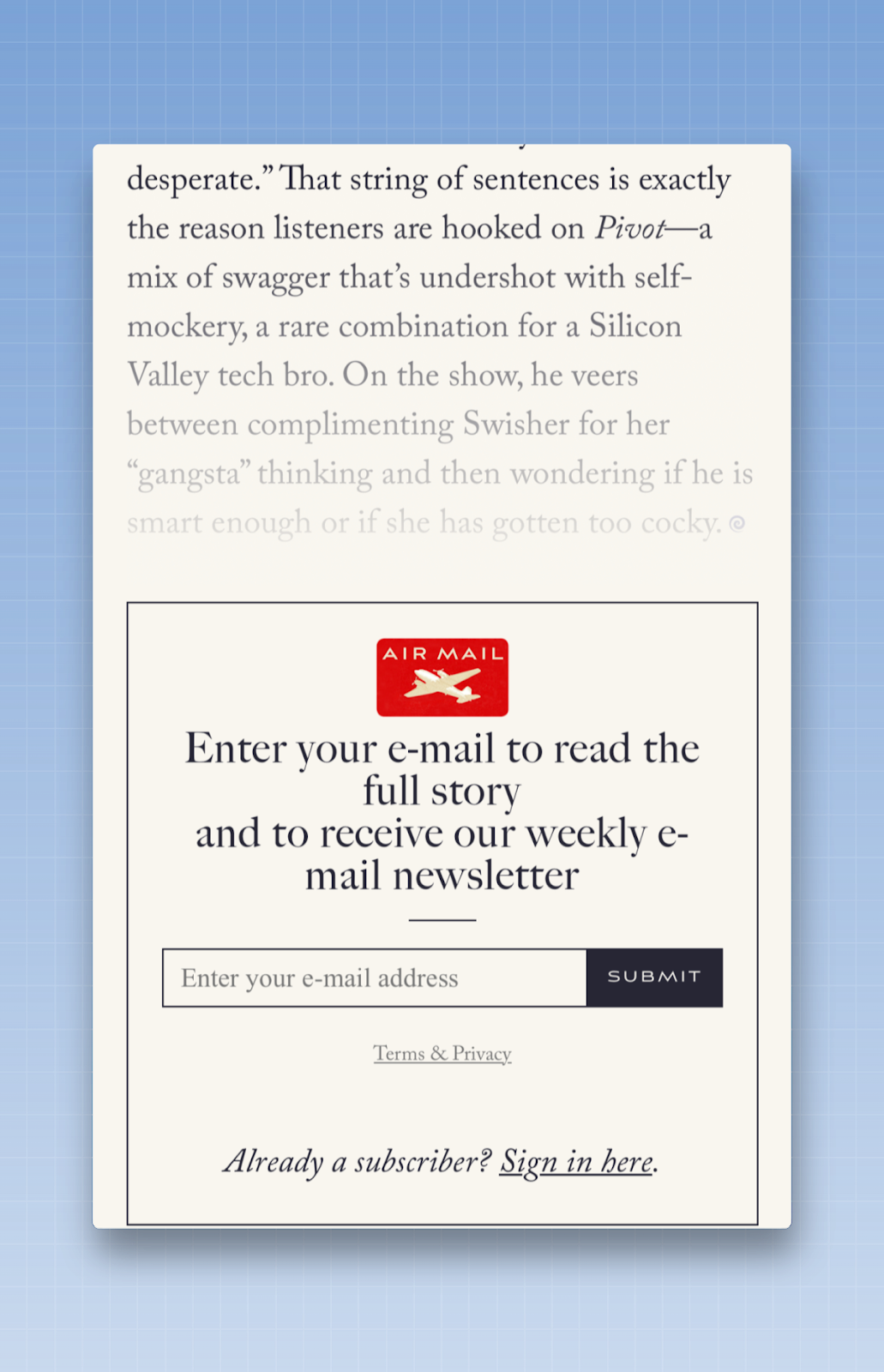
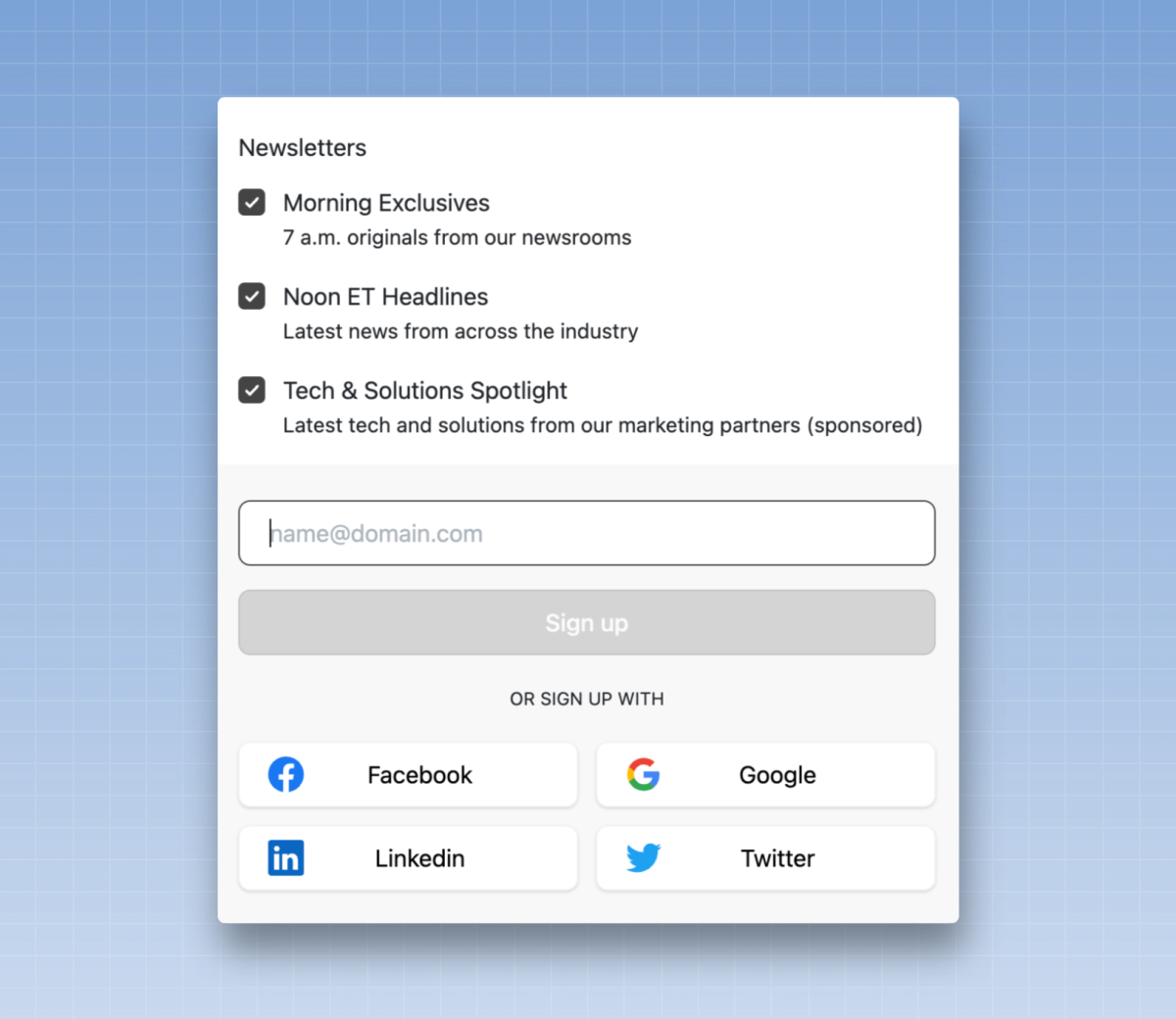
Some sophisticated publishers will use a tool like Google's One Tap or oAuth to encourage readers to sign up for an account with a single click, and then ask them to subscribe to the newsletter.
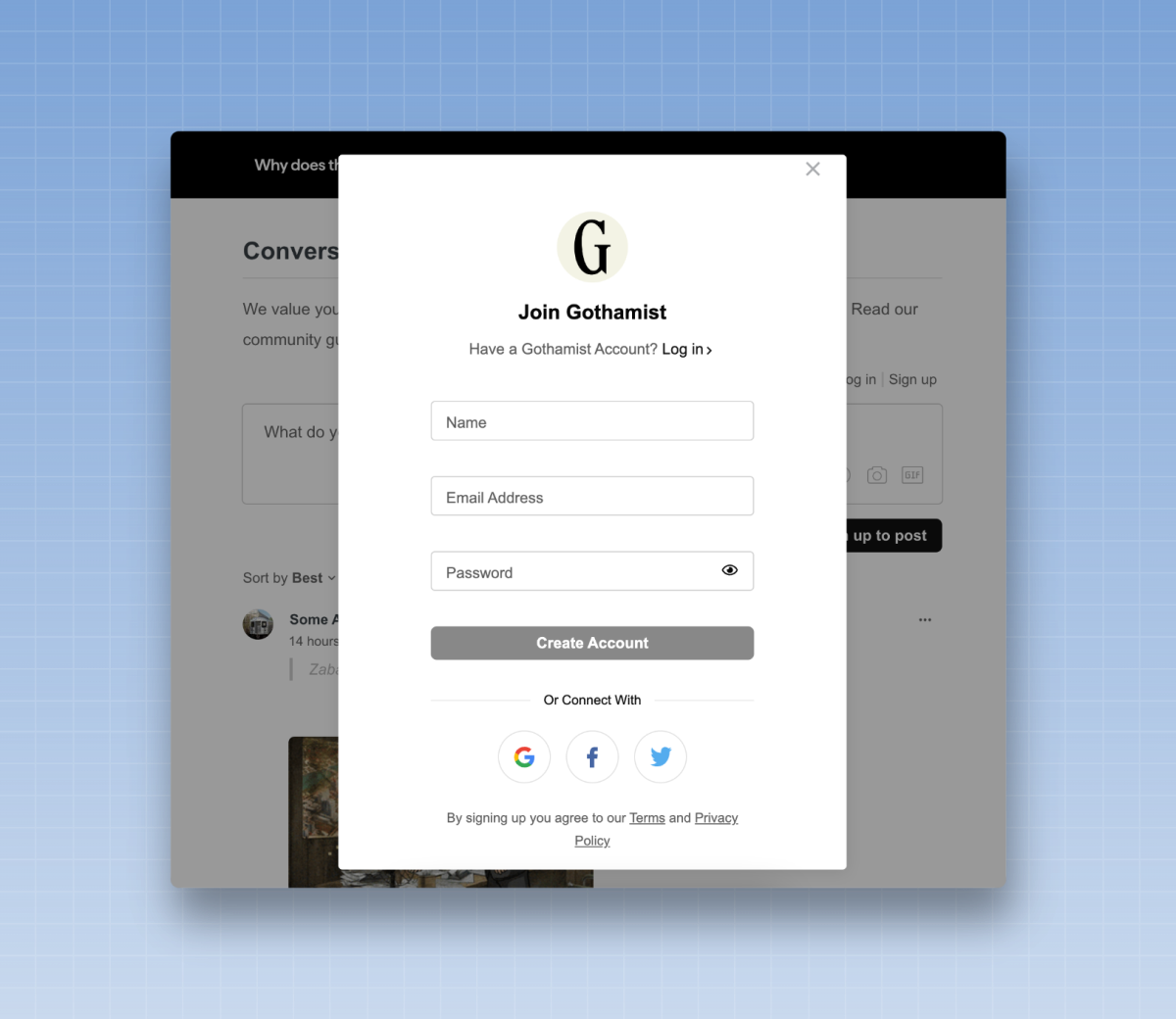
If you have a comments section on your website, you can also require users to sign up before they can post their first comment. Redirect readers from the comment form to the sign-up page, ask them to subscribe to your newsletter, and then bring them back to the comments section so they can post their first comment.
If you're a larger publisher, you probably already have a system in place to implement a sign-up wall and collect email addresses. If not, check out tools like Leaky Paywall, OptinMonster, or Poool to manage these systems.
17. Post in-house ads on your website
Your website may include spaces where you display ads, perhaps using a platform like Google Ad Manager. If so, you’re probably not selling all the ad slots on every page—in which case, your ad platform fills part of the unsold inventory with lower-quality ads, for which you earn only a few cents per ad served.
So you have a choice: Use this additional ad inventory to display ads that don't generate much revenue, or replace them with ads for your newsletters, which could generate significant revenue in the long term.
If you run these ads through your advertising platform, you can quickly display an ad across your entire website, allowing your newsletter to reach a wider audience. You can also test different ad copy or visuals to see which messages work best and drive readers to your newsletter sign-up page.
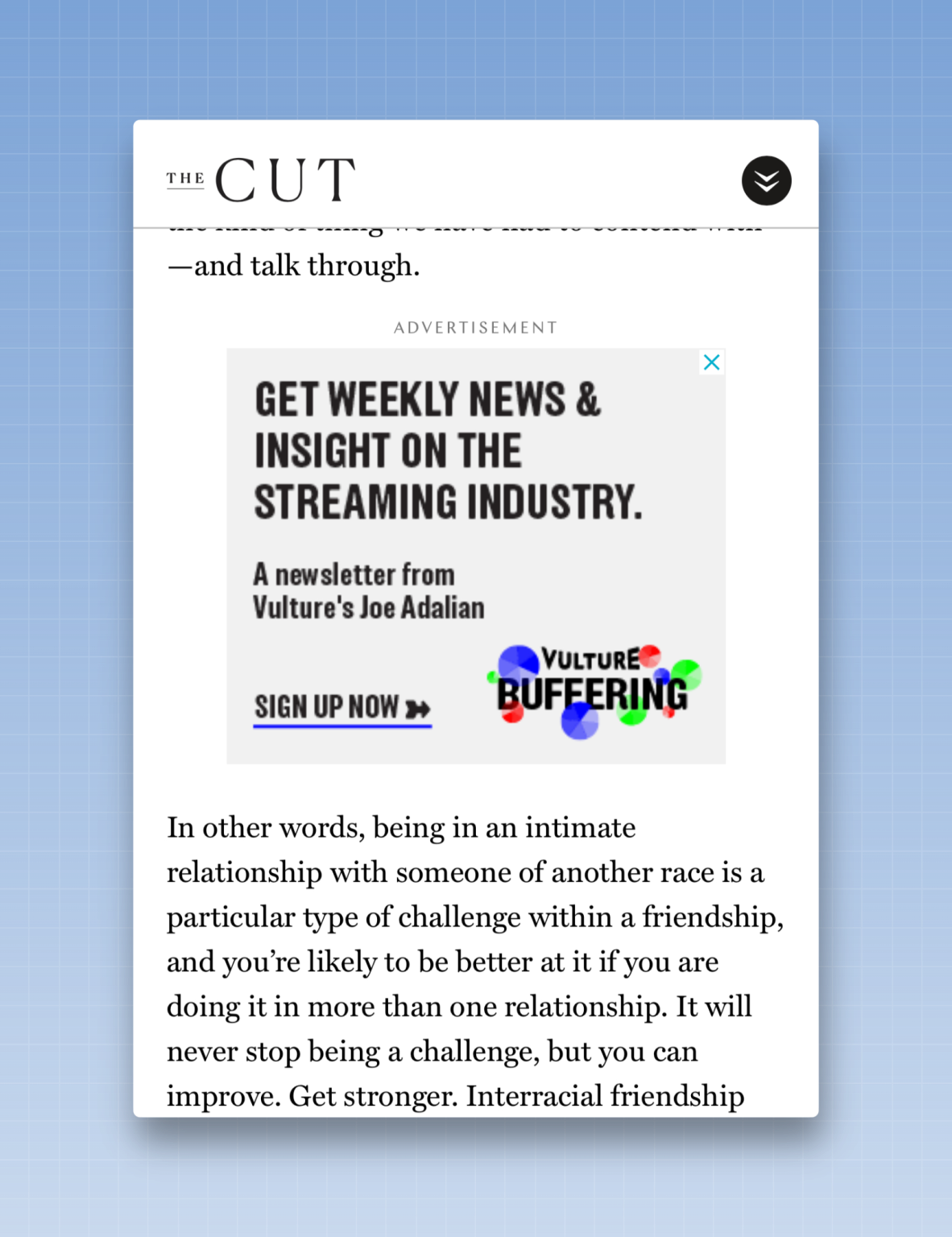
At BuzzFeed, we took the concept of in-house ads a step further by creating ad placements both on the homepage and in the recommendation units (which highlight the next suggested article to read) on our website. Instead of an image-based ad, readers saw the headline of one of our sign-up pages, such as “Find your next great book with the BuzzFeed Books newsletter!” When they clicked, they were redirected to the page where they had to enter their email address.
18. Use a “lead magnet”
With a “lead magnet,” a reader provides their email address in exchange for access to exclusive content. This content could be access to a downloadable guide or an email course—anything that holds significant value for the reader.
This type of offer is very popular among freelancers, especially those who teach readers a new skill or habit. If I’m interested in learning from this provider, I’ll gladly share my email address to receive the free resource they’ve created.
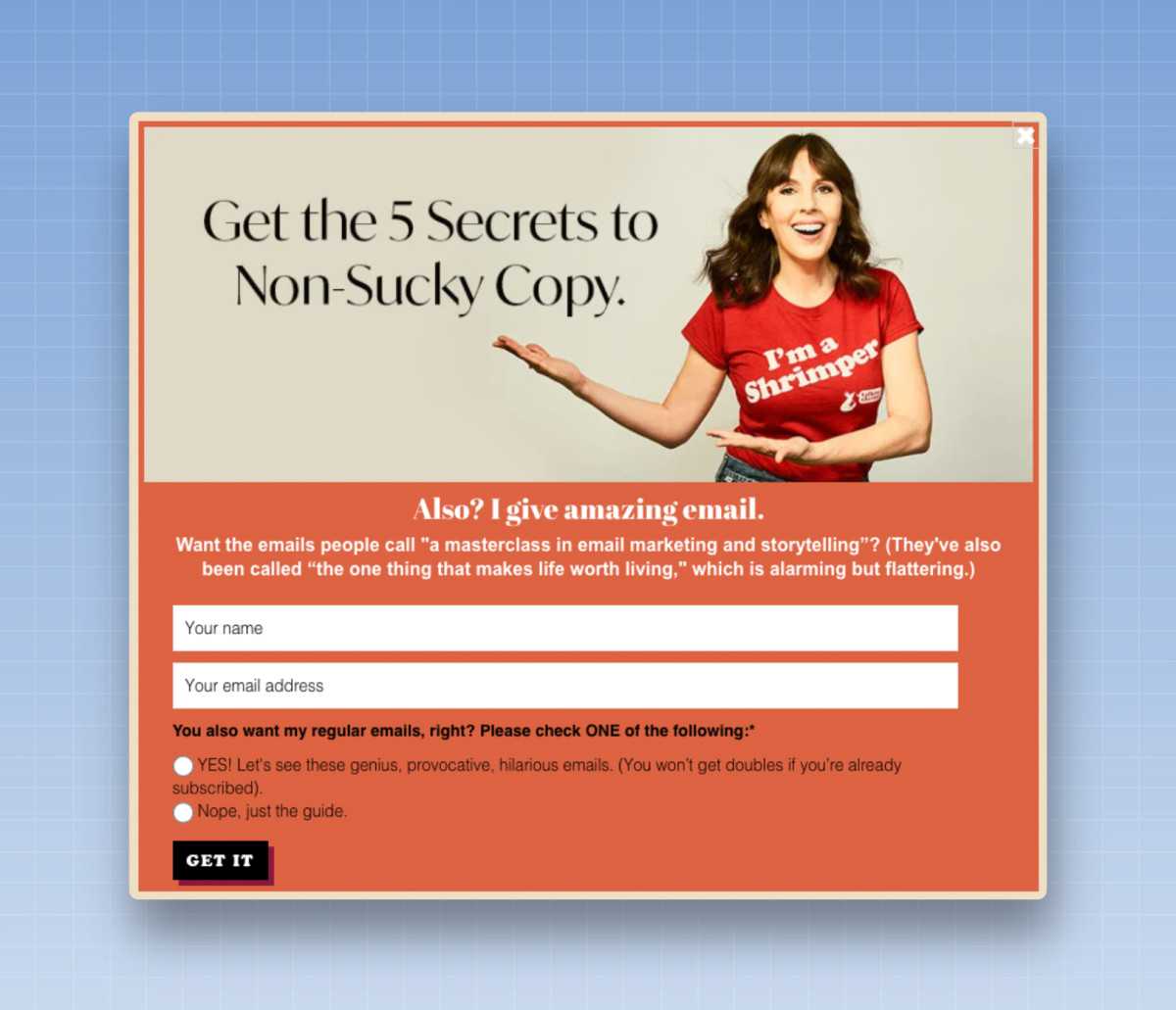
Lead magnets are also common in B2B newsletters that compile research or best practices into a PDF file and ask readers to sign up to access it. (B2B newsletters often require readers to sign up with a work email address to prevent anyone from entering a fake address to gain access. They may also request additional information, such as your job title or workplace, so they can later create a segment of their most valuable readers.)
The key to a successful lead magnet strategy: Make sure there is a strong connection between the content and the newsletter they sign up for. The newsletter must be highly relevant for the lead magnet to generate long-term engagement.
You don’t necessarily need a specific tool to deploy these lead magnets, although some email marketing platforms, such as ConvertKit, can create an embeddable sign-up form designed to deliver a lead magnet. Other tools, such as OptinMonster, can also be used as part of a lead magnet strategy.
19. Start a quiz
A quiz is an easy way to engage casual readers. Whether it’s to test their knowledge, assess what they know about the week’s events, or use a personality test to help someone get to know themselves better, quizzes can be engaging content. Once the reader has finished the quiz, offer them a call to action to sign up for a relevant newsletter.
One last idea: You can also pair a quiz with a lead magnet or an email course. Test their knowledge on a topic, then invite them to sign up and access a specific resource to improve their skills and learn more.
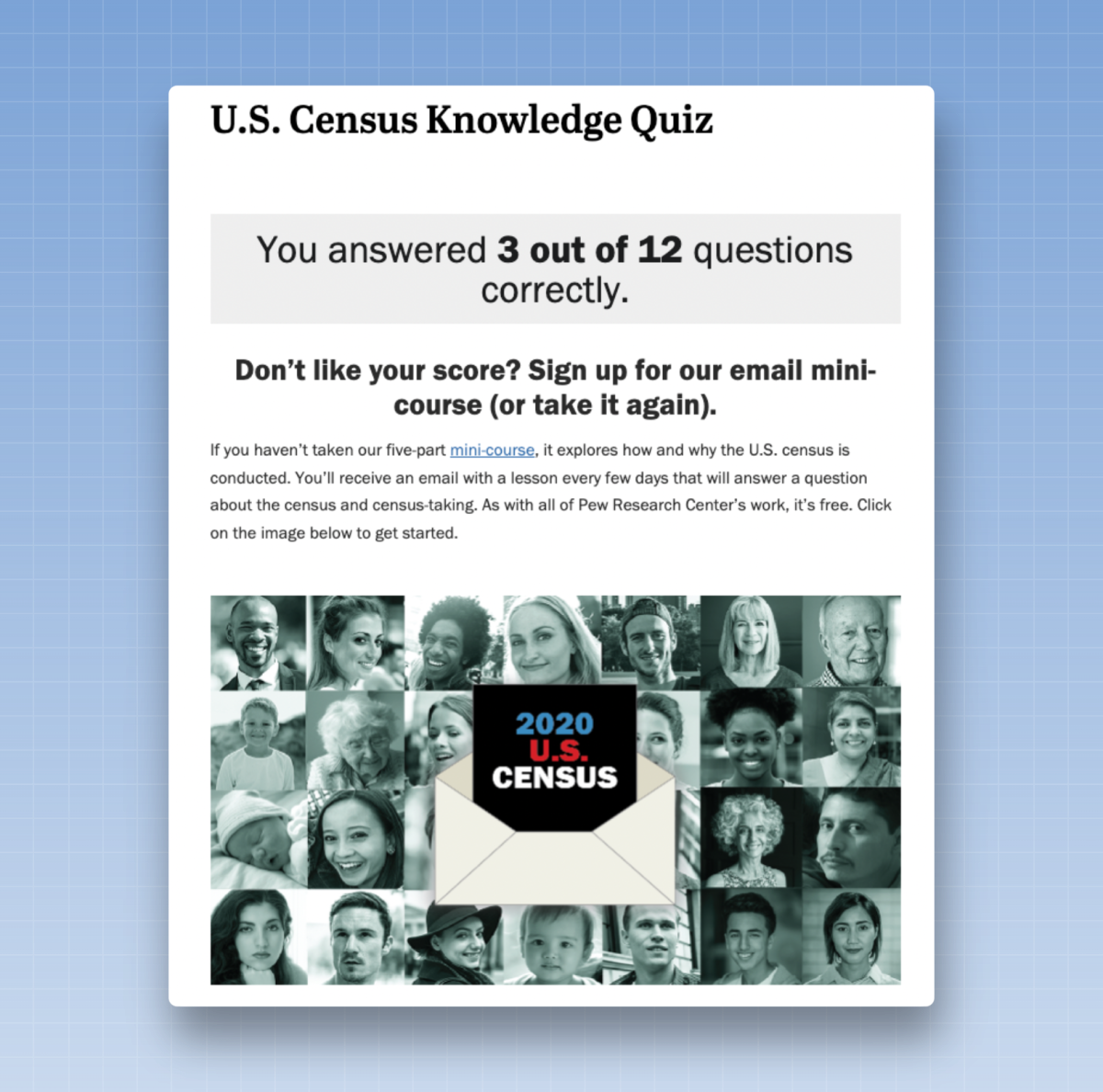
There are many tools for quizzes and sign-ups, such as Outgrow and Typeform, that work with various email platforms. Newsrooms may also be interested in News Games, which allows users to create quizzes and crossword puzzles.
20. Invite readers to vote in a “Best Of” contest.
What’s the best pizzeria in town? Where can you get the best cocktails? Your readers probably have opinions on these topics, so invite them to vote in a “Best Of” contest.
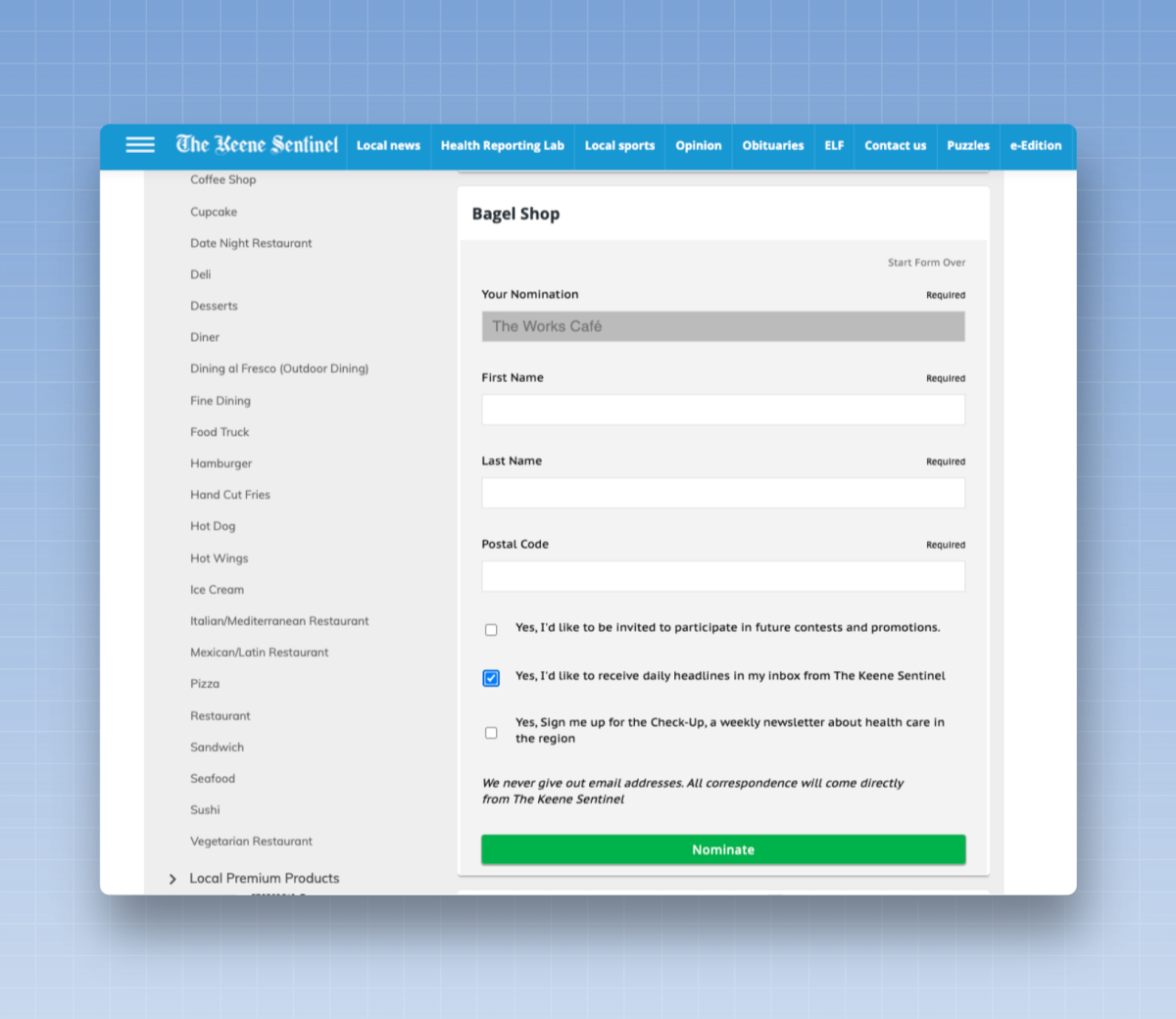
What’s the best part about a “Best Of” contest? You have multiple opportunities to get sign-ups. First, ask your readers to nominate local businesses, and on the nomination form, invite them to subscribe to your newsletter. Once you’ve narrowed the field down to a handful of finalists, ask them to vote for their favorites. To ensure they don’t vote too often, ask for their email address as part of the voting process, and then ask them to subscribe to a relevant newsletter.
And when you publish articles about the winners on your website? Sign-up forms or pop-ups will already appear on those pages, giving you another chance to convert readers into newsletter subscribers.
This type of “Best Of” strategy isn’t limited to local businesses and nightlife. You could implement it as part of a “40 Under 40” award recognizing individuals in your community, which could include nominations, voting, and articles about the winners.
Second Street is ideal for managing these "Best Of" lists, but you can also use Typeform or Google Forms.
21. Try a one-time
survey
You might not be ready for a major “Best Of” contest just yet. You can always start small by asking your readers to vote on a single topic.
Ask readers to vote on a topic they have strong feelings about. If you’re writing for a local newsletter, you could ask readers to vote on the best place to buy ice cream in the summer. If you write about parenting, it might be a poll on the best book to read to your child. Choose a topic on which many readers will have an opinion and ask them to participate in a one-time poll to share their views. At the end of the poll, ask them if they’d like to subscribe to your newsletter.
Typeform or Google Forms are perfect for launching a simple survey and then collecting an email address.
22. Create a game or an interactive
tool
Interactive content and games require a significant amount of development work, but they can be effective in capturing a reader’s interest and converting them into a subscriber to your newsletter.
In this example, let’s say you have a newsletter that offers advice on how to live your best life, and you’re creating a tool that helps readers figure out where they should live or what career they should pursue. As part of the interactive tool, you invite readers to subscribe to your newsletter and learn more.
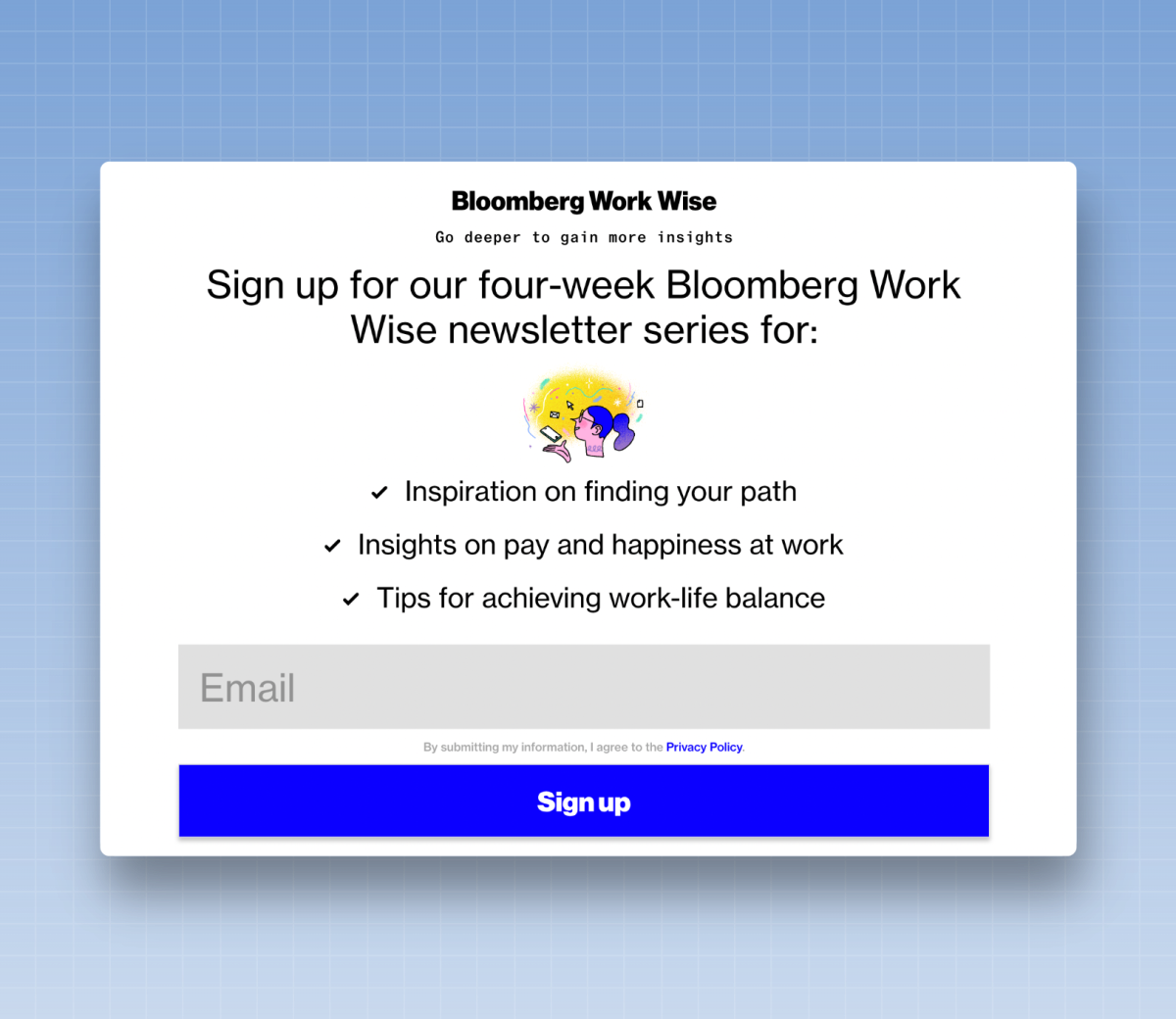
23. Survey Your Audience
Surveys can be an effective way to drive an audience from one channel, such as social media, to another.
Start by asking readers questions that will help you understand their needs, or demographic questions. At the end of the survey, invite them to sign up for one of your newsletters. If they’re motivated enough to take the survey, they’re likely the kind of readers who’ll be excited to receive more content from you in their inbox.
Think about it: Where do you ask for an email address? Some surveys ask for it at the beginning of the survey and then offer a simple checkbox—“Would you like to subscribe to our newsletter? Yes or no?”—at the end. Other surveys don’t ask for an email address right away, but invite you to enter it when you reach the call to action (CTA) for the newsletter. Either approach can work—it all depends on how you’ve structured your survey.
I like to use Google Forms, SurveyMonkey, or Typeform to create surveys. Several email marketing platforms, such as Beehiiv or Mailchimp, also have built-in survey tools that you can use.
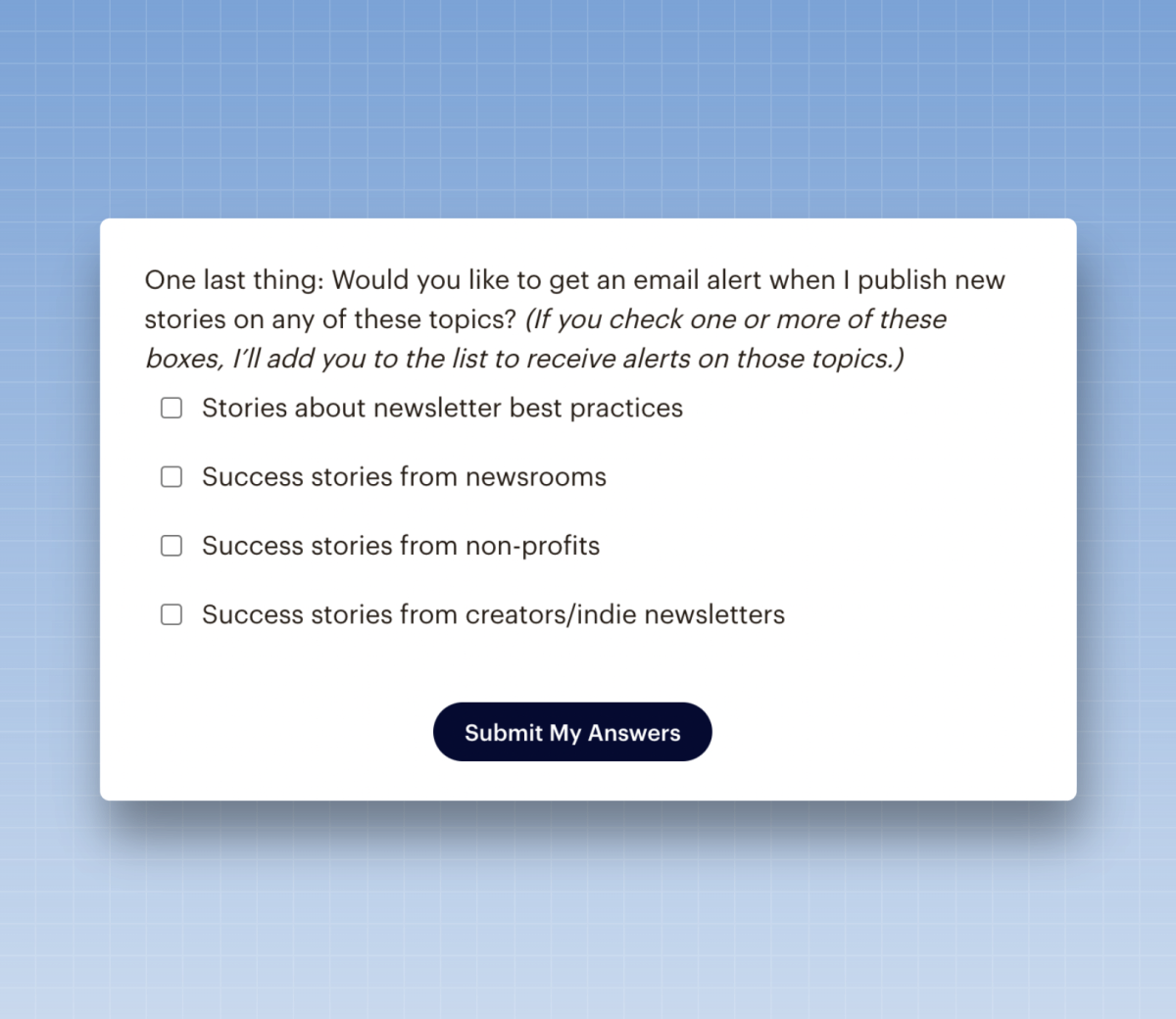
24. Use user-generated content to grow your list
User-generated content, or UGC, can be a good way to grab a reader’s attention and then get them to subscribe to your newsletter. What might user-generated content look like?
You may have a section on your website where readers can submit a question as part of a discussion forum.
You may have a form where readers can send letters to the editor.
You might invite readers to answer a question posed in your newsletter.
Whenever you ask for something like this—and, especially, when you collect an email address during the process—you should promote a relevant newsletter on that form. You’ll likely be asking for their email address as part of the submission process, so you might as well invite them to subscribe to your newsletter.
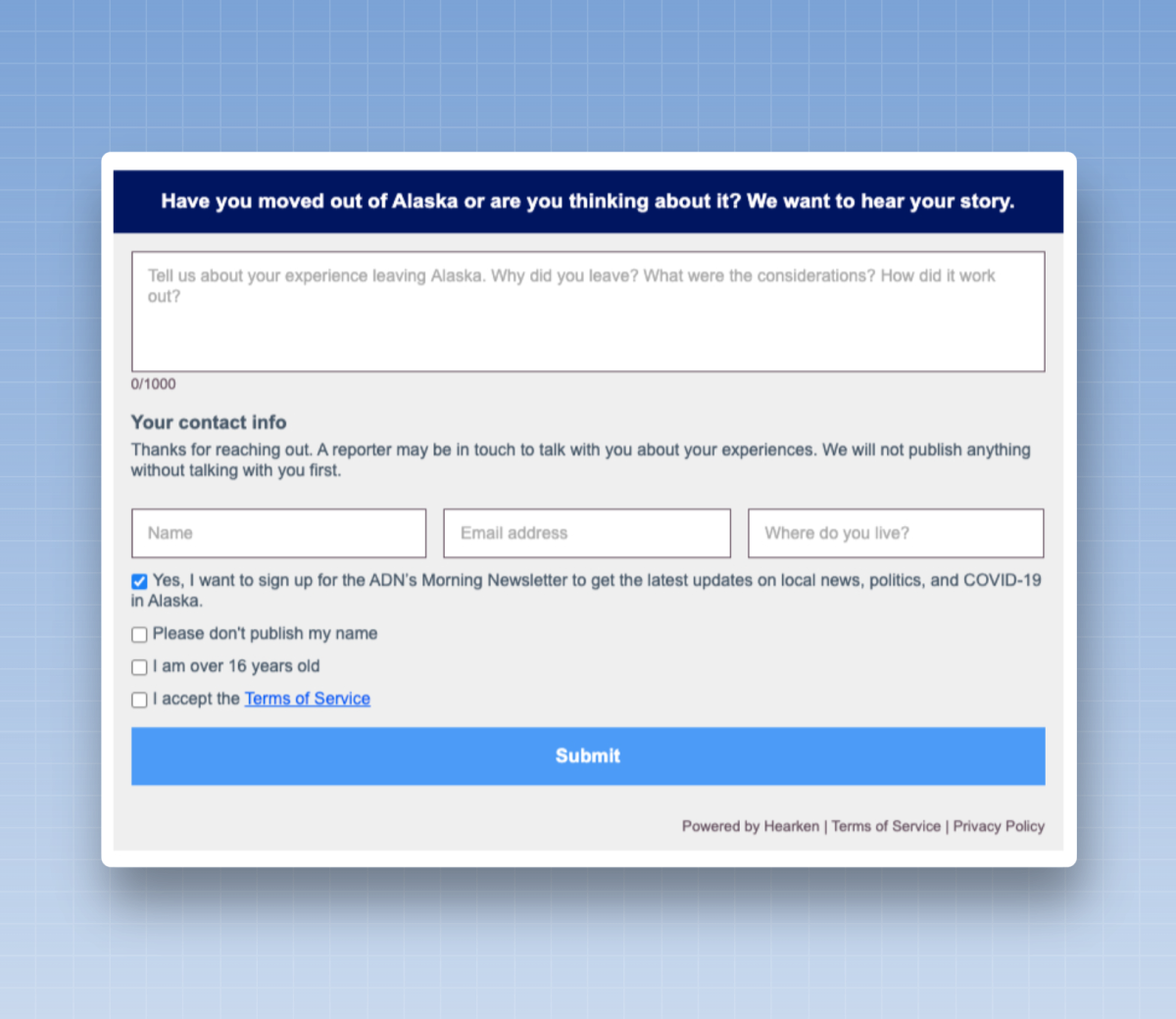
A simple tool like Google Forms or Typeform is ideal for running a CGU campaign. Special kudos to the team at Hearken, which has popularized these units in newsrooms and also offers a tool for implementing them on your website.
25. Try giving out prizes or holding a raffle
Raffles and lotteries offer great growth potential, but they are not without risk.
Here’s the advantage: Readers are often willing to enter their email address if they have a chance to win something. It could be a small prize, like tickets to an event. Or you could partner with a handful of other newsletters and offer a huge prize, like a trip to an exotic destination. I’ve seen contests that have generated tens of thousands of newsletter sign-ups.
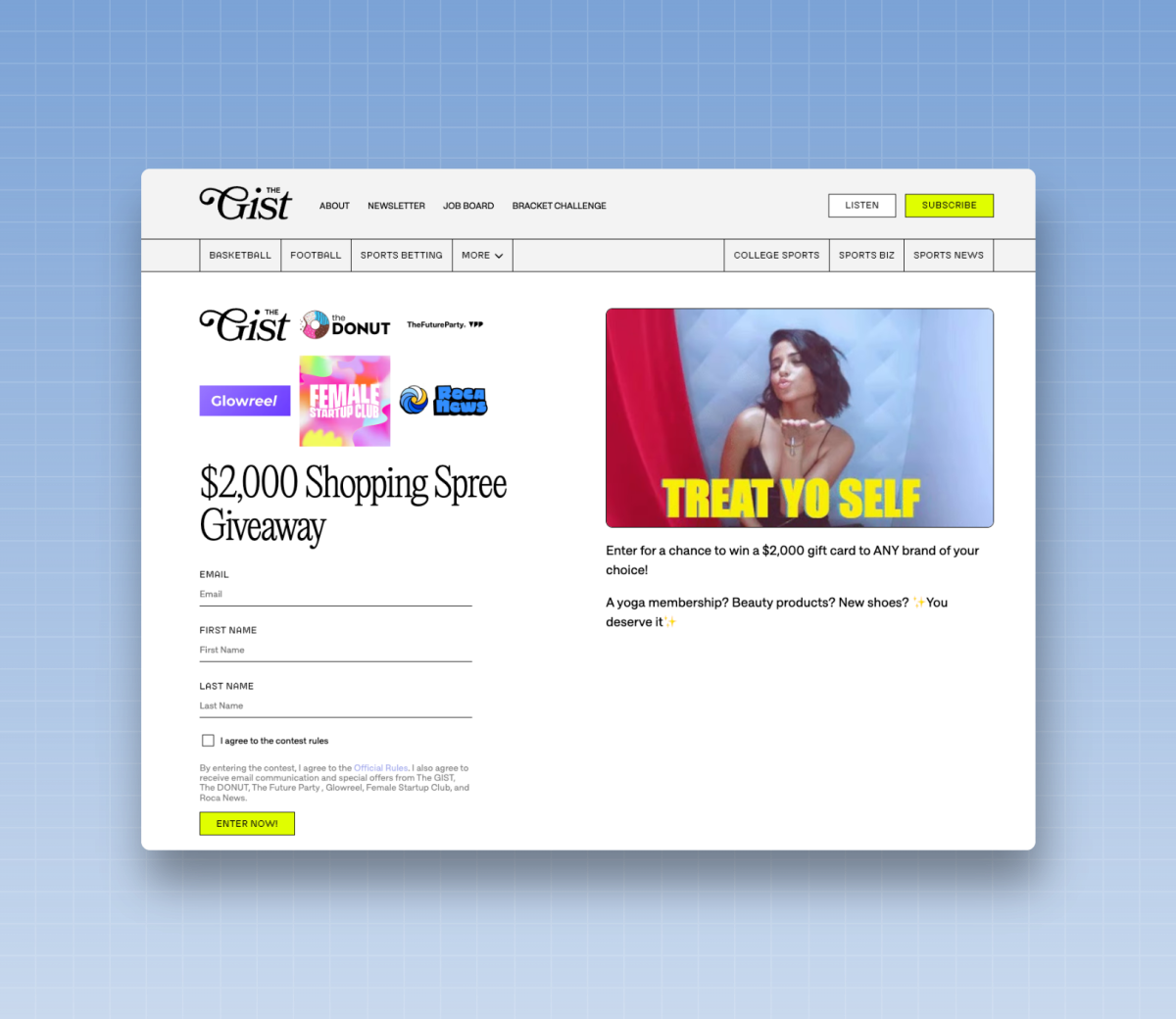
However, when readers sign up, they may only be interested in the prize, not in your newsletter. In some cases, such as during major contests involving several other newsletters, they may not even realize they’re signing up for your newsletter. You may receive thousands of sign-ups, but the majority of these readers may unsubscribe or become inactive within just a few weeks.
The most successful giveaways are clearly related to the theme of your newsletter. If you publish a newsletter for authors, consider offering productivity software that authors will appreciate. If you publish a local newsletter that highlights things to do in your area, consider offering gift cards to local restaurants or tickets to an upcoming concert.
Here’s an example of a freebie offered by a newsletter for authors, which I mentioned in my guide to developing independent newsletters:
I love the approach Wesley Verhoeve takes in his photography newsletter, *Process*. He offers small gifts—a few rolls of black-and-white film or a set of photography-themed socks—to readers who subscribe to his newsletter. This is less about driving massive growth and more about converting readers who haven’t yet subscribed to the newsletter.
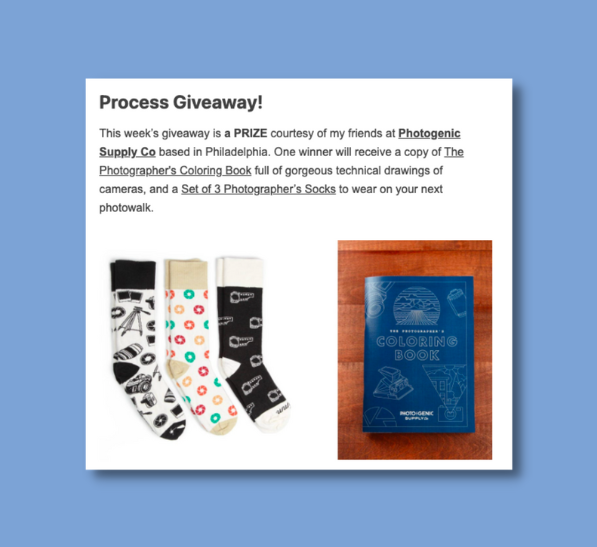
If you're organizing a contest, consider the following steps. Add a checkbox to the form so that readers can choose whether or not to subscribe to your newsletter. You can have these readers go through a double opt-in email process, so they’ll only be added to your list if they confirm that they want to receive your newsletter. You can also include them in a special welcome series, reminding them how they signed up, and build a relationship with them before adding them to your regular newsletter. Within 21 to 30 days of sign-up, aim to remove subscribers who aren’t interested in your newsletter. There’s no reason to keep inactive subscribers on your list.
You can also use a newsletter-specific promotion tool, such as Dojomojo, to organize the promotion. Alternatively, you can use Google Forms to collect sign-ups and then use the random number generator in Google Sheets to select the winner.
Advertisers pay to promote their products in your newsletter and to provide the materials needed to run the contest for free. If you participate in these contests, an advertiser may actually be paying you to grow your mailing list. So it’s well worth the effort.
Here’s a good example of this type of campaign from Golf.com. They combined a contest with a pop-up in the article to convert readers on their website:
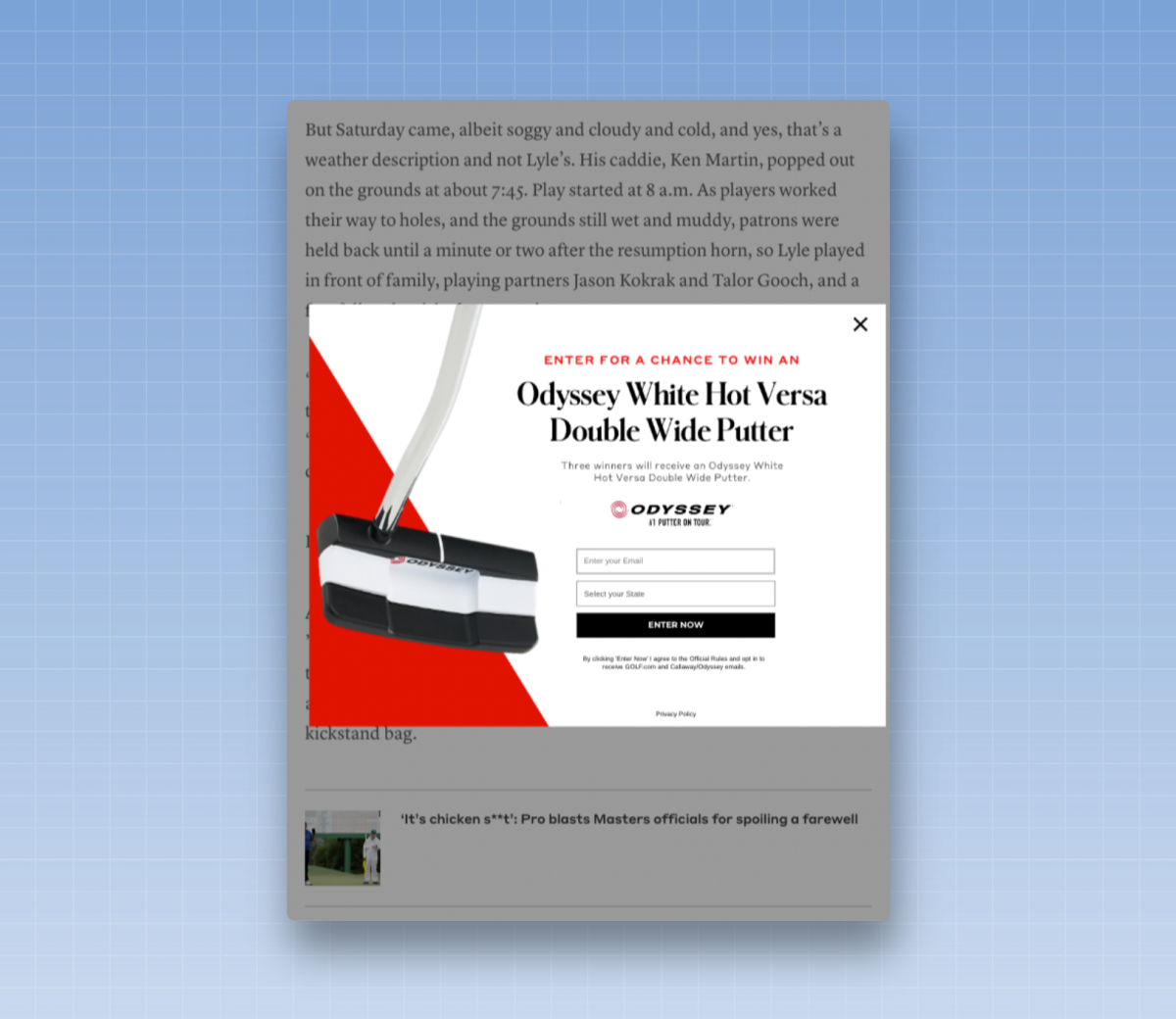
I’ve also seen newsletters that offer access to a birthday club, where subscribers receive a handful of discounts from relevant companies during their birthday month in exchange for signing up.
26. Organize a contest
Contests are a little different from lotteries: They are generally based on merit, not luck.
Let’s say you’re a local newsletter and you’re asking your readers to submit a photo of the most beautiful sunset they’ve seen all year, which you plan to feature in an upcoming issue or on social media. Readers access a form to submit their original photos, and to select the winner, you ask them for their email address. Since they’re providing their email address, why not ask them to sign up for your newsletter as well?
Google Forms, Second Street, Typeform, and Outgrow are good tools for this type of contest.
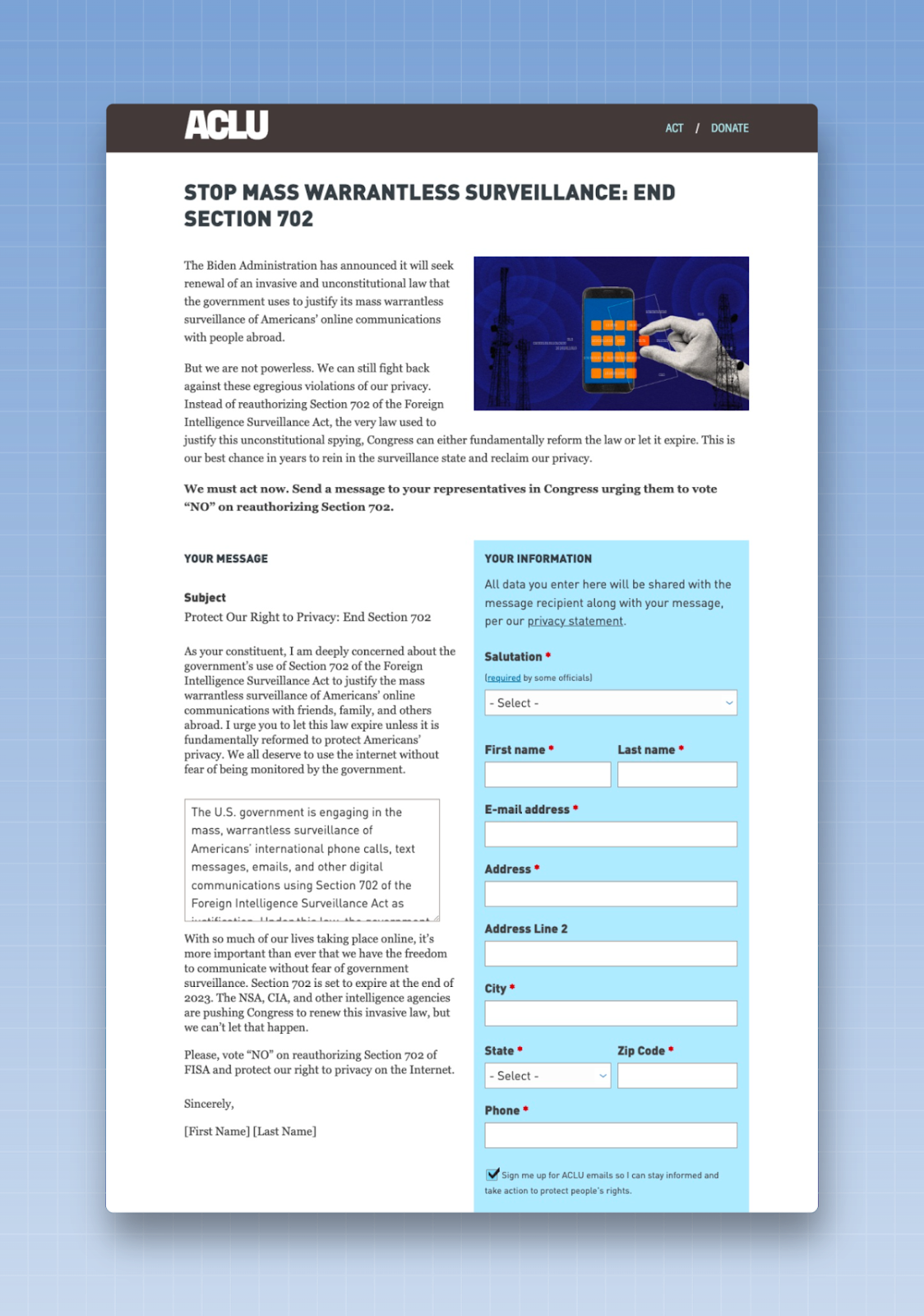
27. Use petitions to grow your list
Petitions can be incredibly effective at driving engagement and converting readers, especially for nonprofits or mission-driven newsletters.
First, promote your petition to your readers and make sure it’s an initiative they’ll want to add their names to. Next, give them the option to sign up for your newsletter as part of the petition. (Some organizations do not include a sign-up option and prefer to include a message stating that you will be added when you fill out the form.)
Petitions are also often used in connection with paid advertising (which we’ll discuss later in this guide). An organization can run ads for a petition on social media and then collect signatures as people sign the petition.
Google Forms, Typeform, or Outgrow can all be used to start a petition.
28. Ask readers to sign up after they’ve chosen to subscribe, make a donation, or become a member
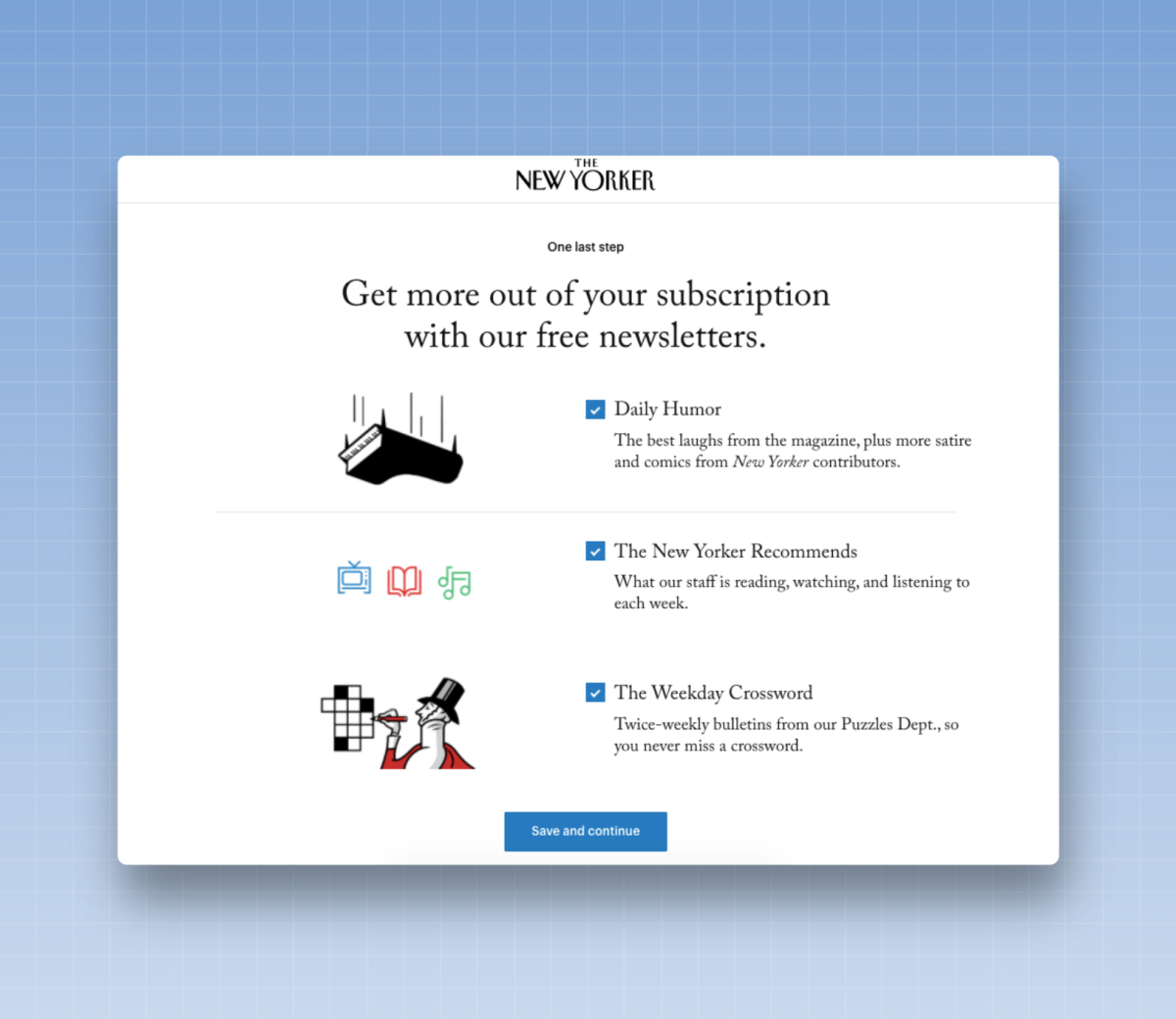
Here’s an example that all media outlets and nonprofit organizations should try: Once a reader has become a paying supporter, give them the option to subscribe to a newsletter.
These types of forms work remarkably well. Readers have already provided their email addresses when they entered their credit card information. So give them the option to subscribe to relevant newsletters once they’ve completed the payment process.
If you have multiple newsletters, the key is to choose the ones that will be featured in the post-purchase feed. Choose the ones designed to foster a regular habit—a daily newsletter or a weekly publication that encourages readers to return to your site to read or take action. (At The New Yorker, this flow has proven remarkably effective at driving readers to our Crosswords newsletter, which has led to significant engagement on the site.)
Depending on local laws, it may be possible to automatically subscribe readers to a newsletter after they have made a payment. It’s worth discussing this strategy with your team to decide whether you want to make it an opt-in or opt-out process.
29. Optimize specific sign-up pages for search
If you know your readers are likely to search for a specific term, why not create a newsletter sign-up page specifically designed to attract readers through search?
Here’s an example: Let’s say you live in Philadelphia and you’re offering a weekly newsletter about things to do in your city. You’ll create a sign-up page that explains the basics of your newsletter—for example, what subscribers will receive and when they’ll receive it.
But perhaps you’ve noticed that there’s also a fairly large audience that searches every week for “free and inexpensive things to do in Philadelphia.” Knowing this, I could duplicate the sign-up page but tailor the text on the page. Instead of a general introduction, I’d add a headline aimed at that audience—“Looking for free and inexpensive things to do in Philadelphia? Sign up for our newsletter”—and then include details explaining how you’ll help readers find those kinds of activities.
You don't need to promote these pages throughout your entire website, but you can create several of them, all designed to attract readers who are searching for a specific term.
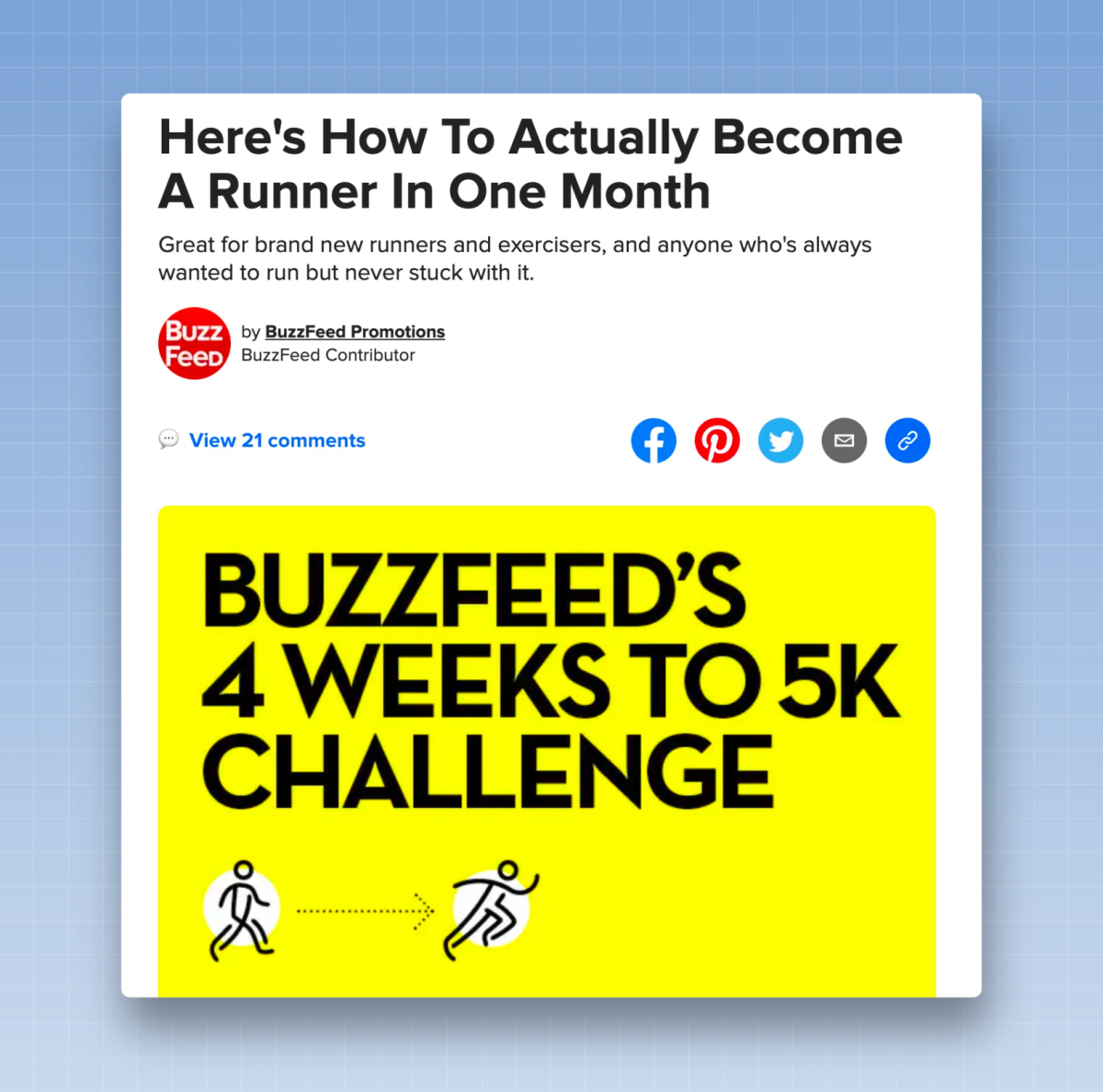
30. Add a caption to your bio
link
Having followers on social media is a good starting point, but you don't have much control over the relationship. If the social media platform changes its algorithm or rules, you may no longer be able to reach those followers with your posts.
It’s far better to have them on your email list, where you have more control over your relationship with that reader. Every social media platform lets you post a link next to your profile. Use a tool like Linktree to create a “link in bio” to highlight your newsletter. Be sure to include a clear call to action, such as “Sign up for my newsletter,” to direct readers to your sign-up page.
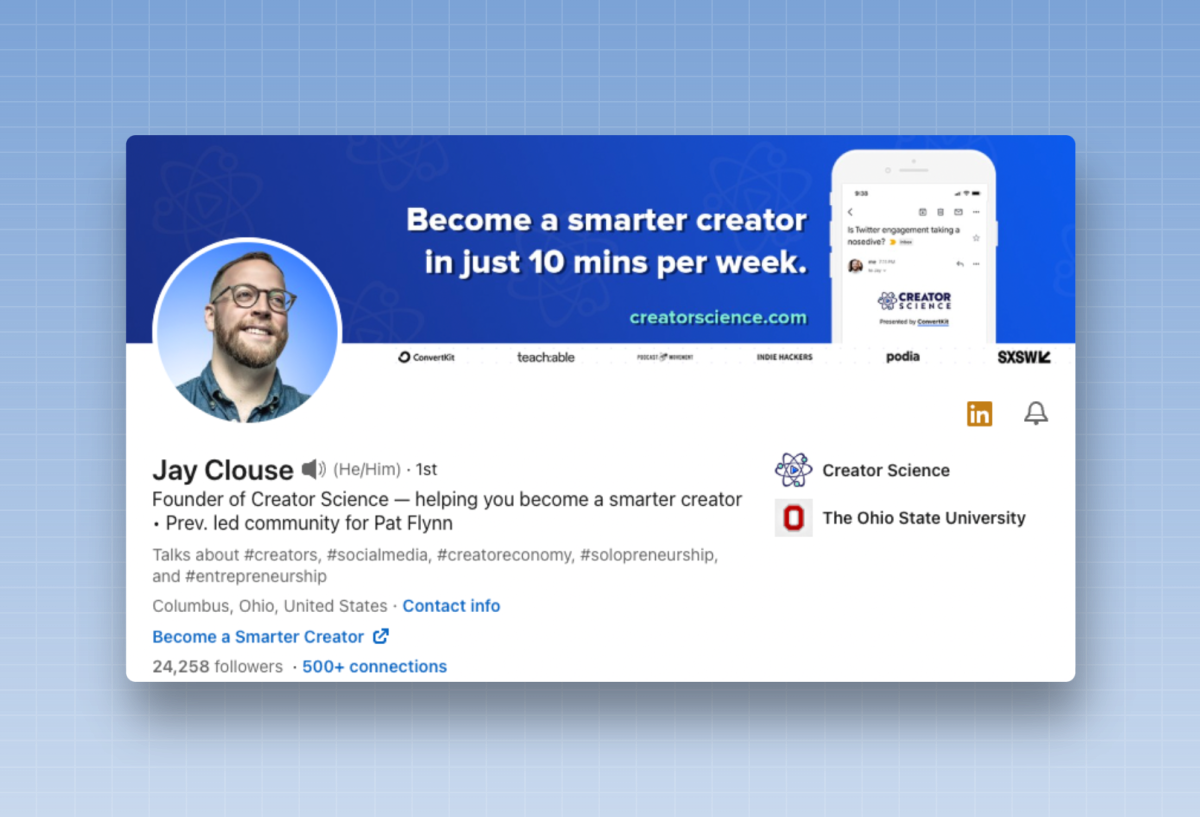
31. Use social media to turn readers into subscribers to your newsletter
Don’t limit yourself to just a link in your profile. Take advantage of these channels to grow your audience: text and carousels on LinkedIn, Stories on Instagram, videos on Facebook, and threads on Twitter. When you post, remind readers that they can continue to learn and stay updated about you through your newsletter, and direct them to your sign-up page.
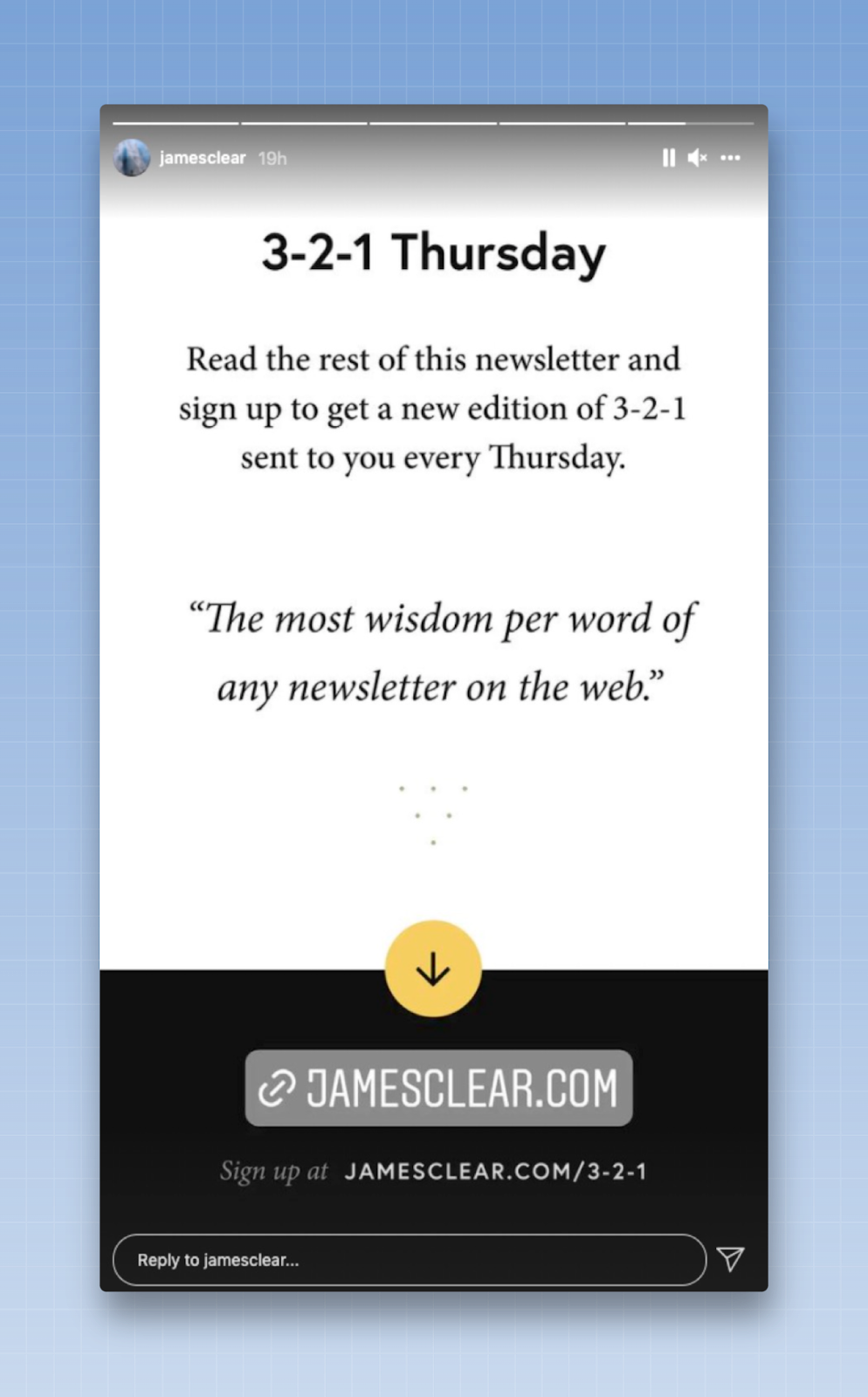
A good rule of thumb I’ve learned from working with major publishers and independent authors: Most people manage to convert about 2% of their total social media audience to their newsletter. (The most successful campaigns may be able to convert up to 10% of their audience.) You won’t see all of these readers sign up right away, but this benchmark should give you a goal to aim for.
32. Publish and share your newsletter with your network
As I wrote in my guide to building your own independent newsletter, direct distribution can be a surprisingly useful tool:
This usually involves sending an email to your contacts and friends to let them know you’ve launched your newsletter, or sending DMs via LinkedIn or Twitter to invite them to sign up. It’s a fairly manual process, but it works. (A freelance writer told me that he sent a DM to everyone he knew on LinkedIn with the same two-sentence message, asking them to sign up and share their feedback. These messages helped him get several hundred sign-ups.)
You can use a tool like GMass to send bulk emails. You can also pay for a tool like LinkedIn Message Ads to send messages to potential readers.
33. Win over your readers through events
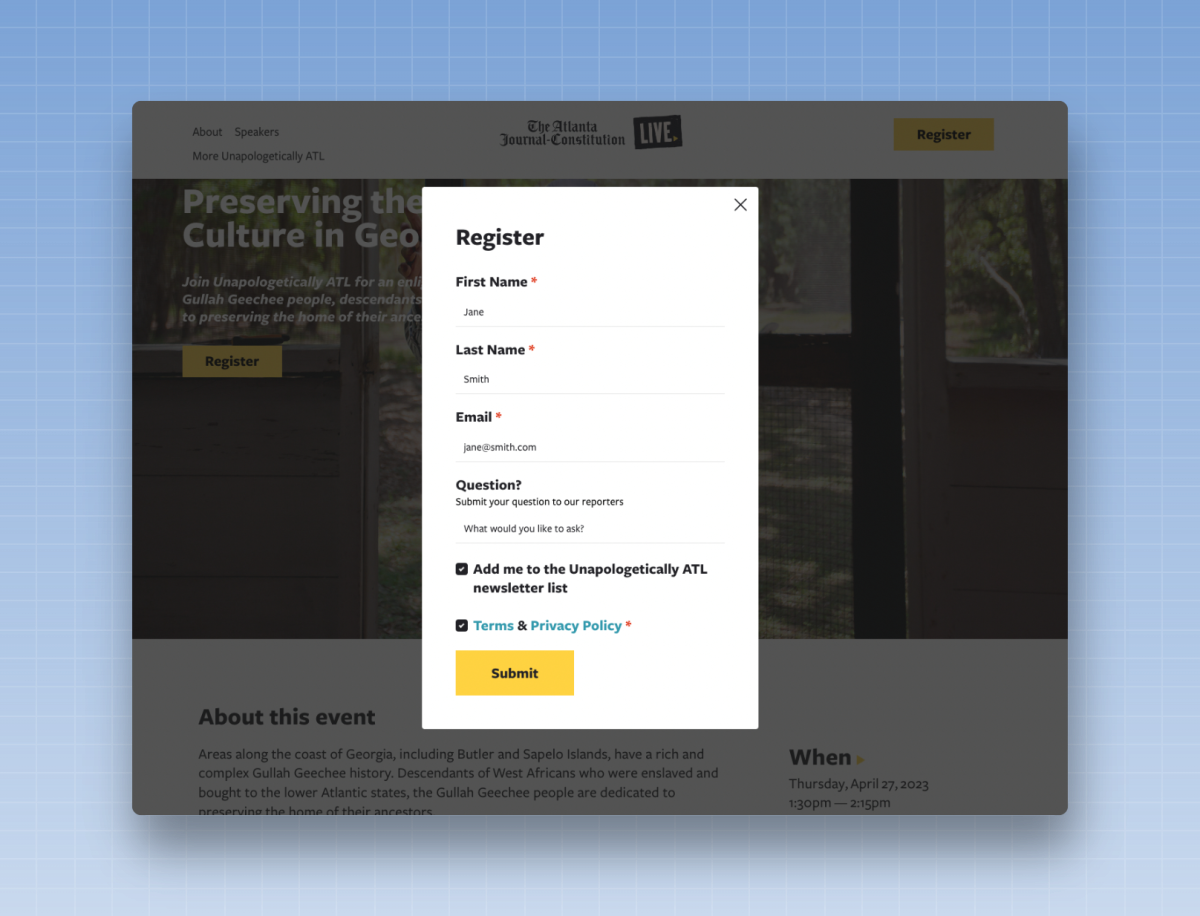
Every event—whether digital or in person—is an opportunity to build a relationship with an engaged audience. Encourage readers to sign up for a relevant newsletter when they register for the event. Some event management platforms, such as Eventbrite, can collect an email address at the time of registration and then forward it to your email platform using Zapier.
During the event, remind readers to sign up for the newsletter. I’ve seen teams take simple steps to encourage sign-ups. Some create a QR code that links to the newsletter sign-up page and include it in the program handed out at the door. (I’ve even heard of newsletters that print flyers with QR codes and post them in the restrooms. That’s sure to grab someone’s attention.) Some organizations even use a remarkably low-tech but highly effective tactic: they pass around a clipboard where attendees can write down their email addresses, then manually add those sign-ups to their email platform at the end of the event.
34. Ask your readers to forward your newsletter to a friend
Word-of-mouth recommendations often lead to extremely loyal readers. After all, if a friend tells you something is great, you'll probably take their advice.
One of the keys to generating a large number of word-of-mouth referrals is to make it easy for readers to share the newsletter. I don’t recommend using the built-in “Forward to a Friend” features offered by some email service providers (ESPs), as they can be a bit cumbersome to use. Instead, add a link or button to your newsletter—a call-to-action (CTA) such as “Forward this newsletter to a friend,” “Invite a Friend,” or “Share Our Newsletter” are good starting points—and include what’s known as an “mailto:” link.
With an `mailto:` link, you can pre-write the email for a reader. Use a free tool like this one from Parcel to draft the email you want readers to share with their friends. Include a subject line for your message (for example, “Here’s a newsletter you’ll love”) and explain in a few sentences why they’ll love it. Then add a link to your sign-up page.
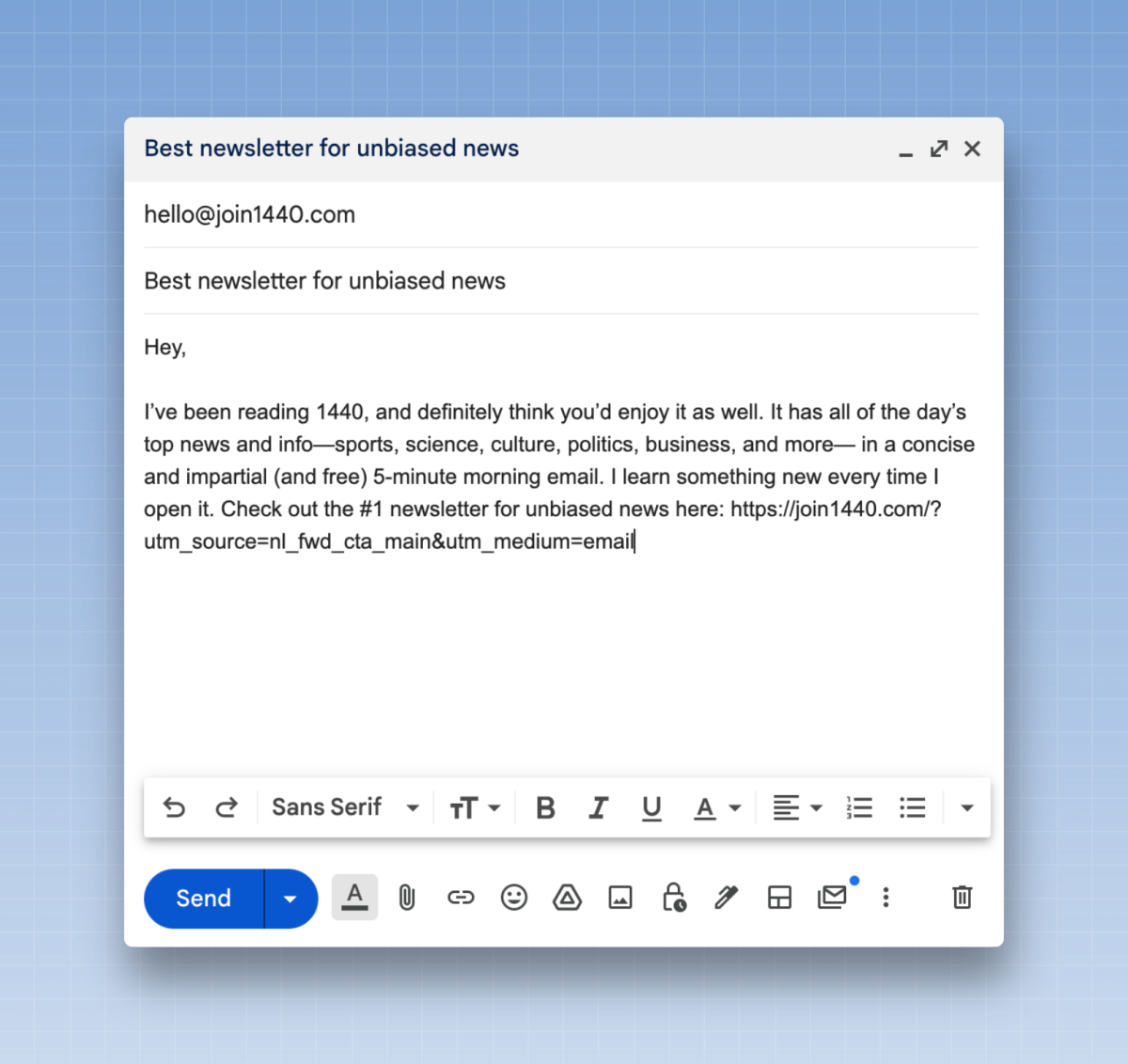
If a reader has to write the email themselves, they might not follow through. However, if you’ve already drafted the email, all they have to do is add their friend’s email address and click “Send.”
If you really want to track the effectiveness of this method, add a UTM parameter to the end of your landing page’s URL or create a brand-new sign-up page specifically for “Tell a Friend” emails to see how many new subscribers are coming in through this strategy. (For those unfamiliar with UTMs: These are small pieces of code you can add to the end of a URL to track the original source that shared the link. If you’ve ever seen a piece of code at the end of a URL, such as utm_source=Not_a_Newsletter, you’ve seen a UTM in action! I recommend using a free tool like UTM.io to create your UTMs.)
Here’s another easy-to-implement tactic: Include a sign-up link in the body of the email so that if someone forwards the entire newsletter (rather than your “Forward to a Friend” email), the recipient can still sign up.
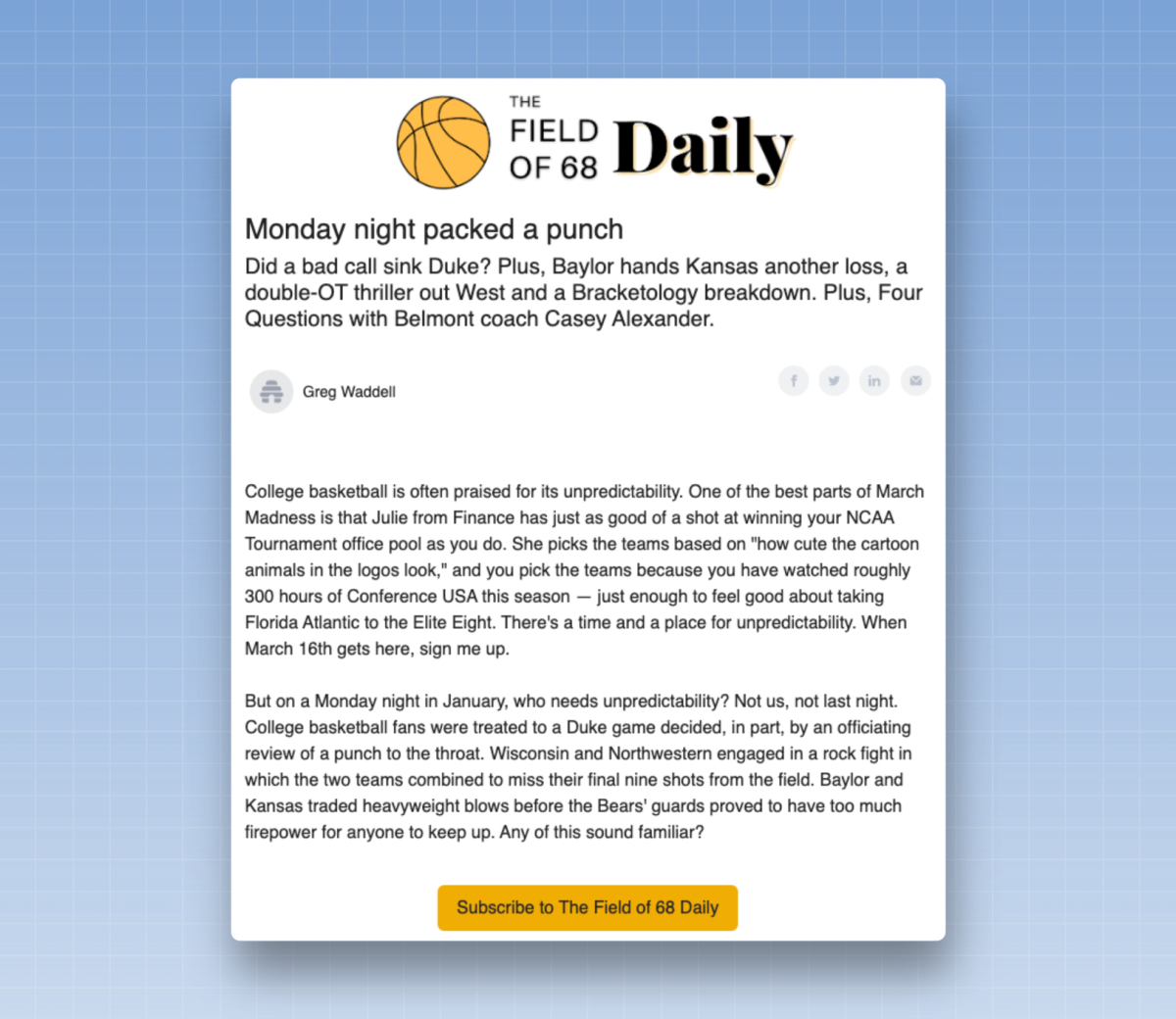
35. Drive sign-ups in the real
world
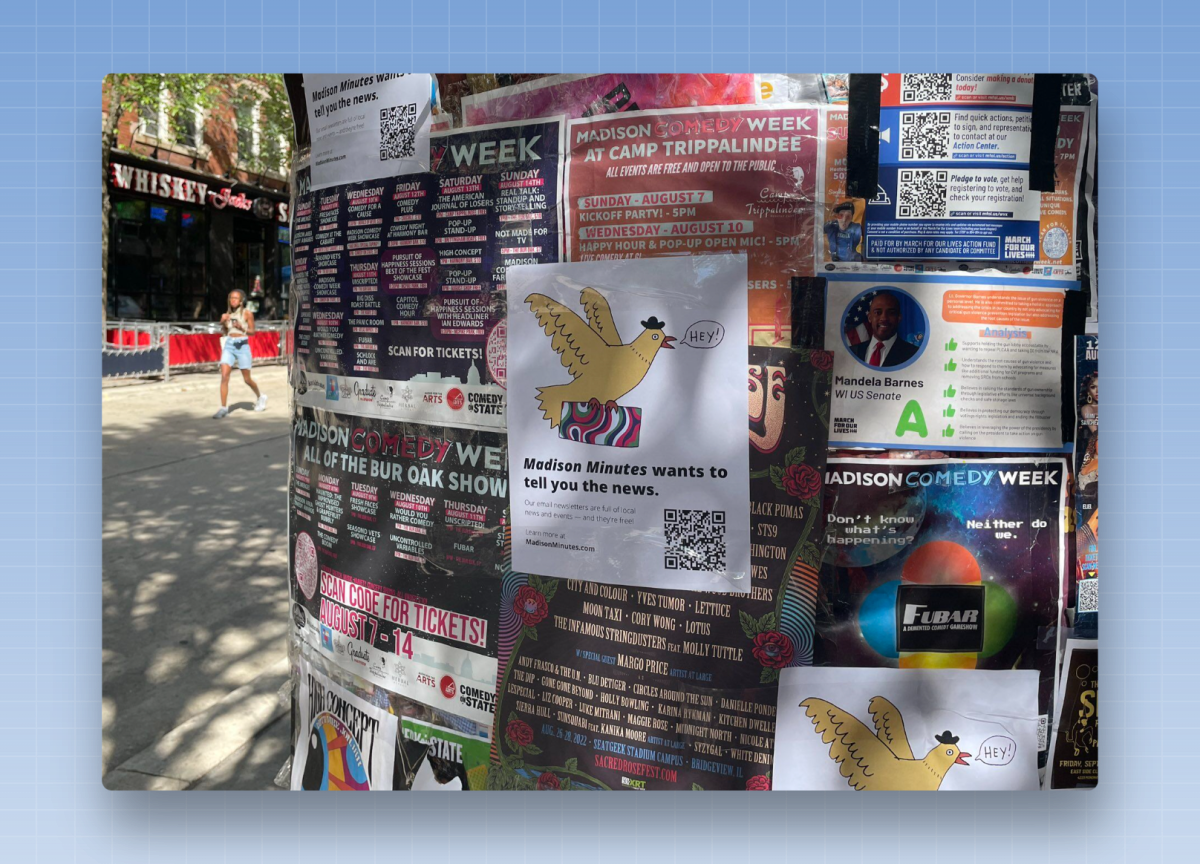
Yes, it’s possible to convert readers to your newsletter in real life. It’s simply a matter of finding the right places to do so and making it easy for readers to sign up. When it comes to in-person opportunities, QR codes are your friend. Create one using a tool like Canva and link it to your newsletter sign-up page. When someone scans the code, they’re taken to the sign-up page. (As with the “Tell a Friend” strategy, you can track effectiveness using a UTM parameter or a unique landing page.)
Where could you generate sign-ups in person? Like Madison Minutes, a local newsletter covering Madison, Wisconsin, you can create flyers to post downtown to encourage sign-ups:
Perhaps, like Dine Sarasota—a food newsletter in Sarasota, Florida—you could print out coasters featuring the newsletter and distribute them at local bars and restaurants:
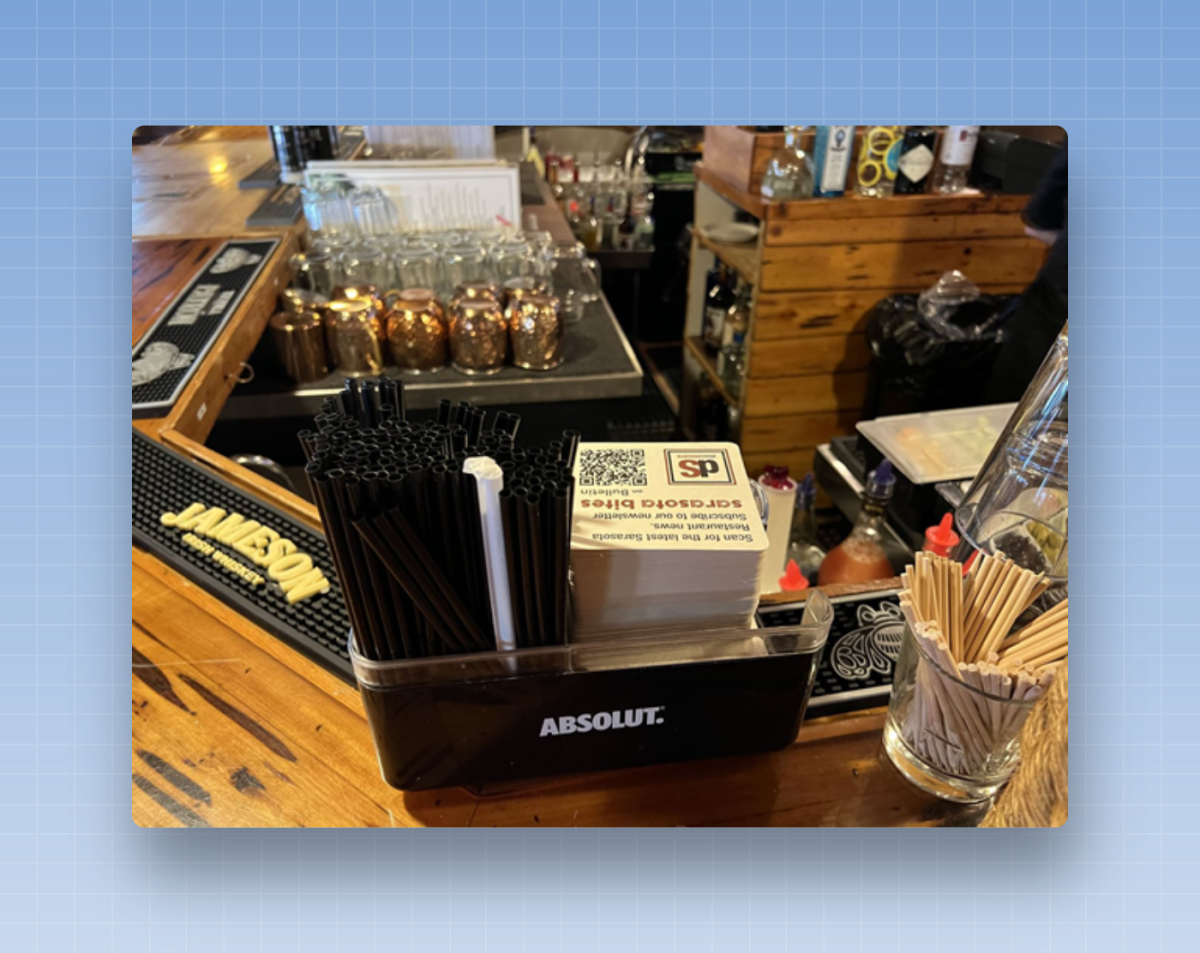
Or maybe you have another idea, such as business cards or postcards with a QR code, posters at local bus stops, signs placed around town, or bookmarks handed out at the local library. None of these methods will generate a large number of sign-ups, but each one could give your list a little boost.
36. Comment on posts by public figures and major organizations
If you don't have your own audience, one of the easiest ways to start building one is to leverage someone else's audience.
Identify public figures—perhaps someone in your field who has a large following on Twitter or LinkedIn—and regularly engage with their content. Being the first to comment and start a conversation helps your profile get noticed. You can also spend time on public forums, such as Reddit or Quora, where members of your community discuss your topic, and become an active commenter. Don’t overdo self-promotion—try to engage and share, and when appropriate, direct people to a resource or article you’ve created.
As I wrote in my guide to independent newsletters:
This turned out to be extremely helpful for my own newsletter (which is about newsletters) when I first started working. There are a few Facebook groups and Slack channels where people who work with email spend a lot of time, and I made sure to drop by, respond to others, and answer questions. I even wrote a few articles about issues many members were facing and included a link to a tutorial or guide in my replies to their public posts. At the end of each post, I included a CTA for my newsletter. These posts helped me establish myself as an expert in the field and also helped grow my newsletter’s audience.
37. Harness the power of recommendation
networks
Some email platforms, such as Beehiiv or Substack, allow any newsletter to recommend any other newsletter on their platform. Once a reader has subscribed to your newsletter, you can recommend a handful of other newsletters to them, and they can subscribe to them with a single click.
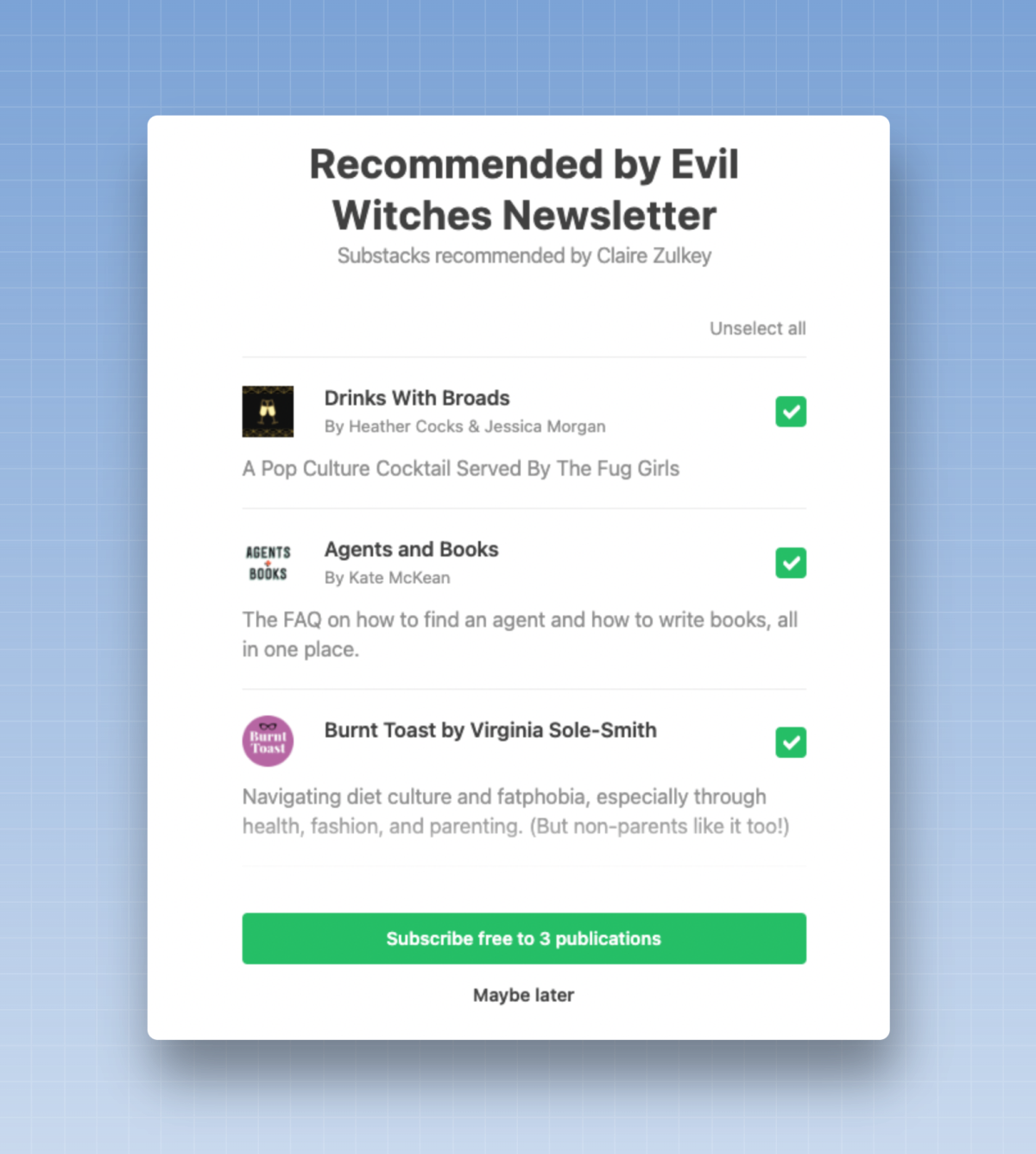
The most important and well-known newsletters are the ones that benefit the most from these referral tools—some publishers gain thousands of new subscribers each month thanks to referral tools. (Less well-established newsletters may see more modest results.)
Newsletters that aren’t on one of these platforms can also use Sparkloop to recommend other newsletters. Once someone has subscribed to your newsletter, you can use their Upscribe widget to recommend other newsletters to those readers. (Sparkloop’s tool works with newsletters from many platforms, such as AWeber, Beehiiv, ConvertKit, and Mailchimp, but not with Substack newsletters.)
The key to these referral networks is to form partnerships with other newsletters and cross-promote each other’s newsletters. Reach out to other newsletters you like—perhaps ones that reach your target audience but cover a slightly different topic—and ask if they’d be open to a partnership: you’ll recommend their newsletter, and they’ll recommend yours, and both newsletters should see growth. Identifying a handful of strong partnerships can lead to a significant influx of new subscribers over the long term.
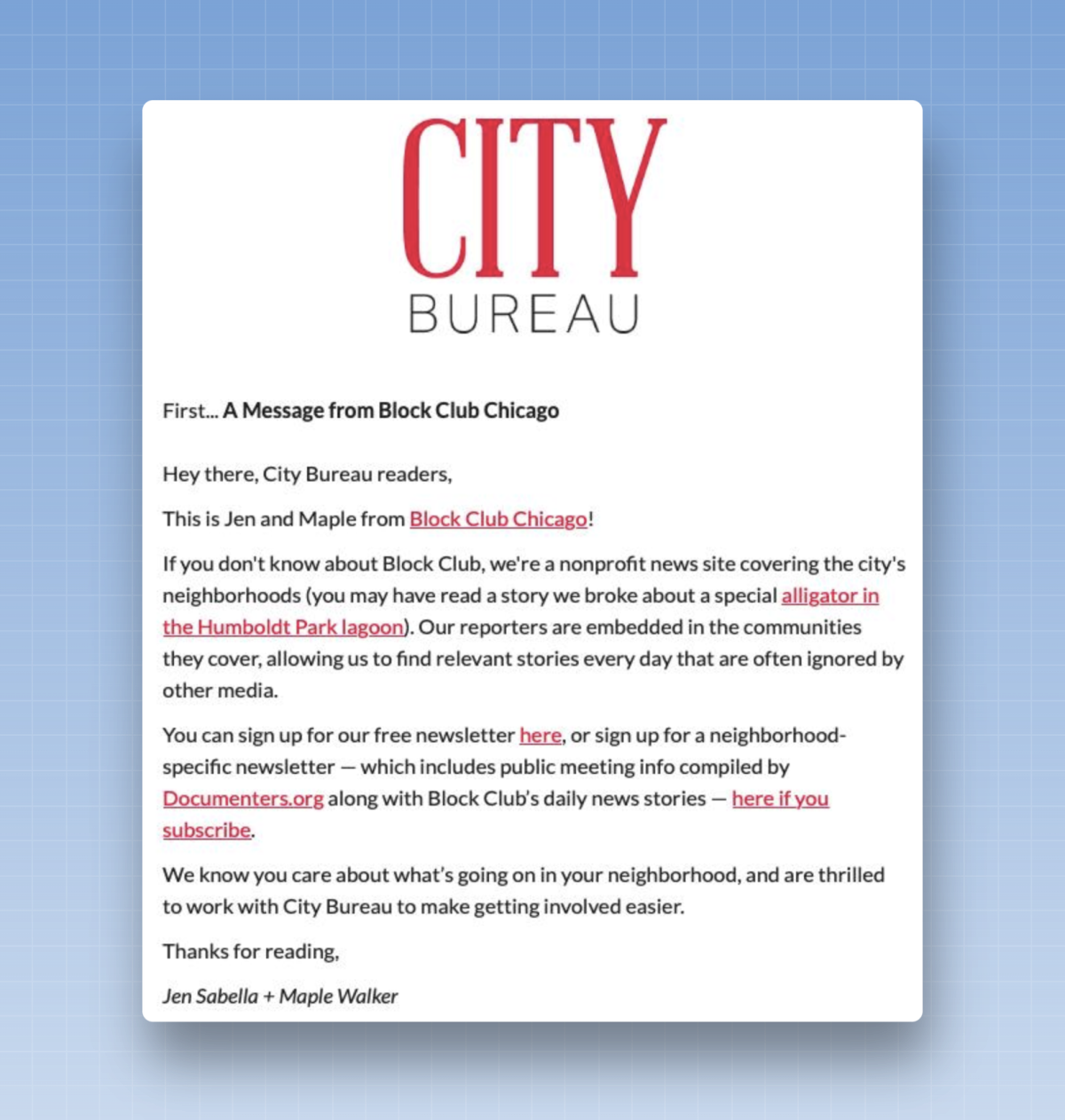
38. Try cross-promotion in newsletters
Another way to do cross-promotion is to include it in your regular newsletters.
You could form a partnership and include a note at the top of your next email recommending your partner’s newsletter. Your partner will then do the same for your newsletter. Use Sparkloop’s Magic Links tool so readers can subscribe with a single click. If a Magic Link doesn’t work with your email platform, direct readers to your sign-up page and use a UTM parameter to track clicks and conversions resulting from the partnership.
The key is to find newsletters with an audience or size similar to yours—both partners should see their growth increase as a result of this partnership.
Sometimes, if one newsletter is much larger than the other, it will find creative ways to balance things out. This might mean that the smaller newsletter will feature the promotion twice in its newsletter, or promote it in newsletters and on social media to try to reach an audience of similar size during the promotion period.
You can also try posting in-house ads in your newsletter—or even on your website—for your partners.
39. Offer discount codes for merchandise
If you have a store where you sell products, offer your readers a discount on their next purchase if they sign up for your newsletter first. It’s a win-win situation: The reader gets a discount, and you earn revenue from their purchase and gain a new subscriber to your email list.
A platform like OptinMonster is ideal for rolling out this type of offer.
40. Invite readers to sign up at the point of purchase
You may not have been able to convince a user to sign up using a discount code, but you still have a chance to convert them: On the checkout page, when visitors are about to make a purchase in your store, ask them if they’d like to sign up for your newsletter. (Some payment platforms, such as Shopify or WooCommerce, make it easy to add a sign-up form to these pages, which you can then connect to most email marketing platforms.)
41. Convert followers from another channel owned by the company
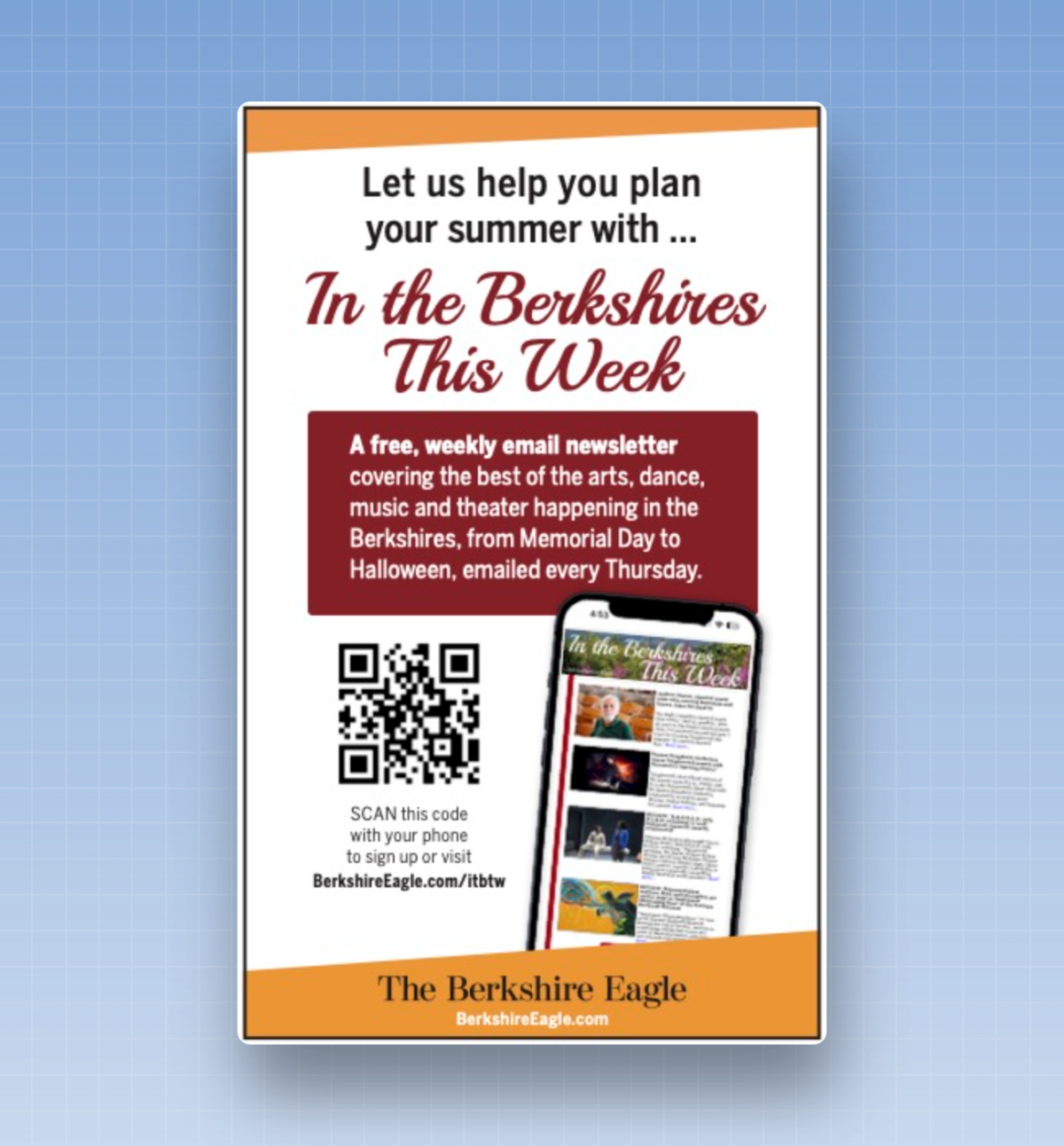
At BuzzFeed, we used to refer to any channel where we had a direct relationship with the reader—such as podcasts—as an “owned and operated” channel. You may have an audience on one of these types of channels: a print newspaper or magazine, a podcast or radio show, or a TV program. You have an audience—it’s up to you to figure out how to convert them to your newsletter.
If you work in print media, run ads in your publication with a QR code so readers can scan it and sign up quickly.
If you have a podcast or radio show, tell your listeners what they shouldn’t miss in an upcoming newsletter and give them the short URL—yoursite.com/newsletter—that you created for your sign-up page. (Keep in mind that a listener might be driving or distracted while listening to your show, so the URL should be easy to remember.)
If you have a TV show, display a QR code on the screen—perhaps during commercial breaks or at the bottom of the screen—so viewers can scan it and sign up.
42. Try the +1
posts
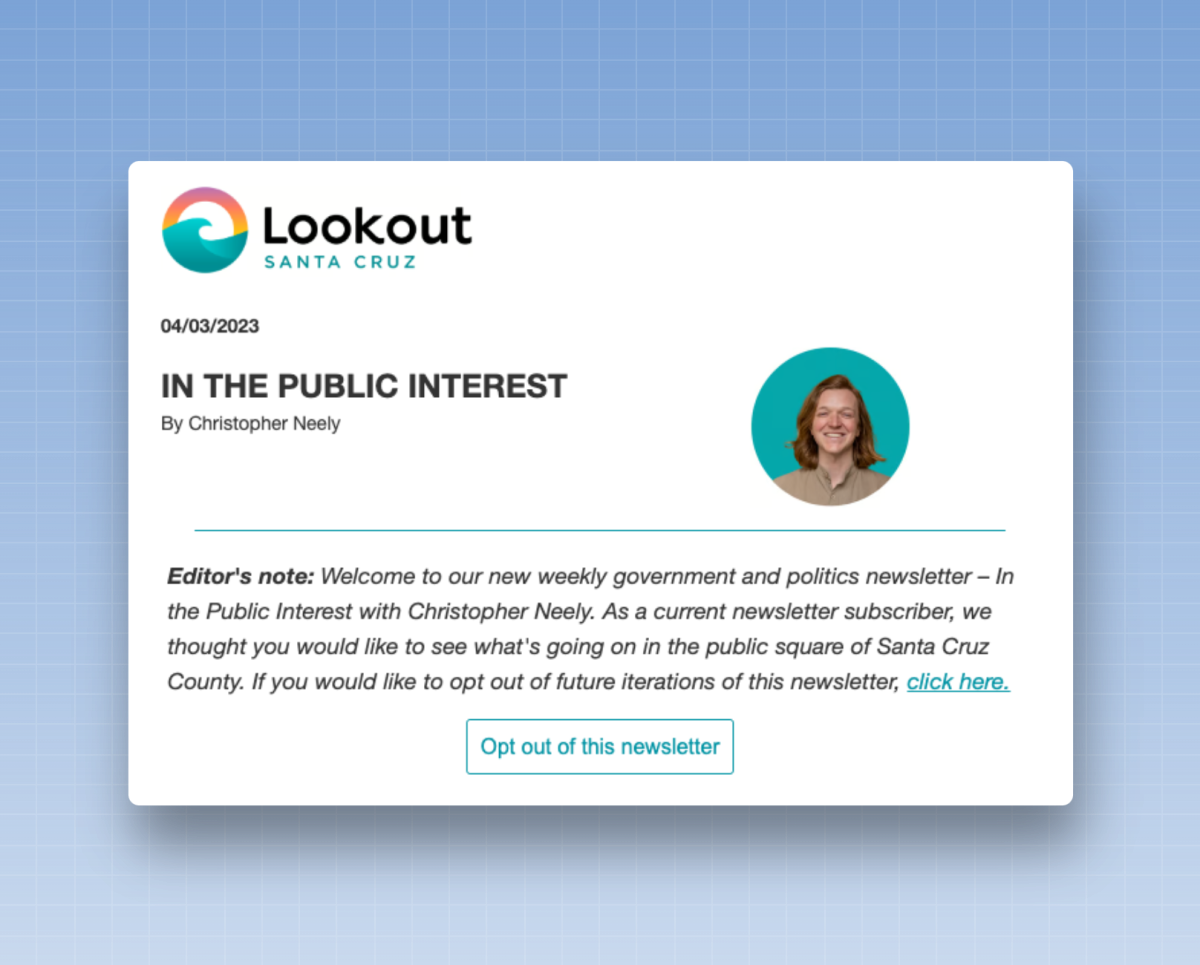
If you have an existing audience—perhaps you have a newsletter and want to add a second one, or you have a database of email addresses that you collected when readers attended an event—you can try a +1 message.
A +1 message is an email designed to encourage a reader to take the next step. For example, you can send an email specifically to readers who attended a previous event to announce the launch of your newsletter. Repeat the key points from your landing page and include them in this email: What will they receive, when will they receive it, and why should they sign up? Then add a link to the sign-up page.
Alternatively, instead of offering readers a sign-up option, you can try the opt-out strategy. If you have an existing newsletter list and can identify your most engaged readers, you may find that these readers are already eager to receive more newsletters from you. Instead of letting them sign up manually, do it for them. Add the readers to the list, tell them why you think they’ll like the newsletter, and let them know they can unsubscribe if they don’t want to receive it.
This strategy works best with readers who are already highly engaged. It’s also worth noting that in some regions or countries, opt-out strategies are prohibited by data and privacy laws—you cannot add a reader to a newsletter without their consent. Be sure to familiarize yourself with local laws before implementing this type of growth tactic.
You can also try running ads in your existing newsletter to promote a new one. These can be internal ads—such as those you’d run on your website—or text ads promoting the new newsletter. If you choose the latter option, think about how you can leverage your unique voice to promote the newsletter—a personal introduction from a writer or editor often yields good results.
43. Add a sign-up form to your email
signature
Here’s a tactic that takes just 20 seconds: Add a link to your sign-up page in your email signature. You probably send a lot of emails every day. By adding a sign-up link to your signature, you’ll promote your newsletter every time you send an email.
44. Create content that consistently surprises
I said it at the beginning of this article, and I'll say it again: When it comes to growing your email lists, nothing beats high-quality content.
High-quality content usually encourages readers to share the newsletter with their networks. And nothing is more effective at converting readers than receiving a message from a friend saying, “You’re going to love this newsletter—here’s the link to sign up!”
If you want to encourage word-of-mouth among readers, here’s the simplest (and hardest to implement) strategy in this guide: Create an excellent newsletter, make sure every issue you send out is excellent, and keep doing it over and over again.
At BuzzFeed, I used to tell my team: “Let’s set the bar high for our newsletters, and then exceed our readers’ expectations with every issue.” I was always thrilled when readers wrote to me: “I hate almost every newsletter I get, but I love it when yours lands in my inbox.” We kept our promise with every issue, and that’s why our newsletter kept growing. Word of mouth played a big role in BuzzFeed’s growth—those loyal readers ended up sharing our newsletters with their friends and coworkers—and I’ve seen similar results with almost every newsletter I’ve worked on since then.
Steve Martin once said, “Be so good they can’t ignore you.” The digital version of that phrase might be, “Write a newsletter so good they won’t be able to help but share it.”
45. Take advantage of “earned media”
In the world of public relations, there are two types of media you need to know about: paid media and earned media.
The term “paid” means exactly what you’d expect: it refers to everything you had to pay to get it. Paying to advertise on someone else’s platform is the most common type of paid media, and we’ll come back to that in a moment.
"Earned" media refers to anything you’ve been able to get for free. You’ve established yourself as an expert in your field or as someone others want to write about or talk to. You’ve earned the media coverage you’ve received.
Here are a few examples of earned media:
A journalist interviews you and includes a link to your newsletter in their article.
A podcaster or a TV show invites you to appear on their program and mentions your newsletter.
A conference or event invites you to address its audience and includes a sentence about your newsletter in your biography.
Another newsletter refers to an article you wrote.
A social media influencer shares your sign-up page.
If you’re participating in an interview, be sure to make it clear to the interviewer how you’d like to be introduced to their audience. For example, when I launched Inbox Collective, I noticed that some interviewers wanted to introduce me as “the former head of newsletters at BuzzFeed and The New Yorker.” That’s true, but it didn’t help me grow my business. Instead, I started asking them to introduce me as “a consultant who runs Inbox Collective and writes Not a Newsletter, a monthly guide to sending better emails,” and I also asked if they could link to both sources. Not all of them included both links, but those who did significantly increased my subscriber count.
When I appear on podcasts, I always ask in advance if I can promote my newsletter at the end of the episode. Most podcast hosts agree, and some of them even include a link to the sign-up page in the episode notes.
And when I give public talks, I always include a slide where I share the link to the sign-up page for my newsletter. Depending on the audience and the topic of the talk, I sometimes share a link at the end of my presentation and use it as a way to get people to sign up for my newsletter.
46. Republish content or share your articles on other publications
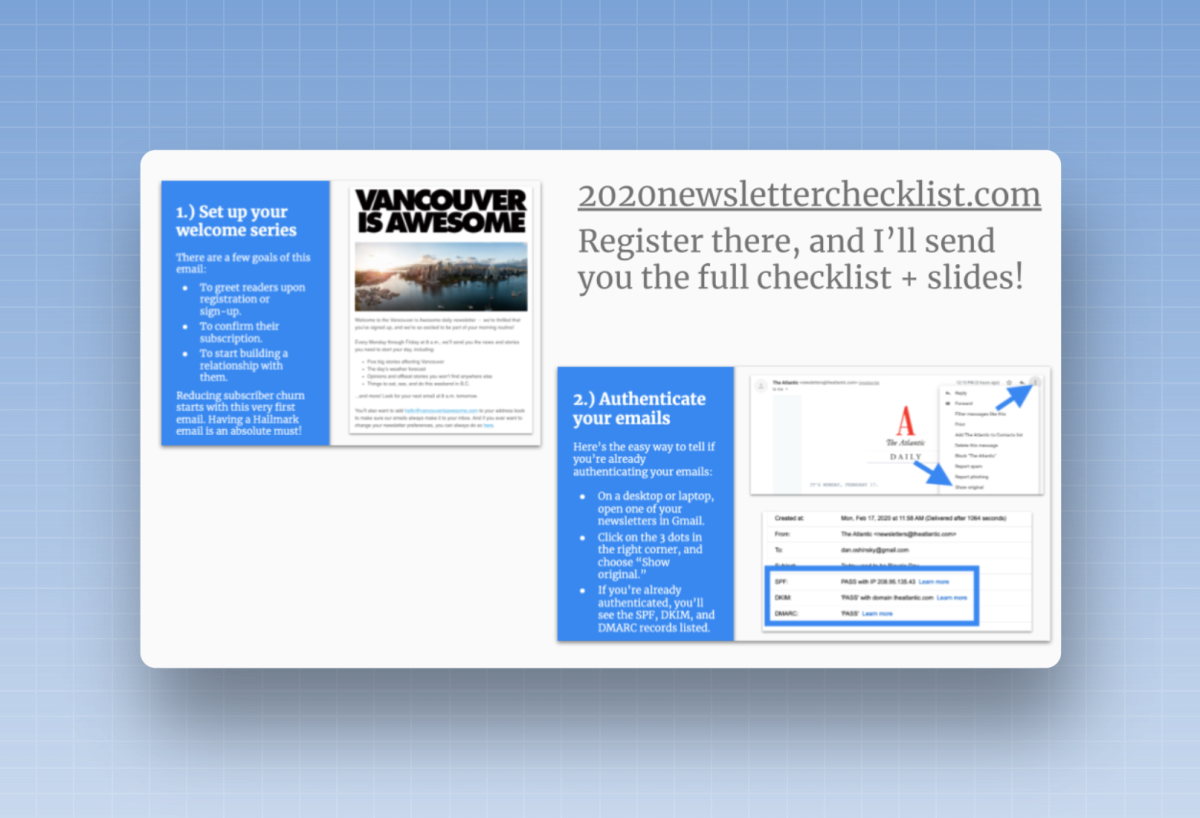
How can you ensure your content reaches a wider audience? You can find someone with a larger following and ask them to share your content with their readers.
Some newsletters syndicate their content on another website or in another newsletter. This publication is free to republish the content, in part or in full, provided it includes a link to the original source newsletter.
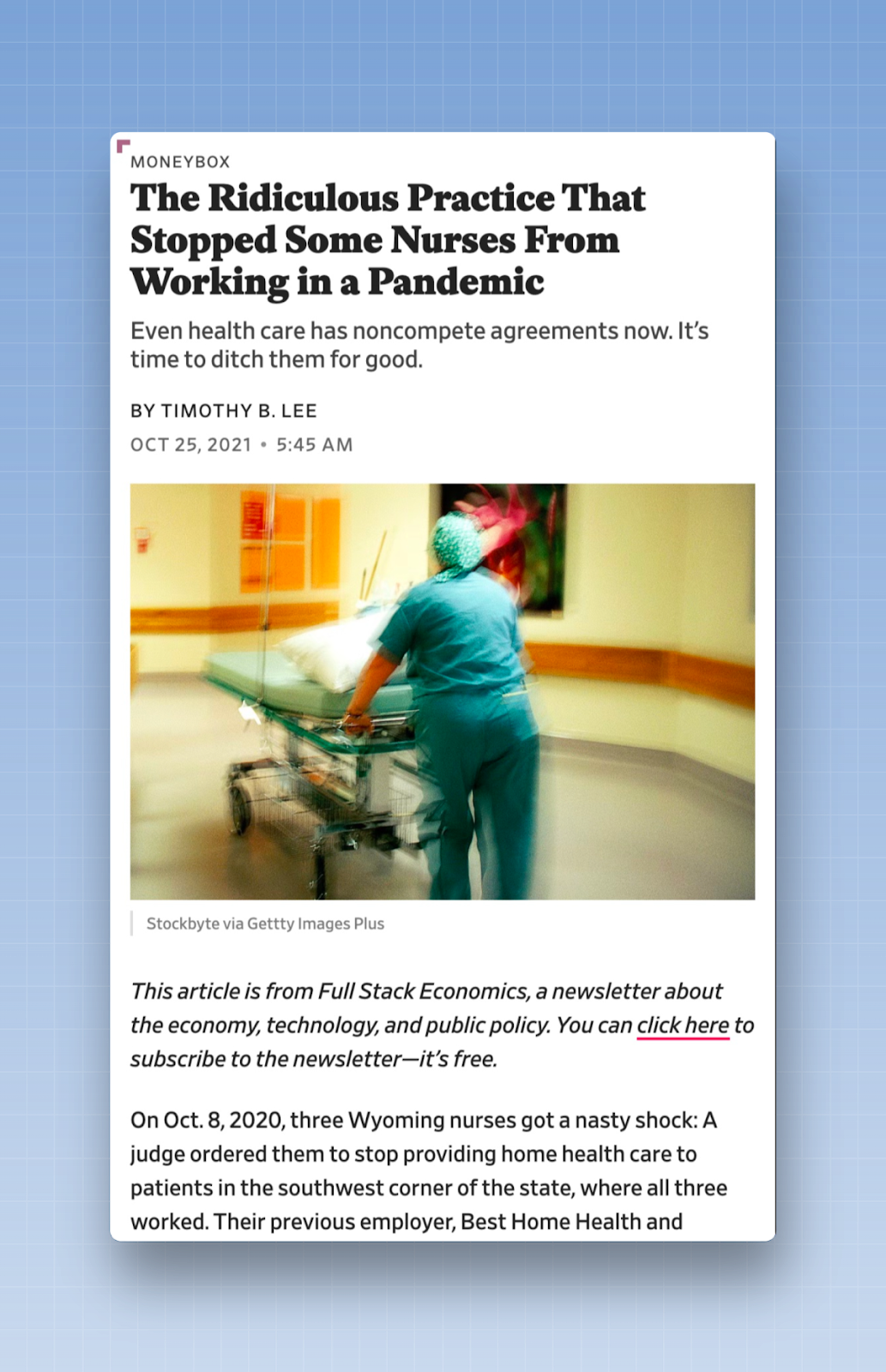
Some people publish guest articles for other publications. When I started working with Not a Newsletter, I was writing a monthly tip for another newsletter that reached a wide audience in the journalism field. It always linked back to my sign-up page. The other newsletter received free content, and I got free promotion. It was a win-win for both parties.
If you write frequently for another publication, I encourage you to ask to be paid—you deserve to be compensated for your time and expertise! But you should also ask that publication to include a link to your newsletter—either at the top or bottom of your article, in your byline, or, ideally, in both places.
Pay-TV Channels
Let’s take it up a notch and talk about paid acquisition—spending money to grow your audience and collect email addresses. But before we dive into the opportunities, let’s establish a baseline: Acquiring an email subscriber typically costs between 1 and 2 euros. For newsletters that reach a broad audience, this figure may be slightly lower; for niche or B2B products, the cost can be significantly higher.
There’s also a whole set of terminology to understand in the world of paid acquisition. Successful newsletters use a few different metrics to analyze their paid acquisition strategy:
Customer Acquisition Cost (or CAC) – The cost of acquiring an email address. (Some refer to this as cost per lead, or CPL. For most newsletter companies, these terms are largely interchangeable.)
Average Revenue Per User (ARPU) or Customer Lifetime Value (CLV) – These are two different ways to calculate the value of a single reader. Ad-supported newsletters tend to use the first method, while subscription- or membership-based businesses tend to use the second.
Payback Period – The time it will take to recoup your investment using this new email address. Each newsletter is designed to achieve the lowest customer acquisition cost (CAC), the highest average revenue per user (ARPU) or customer lifetime value (CLV), and the shortest possible payback period, which will result in higher revenue over the long term.
Cost Per Acquisition (or CPA) – The cost of acquiring a new paying customer (this could be a new paying subscriber, a donor, a member, an event participant, etc.) Keep in mind: Only a percentage of your new prospects will become new customers.
This Beehiiv tool can help you calculate some of the basic metrics, such as CAC, LTV, and payback period.
Here is a concrete example of how this might work in practice:
You run a major newsletter whose goal is to convert readers into paying subscribers. Your key metric is customer lifetime value (CLV). You’ve already done the math: the lifetime value of one of your customers is $100.
You spend $1,000 on paid acquisition, with a customer acquisition cost (CAC) of $1. Your $1,000 has resulted in 1,000 new email addresses.
5% of these readers become new paying subscribers, which means you’ve just acquired 50 new paying customers. Divide the total amount spent by the number of new customers, and you get a customer acquisition cost (CPA) of $20.
And as we mentioned earlier: A reader’s CLV is $100. Multiply that amount by the number of new paying subscribers, and you’ll have generated a lifetime value of $5,000 for an investment of $1,000.
These figures, which have been simplified to the extreme, are hypothetical and do not represent actual benchmarks for what you can expect from a paid acquisition campaign. I’d be thrilled if you achieved results this good, but it’s unlikely that your results will match these figures. However, understanding these basics is the first step toward figuring out how much you can spend on paid acquisition.
With that in mind, let's dive into a few profitable opportunities to grow your list.
47. Launch an advertising campaign on social media or in another newsletter
If you’re just starting to spend money, begin with lead generation ads, which are the simplest form of paid acquisition. Like many other forms of paid acquisition, lead ads promote your newsletter to a specific audience and ask them to sign up.
But what sets this type of campaign apart is the way you collect email addresses. Instead of directing users to a separate landing page to sign up, you get their email address with just one click.
Many social media platforms allow you to run a simple advertising campaign. Let’s say you pay Facebook to run a targeted ad promoting your newsletter. The user sees the ad in their News Feed. If they want to sign up, they click the “Sign Up” button in the ad. Facebook then collects their email address (the one linked to their Facebook account) and stores it in a .csv file that you can download. You can also connect Facebook (or any other social media advertising platform) to your email platform via Zapier, which allows you to automatically add a user to your email database as soon as they sign up through the ad.
If you’re thinking about running lead generation ads on Facebook, I recommend checking out Facebook’s Ad Library. You can use it to see the ads that other brands are running on Facebook, and it can be a great source of inspiration when it comes to identifying formats or CTAs that might work for your newsletter.
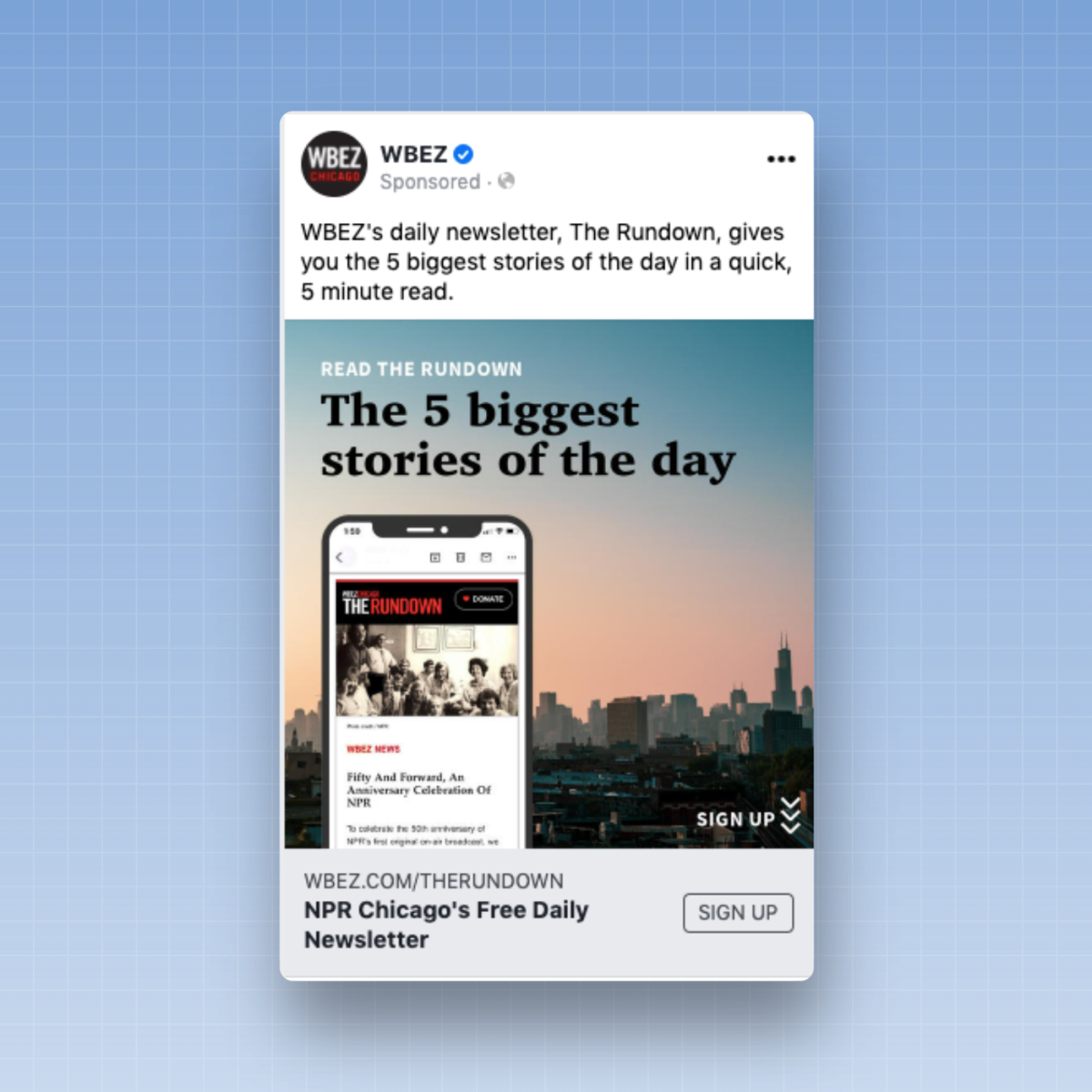
These ads don't have to be limited to Facebook or other social media channels. You can also run these ads in other newsletters. You can pay to advertise in another newsletter and then use a one-click magic link to collect email addresses without the reader having to leave their inbox. (Sparkloop’s one-click magic link tool works with several email platforms, and Beehiiv also offers its own tool.)
You can also join Sparkloop’s partner network. You tell Sparkloop up front how much you’re willing to pay per email address and how much you’re willing to spend per month, and verified newsletters can promote your newsletter to their audience. Verified newsletters can promote your newsletter to their audience. When they generate a new subscription for your newsletter, they are paid at the predefined rate.
48. Try the “content-to-capture” approach
The “content-to-capture” approach effectively combines two strategies: lead ads and sign-up walls: Lead ads and sign-up walls.
Instead of directly promoting your newsletter, promote a piece of content. When a reader clicks to read that content, let them know they can read it for free—as long as they subscribe to your newsletter first.
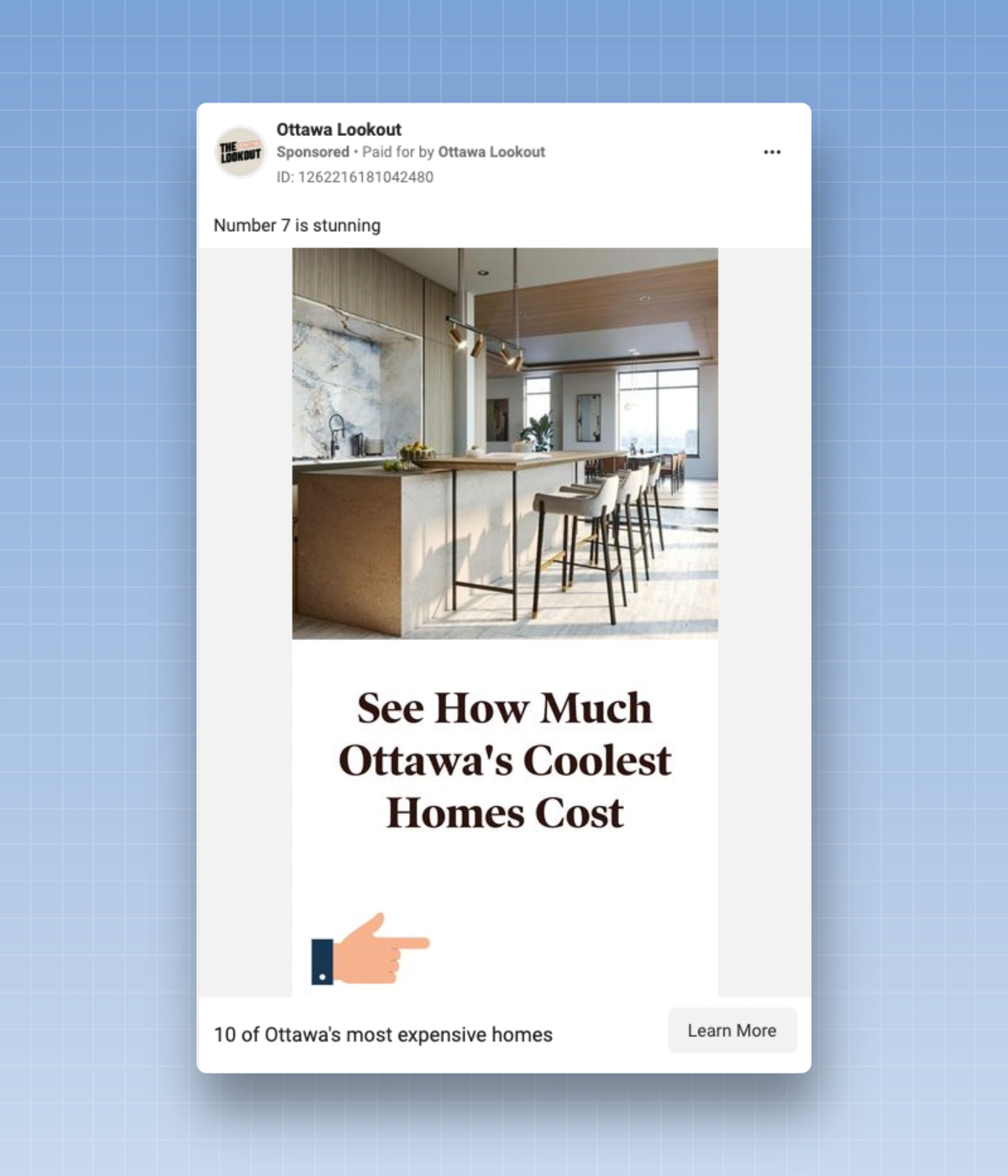
This type of strategy can be more or less effective. Be sure to explicitly tell the reader that they will be subscribed to your newsletter after clicking, and let them know what to expect in their inbox. If you don’t, you may end up with a large number of sign-ups, but also a flood of unsubscribes from readers who didn’t realize they were signing up for a newsletter.
If the ad’s content is closely related to the newsletter’s content, readers will be more likely to return regularly. For example, if I were running one of these ads for my own newsletter, I could pay to promote content that has performed well—such as my guide to “30 Tips to Improve Your Newsletter This Year.” Once the reader clicks to read it, I’ll tell them about my newsletter and ask them to subscribe. Since the reader wants to improve their newsletter and my newsletter offers tips and advice on how to do just that, I’m confident I’ll retain this reader for a long time.
But the weaker the connection between the content and the newsletter, the lower the chances of conversion. For example, when I work with local newsrooms, I’ve seen some organizations share very engaging content as part of a content acquisition strategy, but their newsletters focus more on breaking news or politics. There’s a disconnect between the content of the ad and that of the newsletter, and these readers tend to become inactive fairly quickly.
49. Run a two-step
conversion campaign
This strategy involves two key steps: First, direct readers to a landing page or piece of content, and then ask them to sign up. To implement this strategy correctly, be sure to use a unique landing page or add UTM parameters to your landing page’s URL so you can track conversions from specific articles.
This strategy has become increasingly popular among newsletters, largely thanks to Sparkloop’s Upscribe widget. With Upscribe, the two-step conversion campaign actually adds a third step: Once a reader has subscribed to your newsletter, you display an Upscribe pop-up that recommends other newsletters they might like. These newsletters may be part of Sparkloop’s partner network—they’re newsletters that pay you for every email address you send their way.
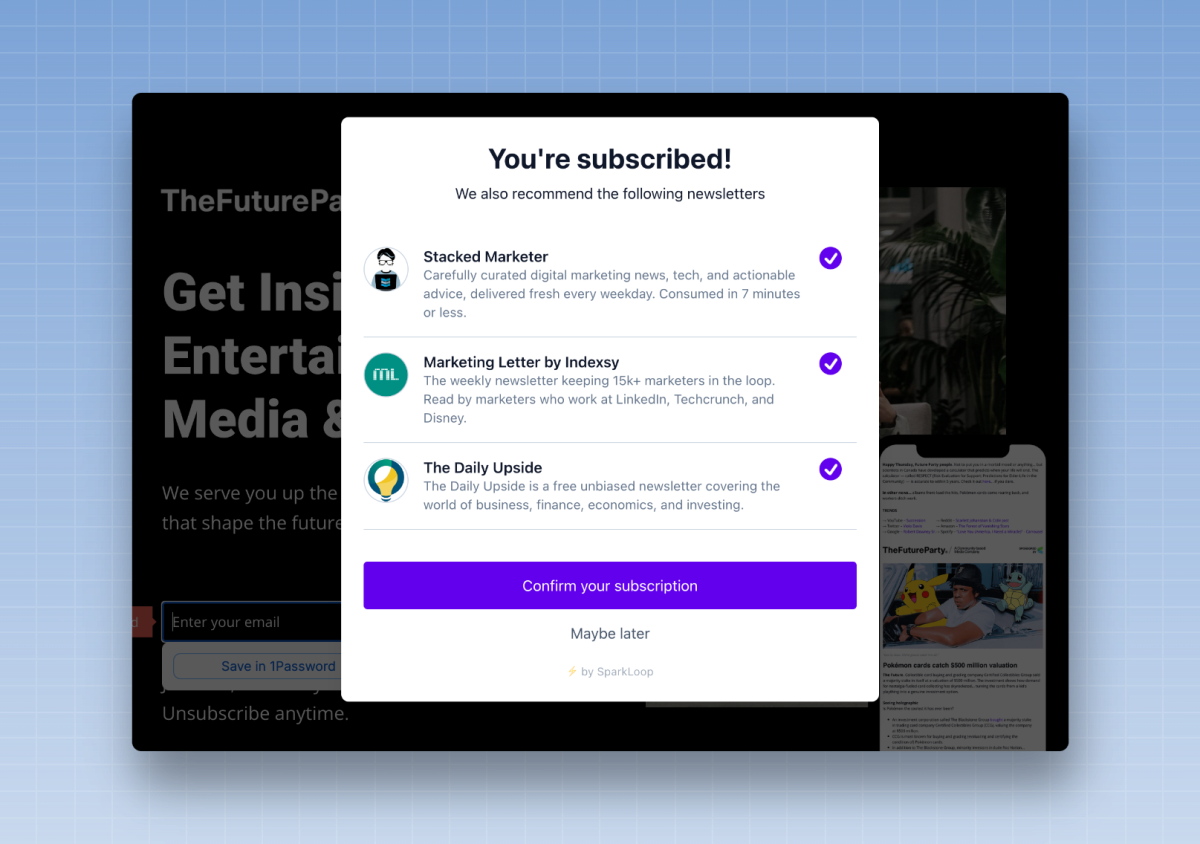
Let’s say you spend $1 on Facebook to encourage a reader to sign up for your newsletter using this strategy. Once you’ve obtained their email address, you use Upscribe to recommend three additional newsletters, each of which is willing to pay you $1 for that same email address. If the average reader signs up for just one of these newsletters through Upscribe, you’ve spent a dollar to collect the initial email address, but you’ve been reimbursed a dollar for directing the reader to another newsletter. In the end, your costs balance out—you don’t spend any money growing your list using this strategy.
Many of the newsletters I work with are successful precisely because of this—they break even or even make a profit thanks to two-step conversion campaigns. Others recoup a percentage of their costs, which further reduces their customer acquisition costs.
50. Try a retargeting
campaign
Retargeting is a strategy that involves showing ads to readers who have visited your site frequently but haven’t yet subscribed to a newsletter. The idea is that once a reader has read (and, hopefully, enjoyed!) your content, they’ll be much more likely to subscribe to your newsletter.
You'll need to implement specific pixels or tags on your website to use this strategy. (For more information, see Facebook's documentation here or Google's documentation here.)
It’s up to you to decide what this retargeting campaign will look like. You might want to run a lead generation ad, use the “content-to-capture” approach, or run a two-step conversion campaign. Each of these campaigns can target a reader who has already visited your site.
Some organizations even run specific advertising campaigns to drive readers to their website and then retarget them with newsletter ads after their visit.
51. Subscribe to another newsletter
I need to clarify what I mean by “buying,” because, as Yanna-Torry Aspraki wrote in her “Ask a Deliverability Expert” column, purchasing an email list is strictly prohibited in the world of deliverability.
There are email address sellers who will be happy to sell you a list of email addresses. They’ll tell you that these are verified email addresses and that they can sell you a list of readers who are very likely to be interested in your product.
Please, please, please: Do not buy email lists from third parties. You risk ending up in the “spam” folder very quickly. These email addresses are often collected through shady means, and you haven’t obtained the person’s permission to start sending them emails.
Once again, for those in the back: Don't buy a random list of email addresses.
But let’s say you’re in the process of building your audience and you come across a newsletter that covers a similar topic or has a similar audience. You can always offer to buy that newsletter and bring it under your umbrella. As Alex Hazlett wrote in his guide to newsletter exit strategies:
Newsletter creators who want to continue working on their projects can try to get hired, just as *The Atlantic* acquired *Galaxy Brain*, which was founded and led by Charlie Warzel. This happens even with niche products. When Meta shut down its newsletter platform, Bulletin, Rick Hutzell, editor-in-chief of a newspaper covering Annapolis, Maryland, took the audience of his newsletter and his weekly column and brought them to The Baltimore Banner, a nonprofit news organization covering news and politics in Maryland.
If you choose this approach, make sure the original newsletter mentions this acquisition and work on integrating the two publications. If done correctly, the new audience will learn more about you and the reasons why you acquired this other newsletter, and these readers will begin to get into the habit of reading your newsletter.
52. Launch a referral
program
Referral programs were—at one point in the 2010s—one of the most effective ways to build an email list. Leading newsletters such as Morning Brew and TheSkimm took advantage of this to build audiences of several million subscribers.
A referral program offers readers rewards in exchange for helping you grow your subscriber list. Some readers need a little nudge to share a newsletter with a friend—a referral program can encourage a percentage of your audience to go the extra mile to share the newsletter.
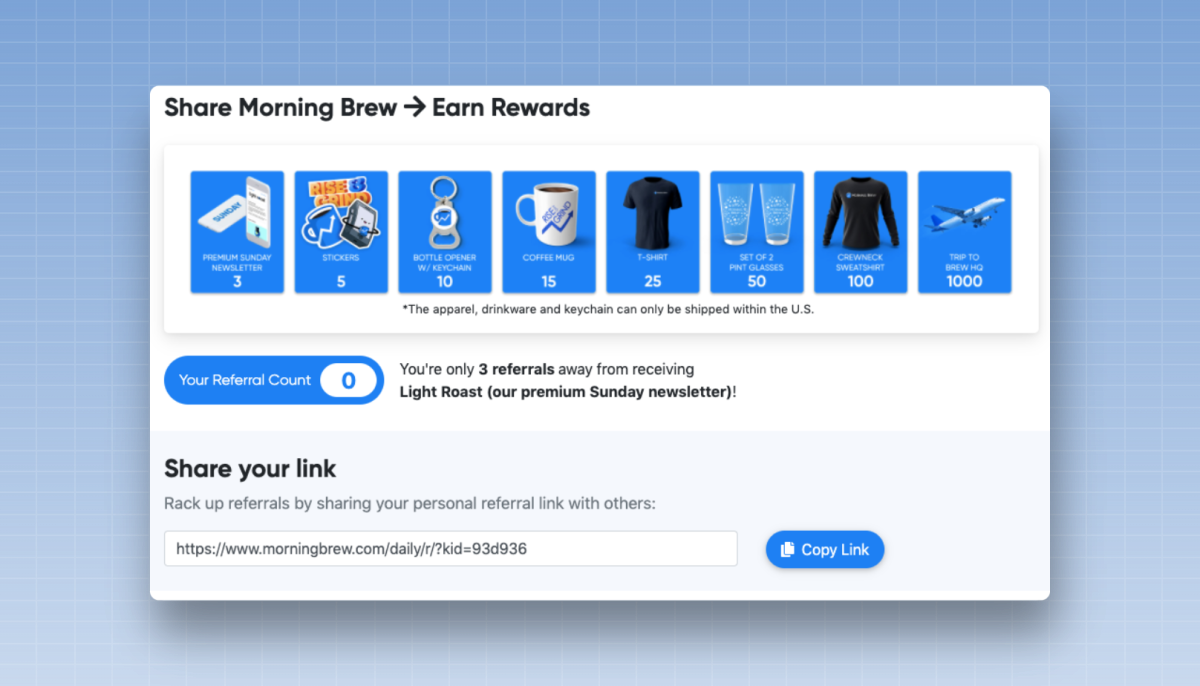
There are various strategies for these programs. Morning Brew launched a program aimed at its entire audience, with the goal of encouraging as many readers as possible to share the newsletter with at least three friends. By reaching this threshold, you gained access to an exclusive weekly newsletter. They also offered gifts to people who referred others. A tiny percentage of power users actually reached these higher tiers, but those users referred a considerable total number of new subscribers in the process. And acquiring these subscribers was a good deal—100 new subscribers in exchange for a sweatshirt was a good deal for Morning Brew.
TheSkimm focused on an ambassador strategy. Their goal was to identify micro-influencers—people likely to have access to their own audience or community. These weren’t Kardashian-level influencers. They were often people with access to a mailing list of hundreds of people, such as a sorority president at a university. They called these influencers “Skimm’bassadors” and asked them to share the newsletter with their networks in exchange for rewards and access to monthly calls during which TheSkimm team shared insights on how they were building the product. (There was a time, back in the 2010s, when I frequently saw the term “Skimm’bassador” on recent graduates’ resumes.)
Referral programs aren’t as effective as they used to be—it’s rare for me to speak with a newsletter that lists them as one of its top three sources of growth. But they can still be a significant source of growth, accounting for as much as 5 to 10% of your annual growth.
If you offer these, think carefully about the rewards. Start with digital offers—perhaps one or two new sign-ups grant access to a lead magnet or an exclusive newsletter. You can also link these offers to a contest, where referring one or three friends gives readers access to a new prize, drawn each month from among everyone who has reached that referral level.
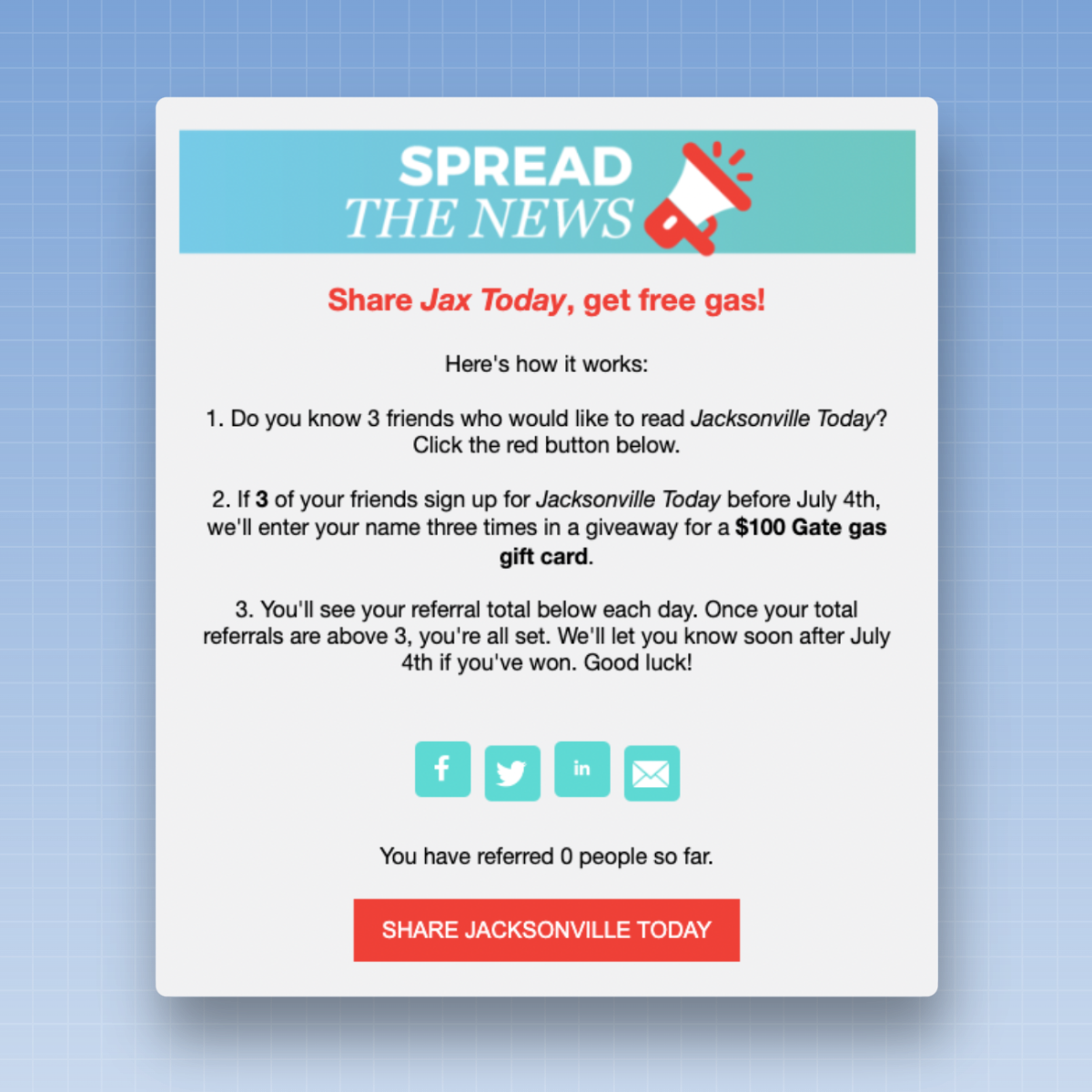
If you offer physical products, first make sure you understand the value of a subscriber, either through average revenue per user (ARPU) or customer lifetime value (CLV). If you know how much revenue you’ll generate from each new subscriber, you’ll be able to determine which rewards are appropriate and at what level.
For example, let’s say that printing and shipping a tote bag costs $15 and that the average revenue per subscriber is $3. If I offer this tote bag in exchange for five new subscriptions, I spend $15 on the reward but only receive $15 in return (to calculate this, multiply the average revenue per subscriber by the number of email subscriptions). So I’d like to increase this reward threshold—perhaps to 10 or even 15 referrals—to ensure I get enough value for the cost of that tote bag.
Some email marketing platforms, such as Beehiiv or ConvertKit, offer built-in referral programs. You can also turn to Sparkloop to set up a referral program—they make it easy to set up a referral program and offer integration with Printful for on-demand printing and shipping of merchandise.
What growth strategies should I focus on?
There's a lot covered in this guide, so I'd like to wrap up with a few specific recommendations based on the type of newsletter you have.
There are some things that all newsletters, regardless of their category, should try. Every newsletter should have its own sign-up page(s), and everyone should consider placing sign-up boxes on the most-visited pages—such as article pages—or in the header, navigation bar, or footer. Everyone should consider converting readers from social media, for example, by including a link in their bio.
But some things are specific to the type of newsletter you manage—a large media organization will try different tactics than a freelance writer with their own newsletter. That’s why I’ve selected five strategies in this guide that every type of newsletter should focus on:
If you are a news organization or other publication
1. Request registration after a reader has paid for a subscription or become a member.
2. Make the most of converting readers from your article pages. This means you should use full-screen pop-ups, toaster ads, exit-intent ads, and in-house ads.
3. Run two-step lead generation or conversion campaigns.
4. Use a message board.
5. Try giving away gifts, holding raffles, running quizzes, or hosting contests.
If you are a nonprofit organization
1. Ask readers to sign up after making a donation.
2. Use events to attract new subscribers.
3. Display pop-ups or “toaster units” on your article pages and show a sign-up box in the left or right sidebar.
4. Rely on user-generated content.
5. Win over readers through petitions.
If you have an independent
newsletter
1. Harness the power of referral networks.
2. Repost content and take advantage of earned media.
3. Run two-step lead generation or conversion campaigns.
4. Try a welcome campaign or a lead magnet.
5. Set up a referral program or offer a gift.
If you work in the e-commerce
industry
1. Offer discount codes for products.
2. Invite readers to sign up at the point of purchase.
3. Launch full-screen pop-ups and exit intent windows.
4. Give out prizes, hold a raffle, or organize a contest.
5. Launch lead generation or retargeting campaigns.
Editor's Note
This text is not a word-for-word translation of the original article published on the Inbox Collective website. We have added contextual information, adapted certain expressions, and omitted certain passages containing specific references intended for English-speaking or American readers. We have also chosen to apply the rules of inclusive writing to this translation, in accordance with the editorial guidelines in effect for all Médianes content.


